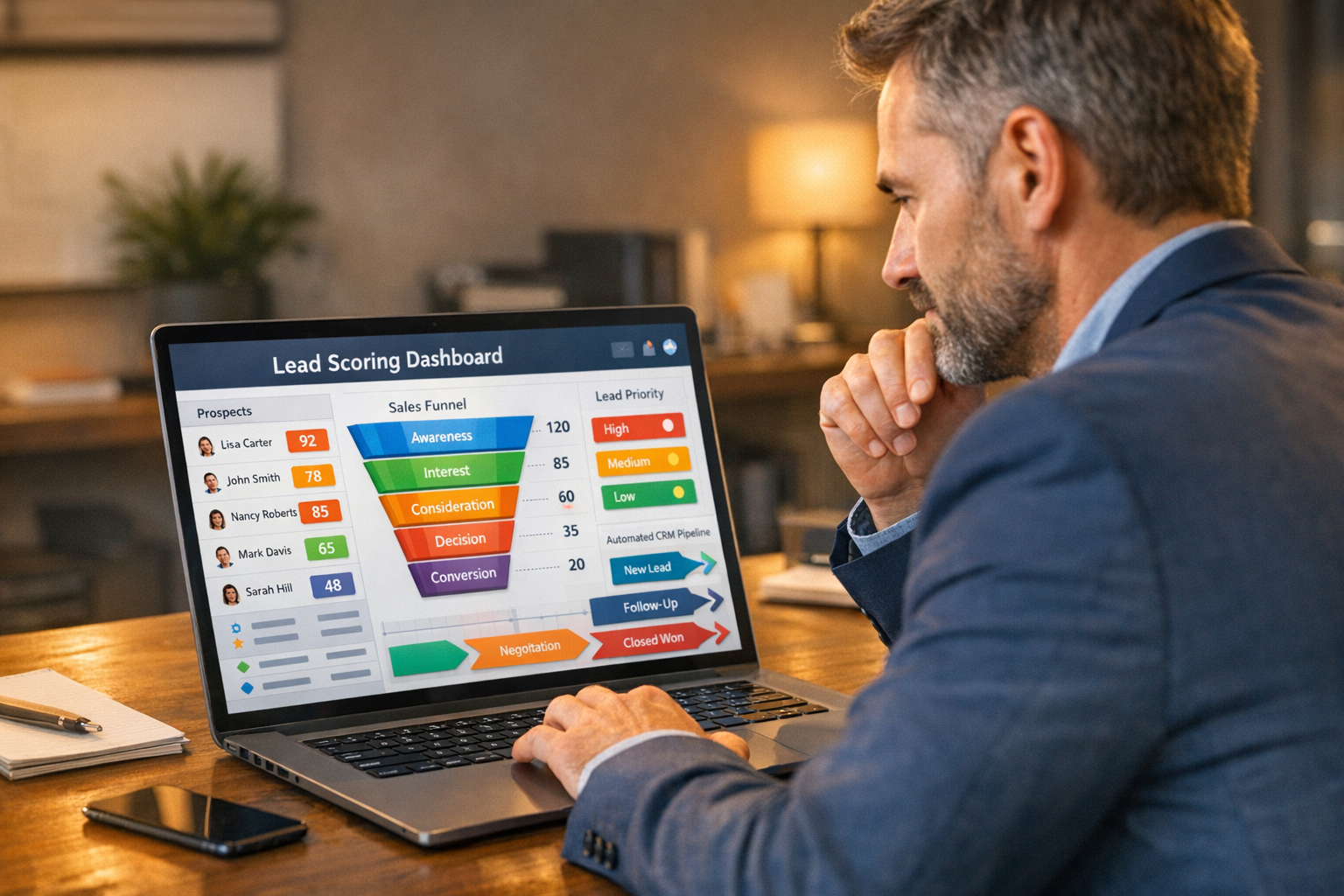
You have fifteen new leads this week. Three of them are ready to buy. The other twelve are browsing, comparing, or just curious. The problem? You don’t know which three — so you spend equal time on all fifteen, and the hot ones cool off while you’re chasing the cold ones.
This is the lead qualification problem. It’s been around forever, but AI has finally made the solution affordable and practical for small businesses that don’t have a dedicated sales team or a data analyst on staff.
AI lead scoring assigns a numerical value to each prospect based on their behavior and profile — automatically, in real time. It doesn’t replace your judgment; it points it in the right direction. And when it’s set up correctly, it’s the difference between a scattered outreach effort and a focused, high-conversion sales process.
Here’s how to make it work for your business.
What Lead Scoring Actually Is
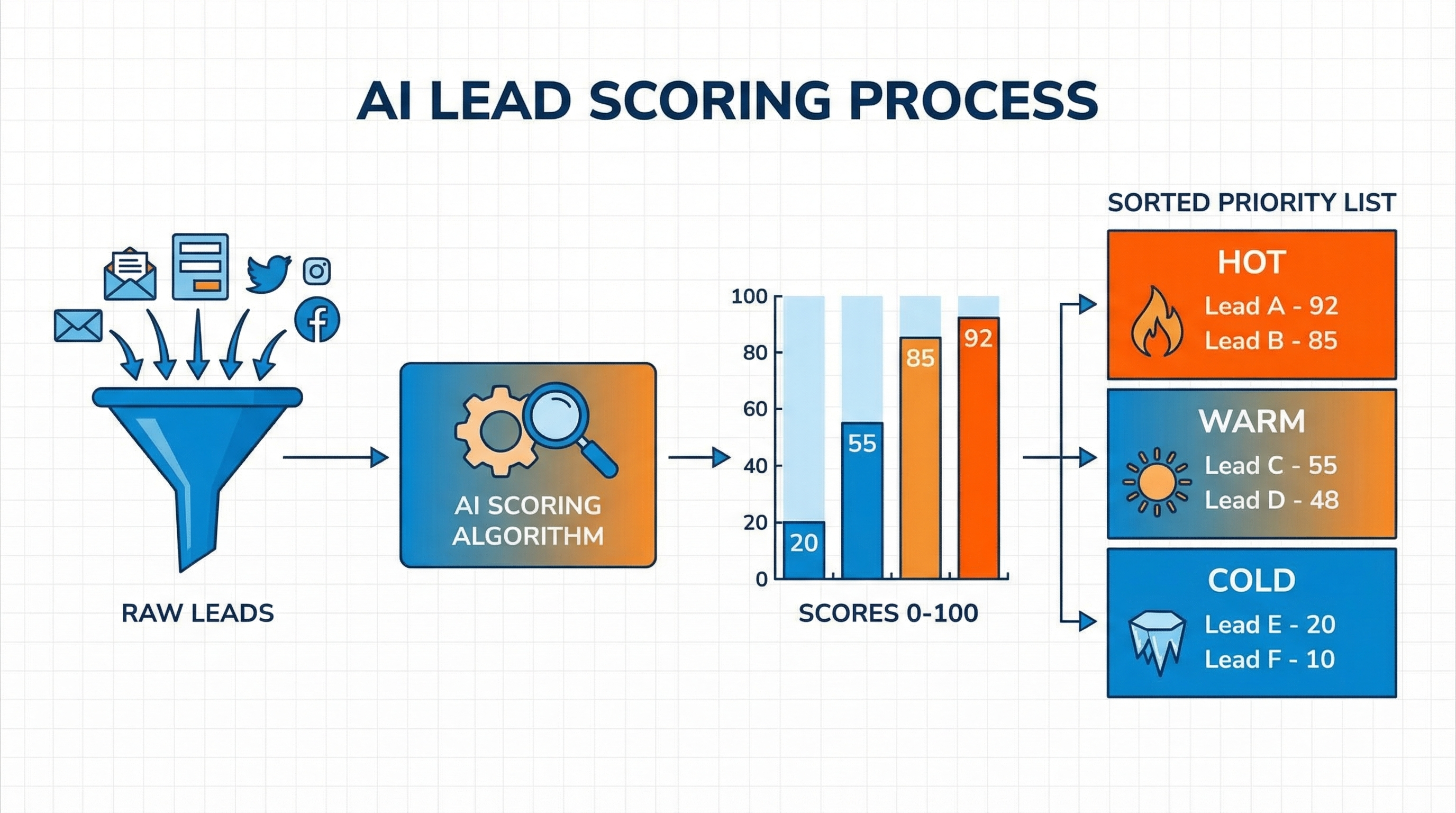
Lead scoring is a method of ranking prospects based on how likely they are to convert into paying customers. Each lead gets a score — typically between 0 and 100 — based on two categories of signals:
Demographic fit (who they are):
- Job title or role
- Business size or type
- Location
- Industry
- How they found you
Behavioral engagement (what they’ve done):
- Pages visited on your website
- Emails opened and clicked
- Content downloaded
- Forms submitted
- Time spent on pricing or service pages
- Social media interactions
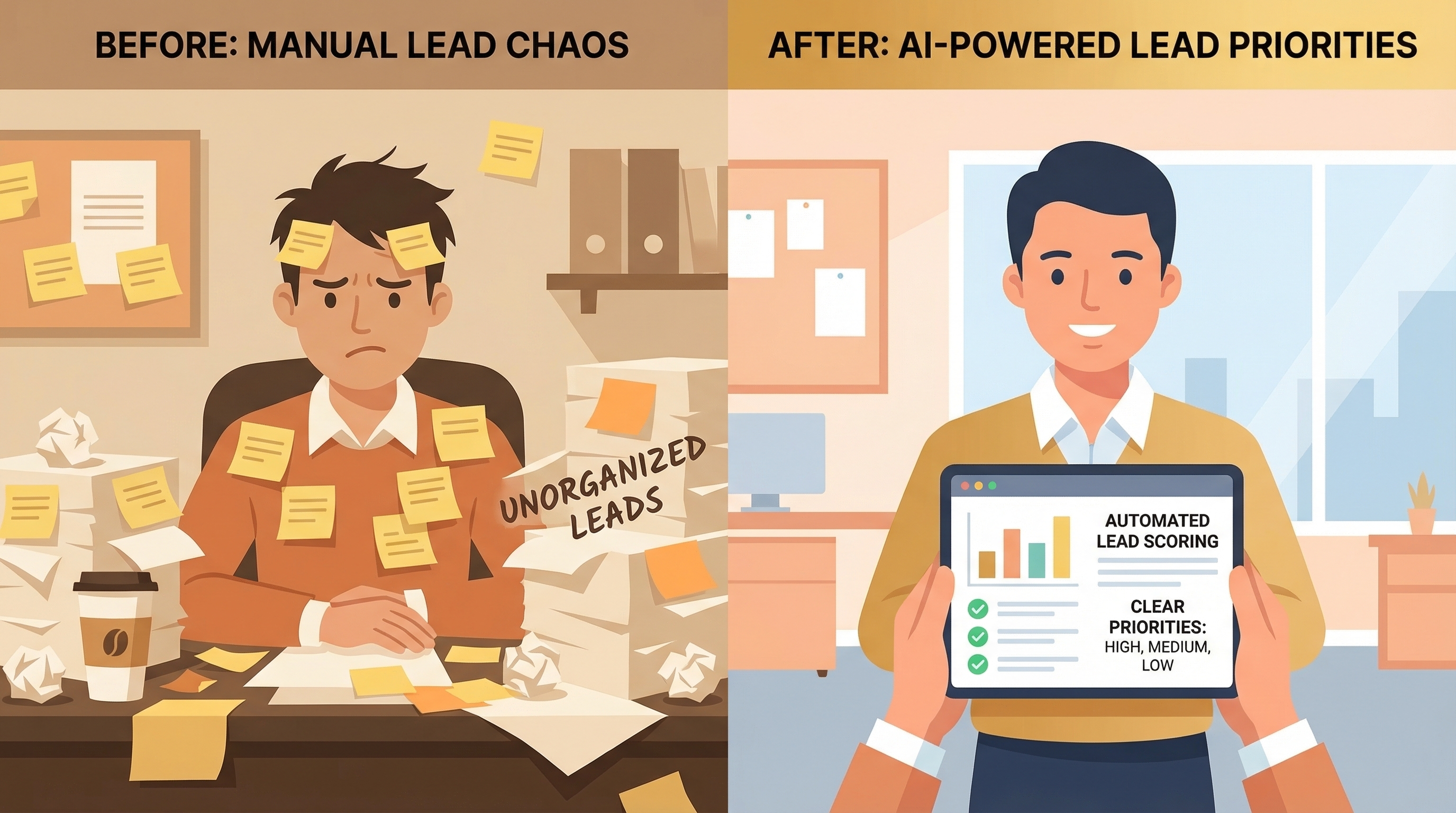
Traditional lead scoring was manual — sales teams would eyeball their CRM and decide who seemed “hot.” That worked when you had 10 leads a week and an experienced rep who could read the signals. It breaks down when you have 100 leads, limited staff, and no consistent process.
AI lead scoring does this automatically, at scale, and improves over time as it learns which combinations of signals actually predict conversions in your specific business.
Why Small Businesses Need This Now
Here’s the math that makes lead scoring essential:
- Response time is everything. Research shows that leads contacted within 5 minutes of inquiry are 21x more likely to convert than those reached after 30 minutes. If you’re manually triaging your inbox each morning, you’re already behind.
- Most leads won’t convert. Industry averages put B2B lead-to-customer conversion rates between 2–5%. That means 95 out of 100 leads need nurturing, not immediate sales attention. Knowing which 5 need that immediate push changes your whole week.
- Chasing cold leads kills morale. When your team (or you) spends most of their time on unqualified leads, follow-up becomes exhausting and inconsistent. Scoring creates a clear order of operations.
- AI makes it accessible. Until a few years ago, predictive lead scoring required data scientists and custom ML models. Today, tools like HubSpot, ActiveCampaign, and Pipedrive bake it in at price points any small business can consider.
The Two Types of Lead Scoring
Understanding the distinction helps you pick the right setup for your stage:
Rule-Based Scoring
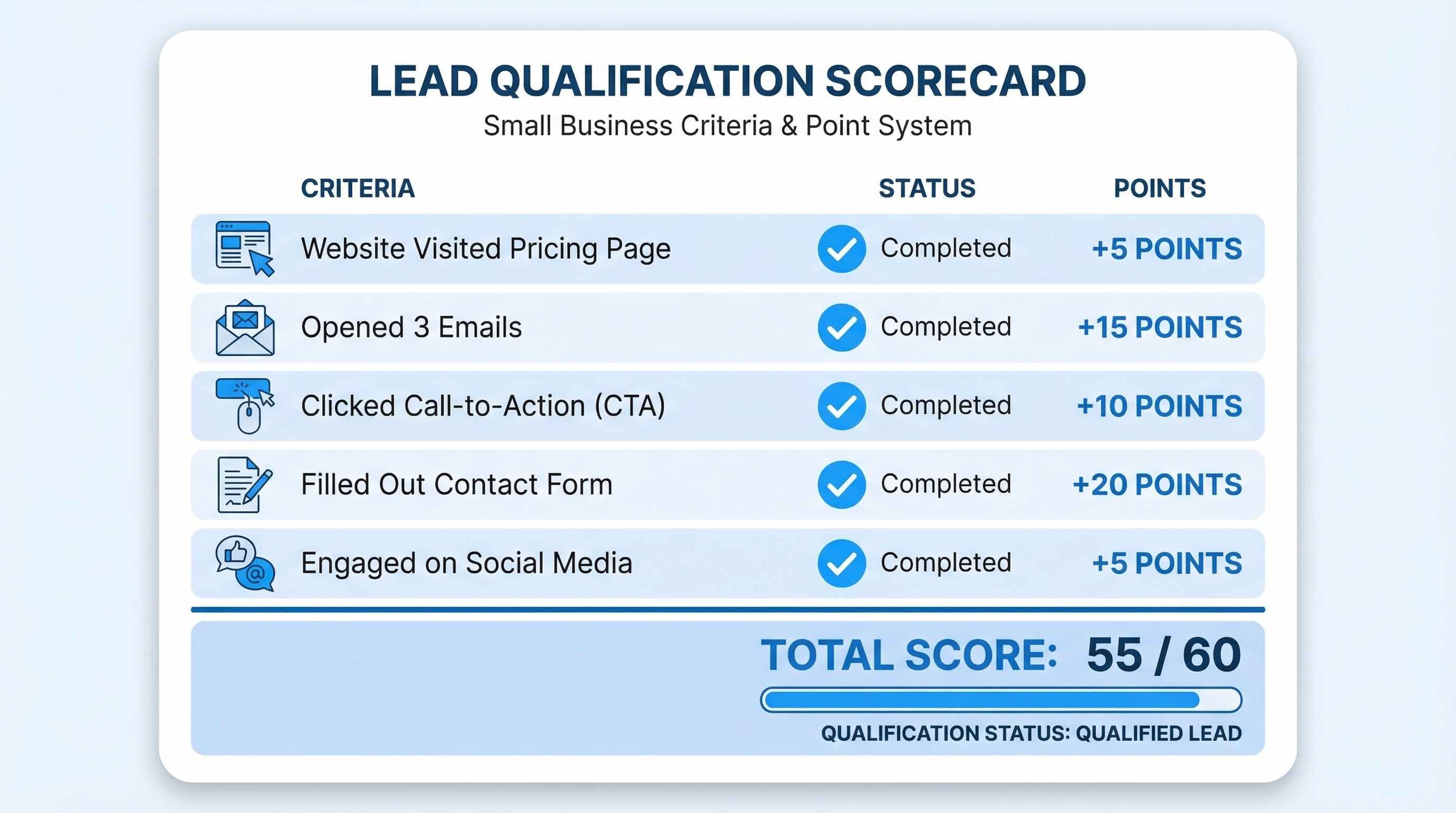
You define the rules manually: “+10 points if they visited the pricing page,” “+15 if they opened three emails,” “-20 if they unsubscribed.” The system applies your rules automatically.
Pros: Simple to set up, transparent logic, no data requirements. Cons: Your rules might be wrong. You’re guessing at what predicts conversion without real validation.
Best for: Businesses just starting out with lead scoring, or those with fewer than 50 leads per month.
AI/Predictive Scoring
The system analyzes historical data — which past leads converted and which didn’t — and identifies the patterns. It then scores new leads based on what actually predicted success, not what you guessed would.
Pros: More accurate, self-improving, reveals patterns you wouldn’t have spotted. Cons: Requires historical data (at least 200–500 past leads), slightly less transparent.
Best for: Businesses with an established lead flow who want to optimize conversion rates.
Most small businesses start with rule-based and graduate to predictive scoring once they have enough history.
Setting Up Your Scoring Model
Whether you’re doing it manually or with AI, the setup process looks similar.
Step 1: Define Your Ideal Customer Profile
Before scoring leads, know what you’re scoring toward. Your ideal customer profile (ICP) describes the businesses or individuals most likely to become great, long-term customers. Consider:
- Business size (employees, revenue)
- Industry vertical
- Pain points they typically have
- Buying authority (are they the decision-maker?)
- Geographic location
This gives you the demographic criteria for your scoring model.
Step 2: Map Your High-Intent Behaviors
Look back at your last 20–30 customers and ask: what did most of them do before they converted? Common high-intent signals include:
- Visited the pricing or services page more than once
- Started but didn’t complete a booking or contact form
- Watched a product demo or consultation video
- Downloaded a guide or checklist
- Replied to a follow-up email
- Called after receiving an SMS
These become your high-value behavioral signals — worth the most points.
Step 3: Assign Point Values
A simple starting framework:
| Signal | Points |
|---|---|
| Visited pricing page | +15 |
| Submitted contact form | +25 |
| Opened 3+ emails | +10 |
| Clicked a CTA in email | +15 |
| Requested a consultation | +30 |
| Matches ICP (industry, location, size) | +20 |
| Unsubscribed from emails | −30 |
| No engagement in 30 days | −15 |
| Generic email domain (gmail/yahoo) | −10 |
Leads scoring 70+ are “hot” — prioritize immediate outreach. Scores between 40–69 are “warm” — enter an automated nurture sequence. Below 40 are “cold” — light touch only until they re-engage.
Step 4: Integrate With Your CRM
Lead scoring only works if it’s connected to the system where you manage contacts. Your CRM should:
- Automatically capture and update lead scores as behaviors happen
- Surface your highest-scoring leads in a priority view
- Trigger automations based on score thresholds (e.g., when a lead hits 70, notify the sales team via SMS)
If you’re using CRM automation, this integration is usually built-in or available via Zapier or native integrations.
Tools That Do This Well for Small Businesses
HubSpot (Free–$800/month)
HubSpot’s free CRM includes basic contact tracking, but predictive lead scoring is available on the Professional tier ($800/month). For smaller budgets, the rule-based scoring is available on Starter plans. Strong email integration, easy-to-use interface.
Best for: B2B service businesses, agencies, consultants.
ActiveCampaign ($29–$149/month)
ActiveCampaign has one of the best lead scoring setups for the price. Their Contact Scoring feature lets you create multiple scoring models and trigger automations when scores change. Their predictive content and AI features are improving rapidly.
Best for: Businesses with strong email marketing and automation workflows.
Pipedrive + AI add-on ($25–$99/month)
Pipedrive’s AI Sales Assistant identifies leads most likely to convert based on your pipeline history. It’s visual, deal-centric, and works well for businesses with a clear sales pipeline (proposals, follow-ups, closings).
Best for: Service businesses with a defined quote-and-close sales process.
Salesforce Essentials ($25/month)
If you need Salesforce’s ecosystem but at a small-business price, Essentials includes basic scoring rules and integrates with Einstein AI features on higher plans. Steep learning curve but powerful.
Best for: Businesses planning to scale significantly and needing an enterprise-grade foundation.
GoHighLevel ($97/month)
Popular in the marketing agency and local business space. Includes lead scoring, automated workflows, and strong SMS/email capabilities in one platform. Particularly good if you’re managing multiple locations or client accounts.
Best for: Local businesses, agencies, multi-location service businesses.
What to Automate Once Scoring Is Running
Lead scoring without automation is half a system. The real payoff comes when scores trigger specific actions automatically:
Score ≥ 70 (Hot):
- Notify owner or sales rep immediately via SMS or app alert
- Move lead to “priority” pipeline stage
- Schedule a personal outreach task
- Send a high-value, specific email (not a generic nurture email)
Score 40–69 (Warm):
- Enter lead into a 5–7 step automated follow-up sequence
- Send case studies, testimonials, or relevant content
- Offer a low-friction next step (free consultation, quick call, download)
Score < 40 (Cold):
- Monthly newsletter or re-engagement email
- Retargeting ads if you have that set up
- No active sales outreach — let them self-qualify over time
This is where automated follow-up sequences become essential. The scoring model tells you who to focus on; the automation handles everyone else in the background.
Common Mistakes to Avoid
Scoring without acting on it. A score is useless if no one checks it. Build workflows that surface high scores automatically — don’t make your team look things up.
Treating demographic scores as absolute. A lead with perfect demographic fit who never engages is still cold. Behavioral signals should carry significant weight.
Never revising your model. Your initial scoring rules are a hypothesis, not truth. Review your model quarterly: are high-scoring leads actually converting? Adjust weights accordingly.
Scoring every channel independently. If leads come from your website, Instagram, Google ads, and referrals, your scoring should capture data from all channels into one unified view. Siloed scoring creates a fragmented picture.
Ignoring negative signals. Leads who unsubscribe, who bounce your emails, or who haven’t engaged in months should lose points. This keeps your “hot” list genuinely hot.
The Connection to Your Marketing Ecosystem
Lead scoring doesn’t operate in a vacuum. It’s most powerful when connected to the rest of your marketing and sales infrastructure:
- Email marketing automation creates the behavioral signals that scoring tracks (opens, clicks, conversions)
- SMS marketing can be triggered when a lead hits a threshold — high-intent leads get a personal text, not a mass blast
- Review generation tools create social proof content that warm leads can find when they’re researching — which itself is a scorable signal
- AI chatbots can collect qualification data during website conversations and feed it directly into your scoring model
- Google Analytics 4 captures page-level behavior data that, when connected to your CRM, adds rich behavioral scoring signals
The more connected your systems, the more accurate your scores — and the better your decisions.
Building Your First Scoring Model in a Weekend
You don’t need months of setup time. Here’s a practical weekend plan:
Saturday morning (2 hours):
- Open your CRM and review your last 30 conversions. What did most of them have in common before they bought?
- List your top 5 high-intent behaviors and your top 3 demographic criteria.
- Assign point values based on your gut + that conversion analysis.
Saturday afternoon (2 hours): 4. Configure your scoring model in your CRM (HubSpot, ActiveCampaign, GoHighLevel, etc.). 5. Apply scores retroactively to your existing contact database. 6. Identify your top 20 current leads based on score.
Sunday (2 hours): 7. Build a simple automation: when score hits 70+, create a task and send a personal email. 8. Set up a warm nurture sequence for scores 40–69. 9. Create a filtered view in your CRM that shows “Hot Leads” sorted by score.
You now have a working lead scoring system. It won’t be perfect — no first version is — but it’s infinitely better than the alternative: no system at all.
Frequently Asked Questions
How many leads do I need before AI scoring is useful? For predictive (AI-based) scoring, you typically need 200–500 historical conversions for the model to find meaningful patterns. Before you hit that threshold, start with rule-based scoring — it still adds enormous value, and you’ll be ready to upgrade when the data is there.
Does lead scoring work for service businesses with long sales cycles? Yes, and it’s especially valuable in that context. Long sales cycles mean many touchpoints, which creates rich behavioral data to score. Scoring helps you identify which leads are actively progressing vs. which ones have gone quiet.
Can I use lead scoring without a CRM? Technically, but it’s very limited. Lead scoring fundamentally requires a central database where behavioral signals can be tracked and updated. A CRM is the foundation — lead scoring is a layer on top of it.
What’s the difference between lead scoring and lead qualification? Lead qualification is typically a manual process where a sales rep assesses a prospect against criteria (budget, authority, need, timeline — the BANT framework). Lead scoring automates and quantifies part of that process, but doesn’t fully replace human qualification on high-value deals.
How do I know if my scoring model is working? Track your conversion rate by score bucket over 90 days. If leads scoring 70+ convert at a meaningfully higher rate than leads scoring 40–69, your model is working. If not, the weights need adjustment — that’s normal and expected.
Lead scoring is one of those tools that sounds complex until you set it up — and then you can’t imagine working without it. Start simple, connect it to your automations, and refine it as you learn what actually predicts a customer for your specific business.
Ready to build a system that finds your best prospects automatically? Get in touch with Monsoft Solutions — we help small businesses build AI-powered sales and marketing infrastructure that works while you sleep.