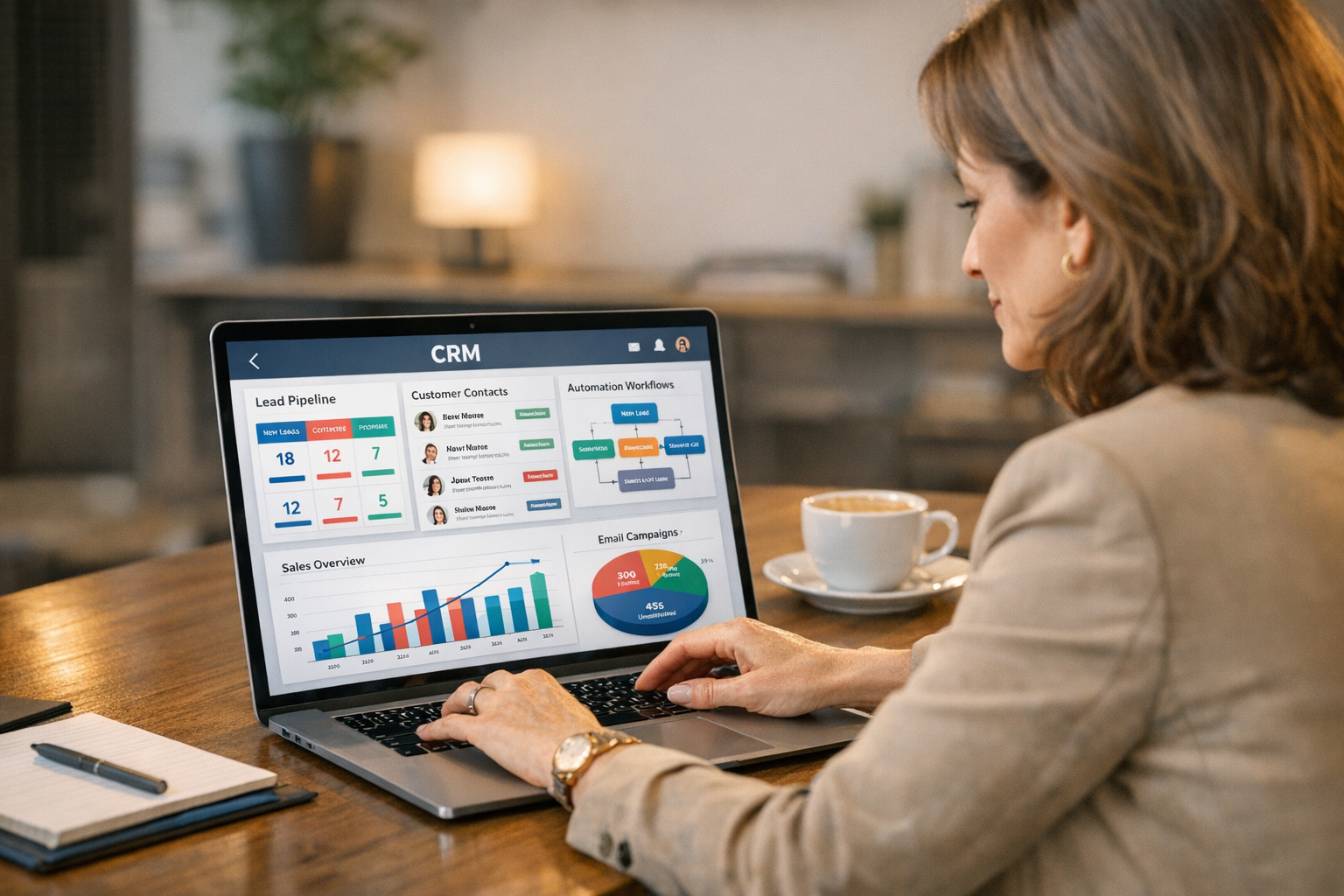
You have 47 unread emails, three voicemails from leads, a follow-up due with a prospect from last Tuesday, and a new inquiry that just came in from your website. You know you need to respond to all of them — but which one first, and what do you even say?
This is the daily reality for most small business owners without a proper CRM. And it’s silently costing you customers.
A Customer Relationship Management (CRM) system paired with smart automation changes this equation entirely. Instead of juggling leads manually, your system captures them, organizes them, follows up automatically, and tells you exactly when to step in. The result: fewer dropped leads, faster response times, and more deals closed — without adding staff or hours.
Here’s how to make it work for your business.
What CRM Automation Actually Means
Let’s be precise. A CRM is software that centralizes your customer and lead data — contact info, conversation history, deal stage, notes. CRM automation is what happens when you connect that data to rules and triggers that do things on your behalf.
For example:
- A lead fills out your contact form → CRM creates a contact record automatically
- Contact record is created → System sends a personalized welcome email within 60 seconds
- Lead doesn’t reply in 3 days → System sends a follow-up text message
- Lead books a consultation → System sends confirmation, reminder, and intake form
None of those steps require you to do anything. You set the rules once; the system executes them every time, for every lead, at scale.
That’s CRM automation. It’s not magic. It’s just consistent process, running automatically.
The Lead Leak Problem (And Why It’s More Expensive Than You Think)
Before we get into how to fix it, let’s understand what’s broken.
Research consistently shows that:
- 50% of leads go with the first business to respond. Speed wins. If you take 24 hours to reply and your competitor responds in 5 minutes, you lose — even if your service is better.
- Only 2% of sales happen on the first contact. The rest require follow-up. Most small businesses give up after one or two attempts.
- The average small business loses 20-30% of leads simply because no one followed up consistently.
Add this up across a year and you’re not talking about a few missed opportunities. You’re talking about a significant revenue gap. The good news is almost all of it is recoverable with the right system.
Choosing the Right CRM for Your Size
Not all CRMs are built for small businesses. Some are enterprise tools with price tags to match. Others are so simple they can’t automate anything meaningful.
Here’s where to look depending on your stage:
Starting Out (Under $75/month)
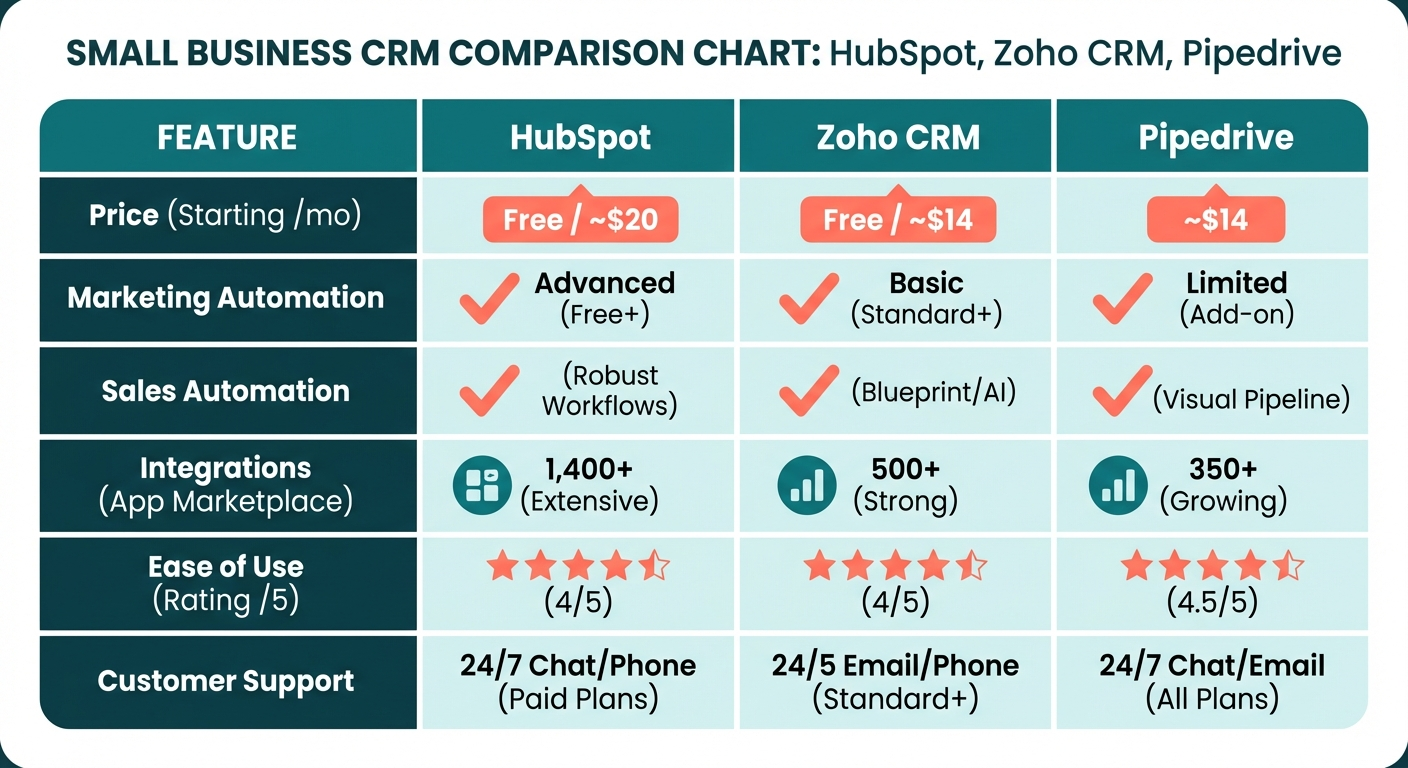
HubSpot CRM (Free tier) is genuinely free for core CRM features — contacts, deals, pipeline tracking, and basic email sequences. It integrates with Gmail and Outlook seamlessly. The free plan supports unlimited users and contacts, which is rare. Automation gets unlocked on paid plans starting at $20/month per user.
Zoho CRM starts at $14/month per user and includes workflow automation from the entry tier. Strong integration ecosystem, solid for service businesses, and the mobile app is excellent if you’re often on-site.
Pipedrive is built around a visual sales pipeline that makes it easy to see exactly where every lead stands. Starts at $14/month per user. Automation features — including email sequences and deal stage triggers — come standard.
Growing Business ($75–$200/month)
HubSpot Starter ($20/month/user) unlocks email sequences, simple workflows, and meeting booking. Most small businesses with 1–5 salespeople find this tier sufficient.
ActiveCampaign ($49–$149/month) is the automation powerhouse in this category. Its visual automation builder lets you create sophisticated multi-step sequences combining email, SMS, CRM updates, and task creation. If nurturing leads over a longer sales cycle is important, ActiveCampaign is worth the investment.
Keap ($249/month for 2 users) bundles CRM, email marketing, payments, and appointment booking into one platform. More expensive but reduces the number of separate tools you’re paying for.
The Rule of Thumb
Pick the simplest CRM that covers your actual needs. A $14/month tool you actually use beats a $300/month platform you ignore. Start simple, upgrade when you’ve outgrown it.
The Core Automation Sequences Every Business Needs
These are the non-negotiables. If you implement nothing else, implement these.
1. New Lead Capture and Welcome
Trigger: New contact created (from web form, ad, chat, etc.)
Sequence:
- Immediately: Send personalized welcome email acknowledging their inquiry
- Within 1 hour: Notify your team to make a personal call
- Day 1: If no call made, send a brief SMS: “Hi [Name], saw you reached out — would love to connect. What’s the best time to chat?”
Why it works: Speed is the biggest factor in lead conversion. An automated immediate response sets a professional tone and keeps you in the running while competitors are still sleeping.
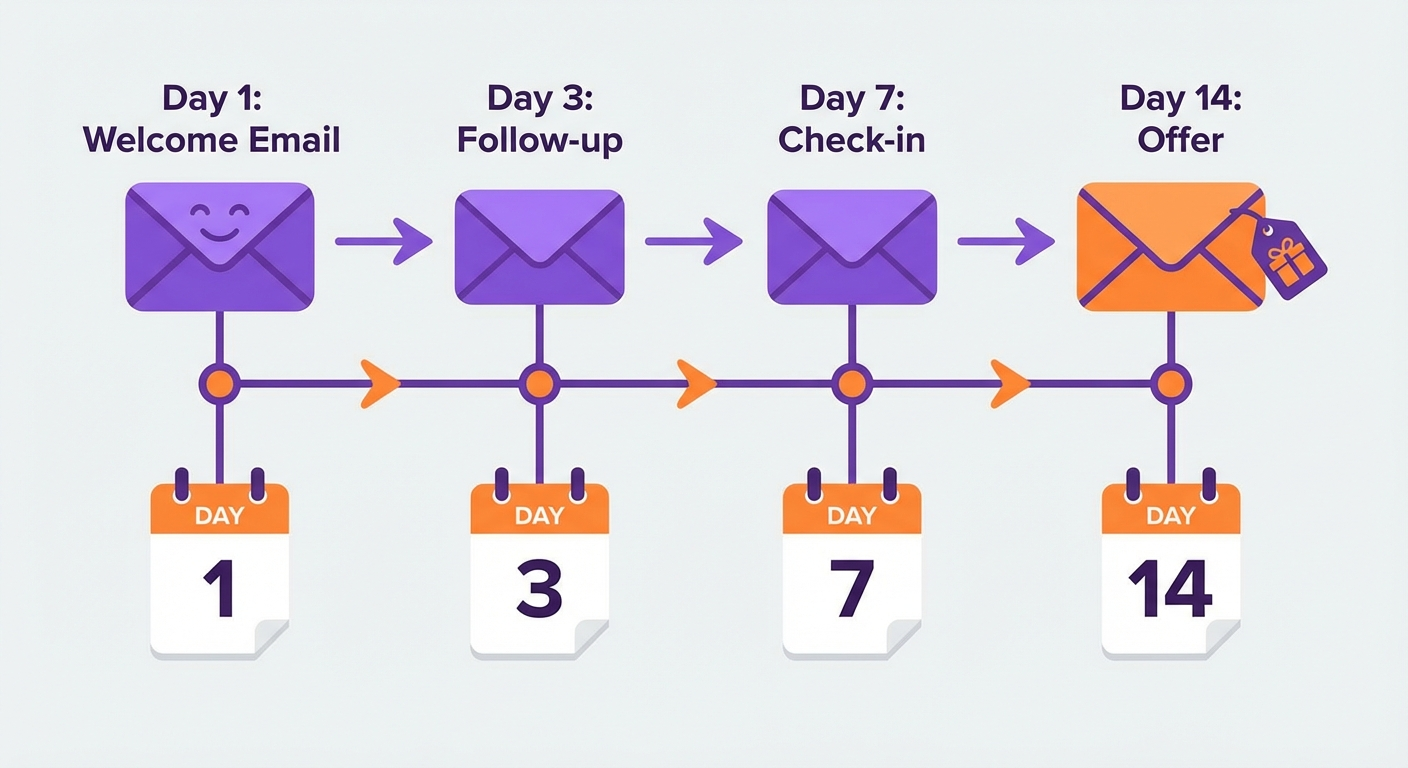
2. Nurture Sequence for Non-Converted Leads
Trigger: Lead created, no deal stage progress after 5 days
Sequence:
- Day 5: Educational email (solve a problem they likely have)
- Day 8: Case study or testimonial email (“Here’s how we helped [similar business]”)
- Day 12: Direct offer email (“Ready to move forward? Book a free 15-minute call here”)
- Day 17: Final follow-up (“Closing your file unless we hear back — still interested?”)
Why it works: Most leads aren’t ready to buy immediately. This sequence stays in front of them with value, not just sales pitches, until they’re ready.
3. Appointment Confirmation and Reminder
Trigger: Appointment booked
Sequence:
- Immediately: Confirmation email with calendar invite attachment
- Day before: Reminder email + SMS (“Your appointment is tomorrow at [time]. Reply CONFIRM to confirm or call us to reschedule.”)
- 1 hour before: Final reminder SMS
Why it works: No-shows cost real money. This sequence alone typically reduces no-shows by 30–50%. The confirmation step also gives clients an easy way to reschedule if needed, which opens the slot for someone else.
4. Post-Service Follow-Up and Review Request
Trigger: Deal marked as “Won” / Service completed
Sequence:
- Day 1 after completion: Thank-you email with summary of what was done
- Day 3: Check-in email (“How is everything going? Any questions?”)
- Day 7: Review request (“If you had a great experience, we’d love a Google review — here’s a direct link”)
- Day 30: Re-engagement (“Checking in — is there anything else we can help with?”)
Why it works: Most review requests get ignored because they come too early. Waiting until day 7, after the client has had time to experience the results, dramatically improves response rates. The 30-day re-engagement also surfaces repeat business.
This connects to a broader review generation strategy — see our guide to automating review generation for more detail.
Setting Up Your First CRM Automation: Step by Step
Here’s how to go from zero to running in one week.
Day 1: Get Your CRM Set Up
- Sign up for your chosen platform (HubSpot free is a good starting point)
- Connect your email account (Gmail or Outlook)
- Install the CRM’s browser extension if available
- Import your existing contacts from email, spreadsheets, or other tools
Day 2: Map Your Sales Process
Before you automate, you need to understand your actual pipeline stages. Write them down:
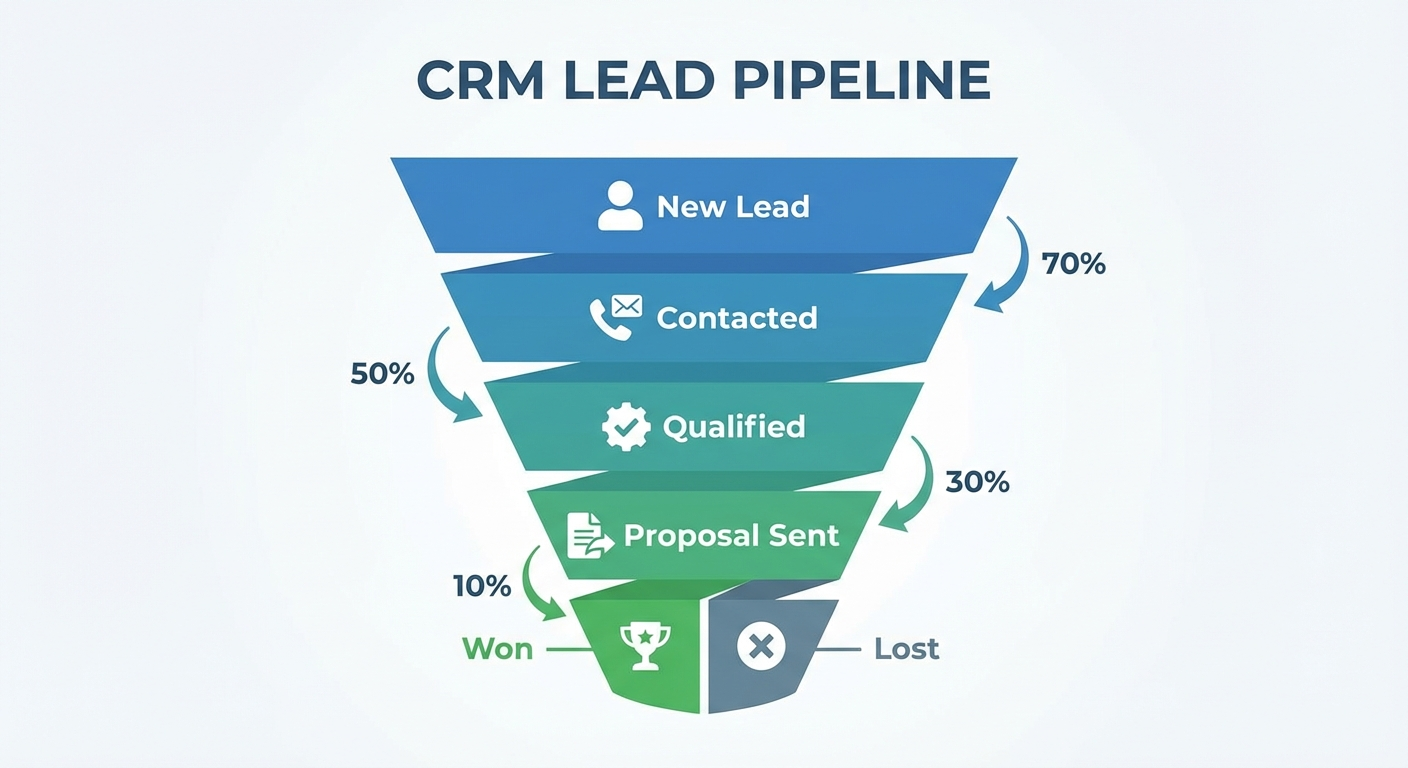
- For most service businesses: Lead → Contacted → Qualified → Proposal → Closed/Lost
Create these stages in your CRM. Every lead will flow through this pipeline.
Day 3: Set Up Lead Capture
Connect your website contact form to your CRM. Most modern CRMs have native integrations or Zapier connections for this. When a form is submitted, a contact record should be created automatically.
Also set up integrations for any other lead sources — Facebook Ads lead forms, Google Ads, your booking platform, etc. Every lead source should feed into the CRM automatically.
Day 4: Build the Welcome Sequence
Write three emails: an immediate welcome, a day-1 follow-up if no response, and a day-3 check-in. Keep them short, personal, and focused on helping — not selling. Set these up as an automation triggered by new contact creation.
For SMS capability, integrate a tool like Salesmsg, SimpleTexting, or your CRM’s built-in SMS feature if available.
Day 5: Build the Appointment Sequence
If you take appointments, set up the confirmation and reminder sequence. Most CRMs integrate directly with Calendly, Acuity, or similar scheduling tools. The trigger is a new appointment; the sequence is confirmation, day-before reminder, and 1-hour reminder.
Days 6–7: Test and Refine
Create test contacts and walk through every automation. Make sure emails land in inboxes (not spam), SMS messages send correctly, and timing is right. Fix anything that looks off.
Then: go live.
Integrating CRM With Your Other Tools
A CRM in isolation is less powerful than a CRM connected to everything else. Key integrations to prioritize:
Email Marketing: Connect your CRM to your email marketing tool (Mailchimp, ActiveCampaign, etc.) so leads automatically get added to relevant lists. Our email marketing automation guide covers the strategy side.
Live Chat / Chatbots: When a website visitor chats with your AI chatbot, that lead data should flow straight into your CRM. This is where AI chatbots for small business and your CRM work together.
SMS Marketing: Your CRM should trigger SMS messages as part of sequences — not just broadcast them manually. This ties into a broader SMS marketing automation approach.
Automation Platforms: If your CRM doesn’t natively connect to everything you need, tools like Zapier, Make, or n8n bridge the gap. Our comparison of Zapier vs Make vs n8n can help you choose.
Accounting/Invoicing: When a deal is marked Won, trigger invoice creation in QuickBooks or FreshBooks automatically. This eliminates billing delays.
Metrics That Tell You If Your CRM Is Working
Don’t set it up and forget about it. These are the numbers to track monthly:
| Metric | What Good Looks Like |
|---|---|
| Lead response time | Under 5 minutes for initial auto-response |
| Follow-up rate | 100% of leads get at least 4 touchpoints |
| Lead-to-opportunity rate | 20–40% (varies by industry) |
| Opportunity close rate | 25–50% (benchmark against your industry) |
| No-show rate | Under 10% with reminder sequences |
| Review request response rate | 15–25% |
If any of these numbers look off, trace it back to your automation. Usually the issue is in the sequence — timing, message, or missing triggers.
Common CRM Mistakes Small Businesses Make
Picking the wrong tool first. The “best” CRM is the one your team will actually use. If it’s too complicated, people default to email and spreadsheets. Simplicity wins.
Not cleaning the data. A CRM full of duplicates, wrong phone numbers, and outdated contacts is worse than no CRM — it erodes trust in the system. Spend an hour on data hygiene before going live.
Over-automating too soon. Start with three to four automations. Get those right before adding more. Complexity is the enemy of reliability.
Writing bad email copy. Automation sends your emails at the right time. But if the emails are too salesy, generic, or long, they won’t convert regardless. Write like a human, not a press release.
Not reviewing performance. Set a monthly calendar reminder to review your CRM metrics. Automations drift. Leads change behavior. Your sequences need tuning over time.
Treating the CRM as a solo tool. Your whole team — even if it’s just two people — needs to be in the CRM. If someone takes a call and doesn’t log it, your automation fires emails to a lead who already had a conversation, which looks unprofessional.
For Medical and Aesthetic Practices
CRM automation plays an especially important role in aesthetic medicine, where patient journeys are longer and the purchase decision carries more weight.
A prospective patient might research for weeks before inquiring. Your CRM should be ready for that with:
- Education-first sequences: Send before-and-after content, FAQ emails, and procedure explainers before you ever mention booking
- HIPAA-compliant messaging: Make sure your CRM and any SMS tool you use is HIPAA-aware. See our AI chatbots and HIPAA compliance guide for what to look for
- Consultation confirmation flows: Your pre-consult sequence should set expectations, gather intake info, and reduce cancellations
- Post-treatment check-ins: Automated day-3 and day-7 follow-ups after treatment reinforce care quality and prompt organic referrals
Patient relationships are long-term. A CRM that nurtures them over time — not just until booking — drives loyalty and lifetime value.
Getting Started Today
If you currently have no CRM, start here:
- Sign up for HubSpot free (takes 10 minutes)
- Import your contacts
- Connect your website contact form
- Write and activate the welcome sequence
- Watch what happens over the next 30 days
If you already have a CRM but aren’t using automation, pick one of the four sequences above and build it this week. Don’t try to do everything at once.
The goal is a system that catches every lead, follows up automatically, and keeps your pipeline organized — so you can focus on the conversations that actually close business.
If you want help setting this up for your specific business, our team is happy to walk you through it. We build and configure CRM automation for small businesses and aesthetic practices every day.
And if you’re curious about what else you can automate, start with our small business automation guide — it covers the broader picture of where automation delivers the most ROI.