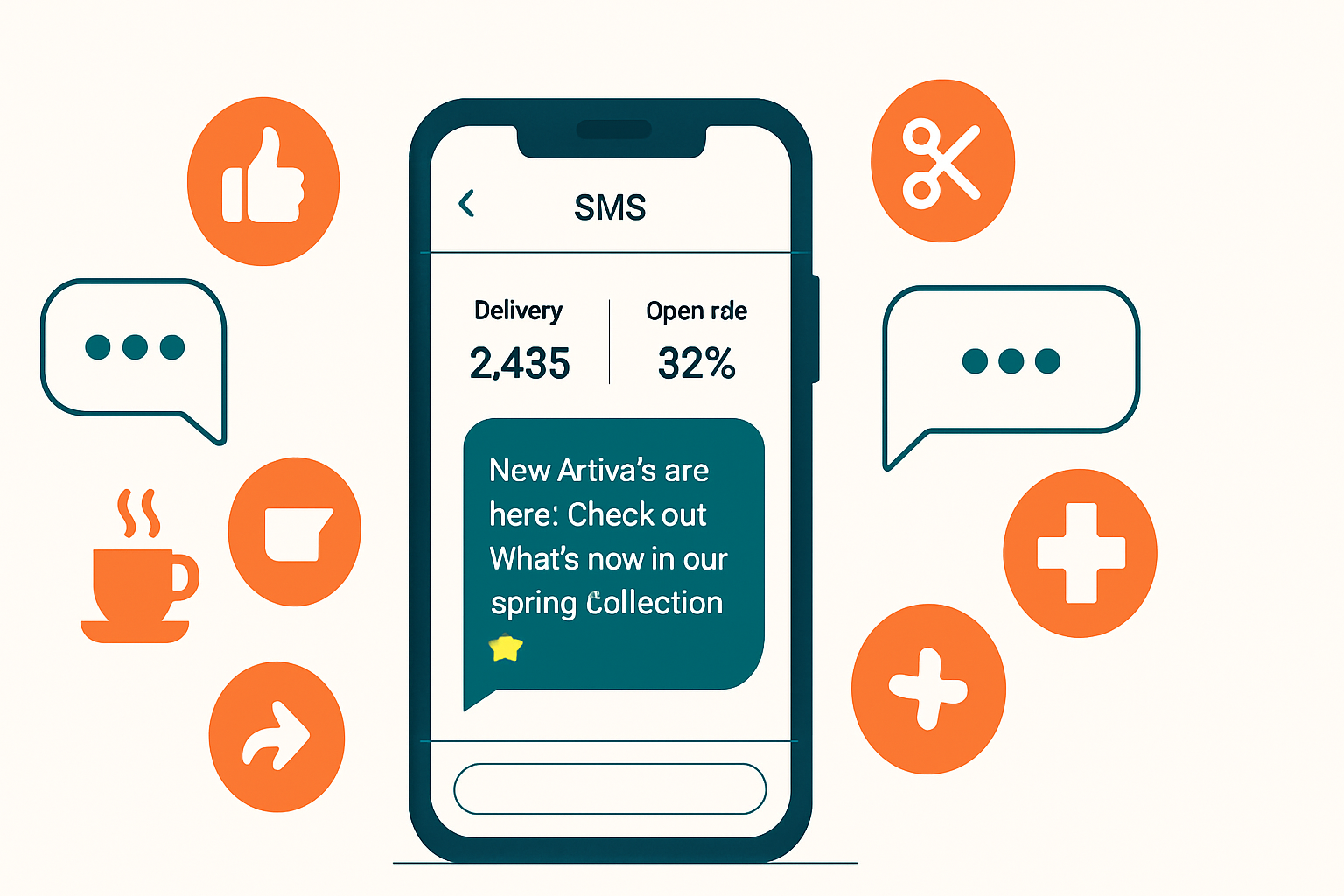
Your email newsletter goes out. Open rate: 18%. Your text message blast goes out. Open rate: 98%.
That gap is why SMS marketing has gone from “optional extra” to mission-critical for small businesses in 2026. People may ignore emails for days, but most text messages are read within 3 minutes of receipt. If you’re not using automated text campaigns yet, you’re leaving a direct line to your customers completely untapped.
This guide covers everything you need to know to build SMS marketing automation that drives real bookings, sales, and loyalty—whether you run a local service business, a retail shop, or an aesthetic practice.
Why SMS Marketing Works (and Why Now)
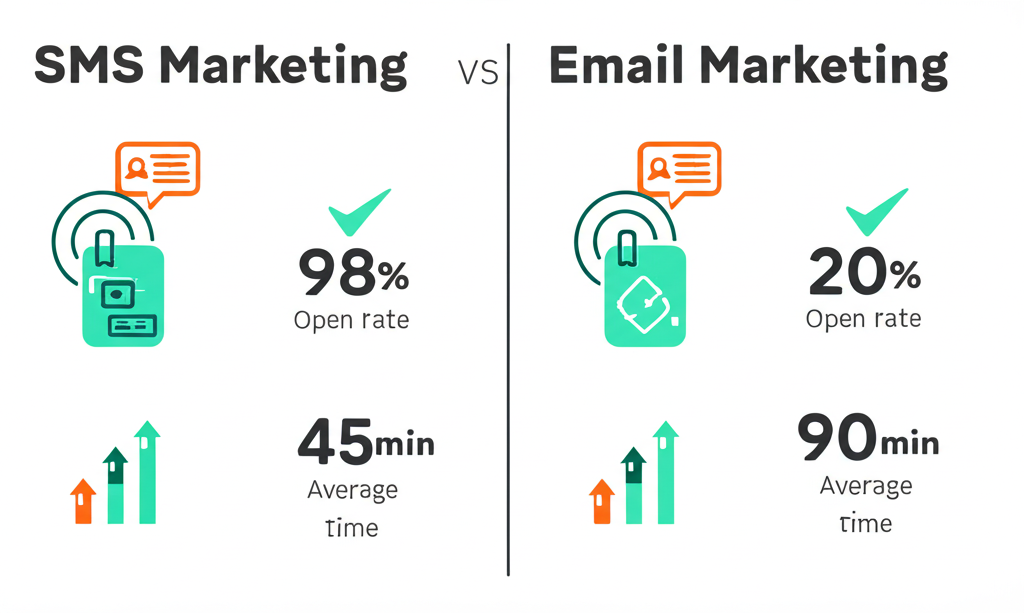
The numbers aren’t subtle. SMS consistently outperforms every other marketing channel by open rate:
- 98% open rate for SMS vs. 20% for email
- 45% response rate for SMS vs. 6% for email
- 3 minutes median response time for SMS vs. 90 minutes for email
- 19% click-through rate for SMS vs. 2.5% for email
But it’s not just about stats. Text message marketing works because of psychology: people treat texts as personal. An email from a business feels like mail. A text feels like a message. When a local salon texts you that a slot opened up, it feels different than a promotional email—it feels like a real connection.
The other reason now is the right time: texting has matured as a marketing channel. Compliance frameworks like TCPA (Telephone Consumer Protection Act) and A2P 10DLC registration have professionalized the space. Platforms have robust automation, segmentation, and analytics. And customers increasingly expect text updates from businesses they patronize—86% of consumers say they want to receive texts from brands they’ve opted into.
If you’re already using automated follow-up sequences via email, adding SMS creates a two-channel approach that dramatically improves your reach.
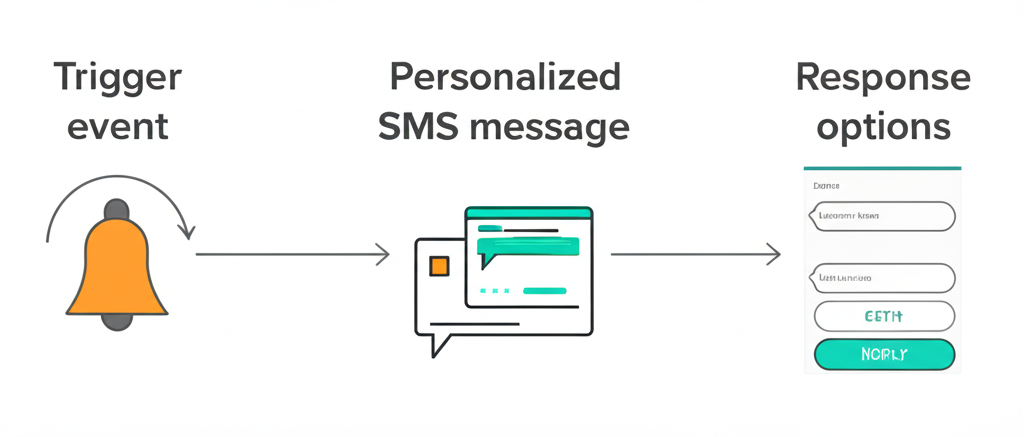
The Compliance Foundation (Don’t Skip This)
Before building a single campaign, get compliance right. Text message marketing is regulated under the Telephone Consumer Protection Act (TCPA) and FCC A2P 10DLC rules. Violations carry fines up to $1,500 per message. Here’s what you must do:
1. Collect Explicit Written Consent
You cannot text someone who hasn’t clearly opted in. Opt-in must be:
- Clear and conspicuous — not buried in fine print
- Double opt-in recommended — send a confirmation text after signup
- Documented — keep records of when and how each subscriber opted in
Acceptable opt-in methods:
- A web form with SMS opt-in checkbox (separate from email)
- A keyword opt-in (text DEALS to 12345)
- A paper form at your business location
- Verbal consent confirmed in writing
2. Register Your Number (A2P 10DLC)
The FCC and carriers now require businesses sending more than a handful of texts per day to register through the A2P 10DLC program. This verifies your business identity and keeps your messages from being blocked or filtered as spam. Your SMS platform handles this registration—expect a one-time fee of $4–$20 and a 2–4 week approval window.
3. Required Message Elements
Every text you send must include:
- Business name (first message from any conversation)
- Opt-out instructions — “Reply STOP to unsubscribe”
- Message frequency disclosure (in your initial opt-in terms)
4. Timing Rules
Never send texts between 9 PM and 8 AM in the recipient’s time zone. For most small businesses in the U.S., this means scheduling campaigns between 9 AM and 8 PM local.
For aesthetic practices and healthcare businesses, additional HIPAA considerations apply—don’t include protected health information (PHI) in marketing texts. Keep messages general and let patients opt into appointment-specific texts separately. Review your HIPAA-compliant communication practices before launching.
Choosing an SMS Marketing Platform
You’ll need a platform built for business texting—not a consumer app. Here’s what to evaluate:
| Platform | Best For | Starting Price | Key Feature |
|---|---|---|---|
| Klaviyo | E-commerce + email + SMS together | $45/mo | Best email+SMS integration |
| Attentive | High-volume retail | Custom | AI message optimization |
| SimpleTexting | Local service businesses | $39/mo | Easy campaign builder |
| EZTexting | Small teams, simple needs | $25/mo | Most beginner-friendly |
| Twilio | Custom/developer builds | Pay-as-you-go | Maximum flexibility |
| OpenPhone | Business phone + texting | $15/user/mo | Great for conversational SMS |
For most small businesses in Southwest Florida (and beyond), SimpleTexting or EZTexting offer the best balance of features and price. If you’re already using a CRM like HubSpot or ActiveCampaign, check their native SMS add-ons before switching platforms—keeping your stack integrated saves time and data headaches.
If you’re integrating SMS with other automation tools, our Zapier vs Make vs n8n comparison can help you pick the right connective tissue.
The 6 SMS Campaigns Every Small Business Needs
Not all SMS campaigns are equal. Some drive immediate revenue; others build loyalty over time. These six cover your full customer lifecycle:
1. The Welcome Series (Days 1–3)
Trigger: Customer opts in to your SMS list
This is your highest-engagement window. Subscribers open every text you send in the first 48 hours because they’re curious what they signed up for.
Day 0 (Immediate):
“Welcome to [Business Name] texts! 🎉 You’re in for exclusive offers & updates. Reply STOP anytime to unsubscribe. First perk: 10% off your next visit. Use code WELCOME10.”
Day 1:
“[Business Name] here—want to see what we’re about? Check out our top services: [short URL]. Questions? Just reply to this text.”
Day 3:
“Quick reminder: your WELCOME10 code expires in 4 days. Book here: [URL]. See you soon! — [Name], [Business Name]“
2. Appointment Reminder Sequence
Trigger: Customer books an appointment
This alone pays for your SMS platform. No-shows kill profitability—automated appointment reminders cut no-show rates by 30–50%.
48 hours before:
“Hi [First Name]! Reminder: your appt with [Business Name] is in 2 days — [Date] at [Time]. Need to reschedule? Reply here or call us at [Phone].”
2 hours before:
“See you in 2 hours, [First Name]! We’re at [Address]. Parking tip: [Quick tip]. Can’t make it? Reply now so we can help someone else.”
For aesthetic practices, combine this with your appointment booking optimization workflow to close the loop from inquiry to confirmation.
3. The Win-Back Campaign
Trigger: Customer hasn’t visited in 60–90 days
Lost customers cost 5x more to re-acquire than to retain. A well-timed win-back text often does the job for a fraction of that cost.
“Hey [First Name], we miss you! It’s been a while since your last visit to [Business Name]. Here’s a little something to welcome you back: 15% off any service this month. Book here: [URL] 💙”
Don’t run this more than twice per year—if they don’t respond after two attempts, remove them from active campaigns.
4. Flash Promotions
Trigger: Scheduled broadcast (time-based)
These work best for genuinely time-limited offers. The scarcity of “today only” or “48 hours” is real in SMS because people check texts quickly.
”⚡ FLASH SALE — Today only at [Business Name]: Buy one, get one 50% off [Service]. First 20 to book get it. Link: [URL]”
Limit flash promos to once or twice a month—overuse destroys the urgency effect and drives opt-outs.
5. Review Request (Post-Visit)
Trigger: 24 hours after a completed appointment
Reviews drive local SEO and new customer trust. A text request gets significantly higher response rates than an email ask. Keep it short:
“Hi [First Name]! Hope your visit with us was great. Would you mind leaving a quick review? It really helps small businesses like ours: [Google Review Link] 🌟 Thanks so much!”
Combine this with your review generation automation system for a fully automated reputation engine.
6. Seasonal / Event Campaigns
Trigger: Calendar date or custom event
Valentine’s Day, Mother’s Day, Black Friday, local community events—these contextual campaigns feel timely and relevant rather than promotional noise.
”💐 Mother’s Day is 2 weeks away. Give Mom a gift she’ll actually love—book a [Service] at [Business Name]. Gift cards available: [URL]”
Writing SMS Messages That Actually Get Responses
Good SMS copywriting follows different rules than email. You have 160 characters (one segment) to make an impact. Here’s how:
Lead with value, not your name. You have 3 seconds to stop a thumb scroll. “SAVE 20% today” beats “[Business Name] here:” every time.
Use a clear CTA. One action per text—book, reply, click, redeem. Multiple asks dilute conversion.
Match the register. Text messages feel personal. Write the way you’d text a friendly acquaintance, not the way you’d write a press release. “We miss you!” beats “We would like to invite you to return to our establishment.”
Use emojis intentionally. One or two well-placed emojis add warmth and catch the eye. A text stuffed with 🎉🌟💥🔥 looks like spam.
Test timing. Tuesday–Thursday, 10 AM–12 PM and 2–5 PM tend to perform best for most service businesses. Your specific audience may differ—run A/B tests on timing.
Short links matter. Long URLs eat your character limit and look suspicious. Use your platform’s link shortener or bit.ly for cleaner texts.
How to Build Your Opt-In List Fast
Your SMS list is only as valuable as its size. Here’s how to grow it without buying contacts (which you should never do):
Website opt-in pop-up: Add a mobile-optimized SMS opt-in on your website. Offer something real—a discount, first access to appointments, a free resource. Don’t make it generic.
In-store keyword campaigns: Display a poster: “Text DEALS to [Number] for exclusive offers.” Works great in waiting rooms, check-in desks, and retail spaces.
Social media: Promote your SMS list on Instagram and Facebook stories. “Text [keyword] to [number] for first access to promotions” works well as a Story CTA.
At checkout / booking confirmation: Add SMS opt-in to your booking confirmation flow—either a checkbox during booking or a follow-up ask right after.
Existing email list: Email your subscribers offering an SMS-only benefit for signing up. You won’t convert everyone, but you’ll get your most engaged customers—which is exactly who you want.
Measuring What Matters
Don’t just watch open rates. Here are the metrics that actually tell you if your SMS marketing is working:
| Metric | What It Means | Target Benchmark |
|---|---|---|
| Opt-in rate | % of eligible contacts who subscribe | 2–5% website, 10–25% in-store |
| Open rate | % who open the text | 85–98% (inherent to SMS) |
| Click-through rate | % who click your link | 15–30% |
| Conversion rate | % who complete the CTA (book, buy, etc.) | 5–15% |
| Opt-out rate | % who unsubscribe per campaign | Under 1% is healthy |
| Revenue per SMS | Revenue attributable / texts sent | Track over 90 days |
If your opt-out rate climbs above 2%, you’re either messaging too frequently, sending irrelevant content, or both. Pull back and re-evaluate your content and cadence.
Integrating SMS with Your Broader Marketing Stack
SMS is most powerful when it’s connected to your other systems, not running in isolation:
CRM integration: Sync your SMS platform with your CRM so that contact data, purchase history, and conversation history are in one place. This enables segmentation (e.g., text only past customers, not cold leads).
Email + SMS sequences: For high-value conversions (consultations, large purchases), run a coordinated email + SMS drip. Use email for content-rich follow-up; use SMS for time-sensitive nudges.
Booking platform integration: Connect your SMS tool to your booking software (Acuity, Mindbody, Jane App, etc.) to automate appointment reminders and follow-ups without manual work.
Social media retargeting: Some SMS platforms allow you to create lookalike audiences in Meta from your SMS subscriber list—a powerful way to find new customers who match your best existing ones.
For the automation connective tissue, tools like Zapier, Make, or n8n can bridge platforms that don’t have native integrations.
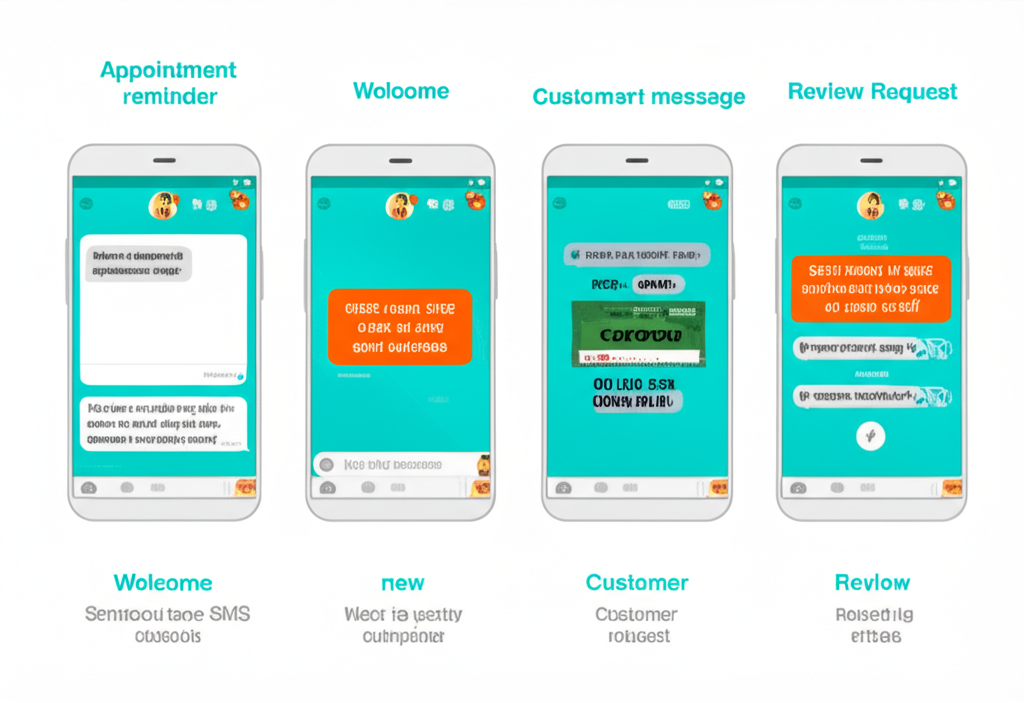
Common SMS Marketing Mistakes (and How to Avoid Them)
Sending too often. More than 4–6 texts per month per subscriber is too much for most businesses. You’ll see opt-outs spike and engagement tank. Start with 2–3/month and adjust based on data.
Treating everyone the same. A customer who visited last week and a customer who hasn’t been in six months need very different messages. Segment your list.
No opt-out process. “Reply STOP to unsubscribe” isn’t just legal compliance—it’s user experience. Make it easy to leave, and you’ll build more trust with those who stay.
Going generic. “Check out our latest deals!” doesn’t convert. Specificity does: “Your usual [Service] slot opened up for Thursday at 2 PM. Want it?”
Forgetting the follow-through. If someone replies to a text, someone (or a chatbot) needs to respond. SMS is a two-way channel. An unanswered reply kills the relationship.
Collecting numbers without proper consent. Even if someone gave you their number for a different purpose, that doesn’t mean they consented to marketing texts. Always collect explicit opt-in for marketing.
Getting Started: Your First 30 Days
Here’s a practical launch sequence:
Week 1: Foundation
- Choose your SMS platform, complete A2P 10DLC registration
- Set up your keyword and opt-in confirmation flow
- Add SMS opt-in to your website and booking confirmation
Week 2: First Campaign
- Import any contacts who have previously given explicit consent
- Send your first welcome campaign to new opt-ins
- Set up your appointment reminder automation
Week 3: First Broadcast
- Send your first promotional text to your growing list
- Track open rate, click rate, opt-outs
- Respond to any replies promptly
Week 4: Optimize
- Review metrics from week 3 campaign
- A/B test one variable (time of day, message copy, or offer type)
- Add your win-back campaign automation for lapsed customers
By day 30, you’ll have a live SMS marketing system running on autopilot for the highest-value campaigns (reminders, welcome, win-back) and a growing list of engaged subscribers.
Frequently Asked Questions
Is SMS marketing legal for my business?
Yes, as long as you follow TCPA compliance rules: get explicit written consent before texting, include opt-out instructions in every message, honor opt-outs immediately, and respect quiet hours (8 AM–9 PM local time). For healthcare businesses, keep marketing texts free of protected health information.
How many texts per month is too many?
For most small businesses, 4–6 per month is the sweet spot. Promotional texts at 1–2/month, transactional automations (reminders, follow-ups) as triggered. Watch your opt-out rate—if it exceeds 1%, reduce frequency.
What’s the difference between SMS and MMS?
SMS is text-only (160 characters per segment). MMS includes media—images, GIFs, video—and allows up to 1,600 characters. MMS costs more per message (usually 2–3x) but performs better for visual products and services. For aesthetic practices with strong before/after content, MMS can be worth the premium.
Can I use SMS for my aesthetics practice without violating HIPAA?
Yes, with guardrails. Marketing texts (promotions, general announcements) don’t contain PHI and are generally HIPAA-safe. Appointment reminders are also fine if they don’t reference the specific procedure. Anything that names a medical condition, treatment, or health status requires a separate HIPAA-compliant messaging solution with a signed BAA from your SMS provider.
How long does it take to see ROI?
Most small businesses see measurable results within 60–90 days. Appointment reminders and no-show reduction usually show immediate impact. Revenue attribution from promotional campaigns builds over 3–6 months as your list grows.
SMS marketing isn’t a gimmick—it’s the highest open-rate marketing channel available to small businesses today, and when it’s automated, it runs in the background while you run your business.
If you’re ready to build your SMS marketing system or integrate it with your existing automation stack, Monsoft Solutions works with local businesses and aesthetic practices to set up the full automation picture—from opt-in capture to follow-up sequences to analytics. Get in touch and we’ll help you build a system that actually converts.