
You can run Google Ads. You can post on Instagram. You can even get a slot on the local news. But there’s one platform where your potential customers are literally talking about their need for your services right now — and most local businesses haven’t figured it out yet.
That platform is Nextdoor.
With over 90 million verified neighbors across 11 countries and hundreds of thousands of neighborhoods, Nextdoor is the only major social network built exclusively around local community. Every user is verified by address. Every conversation is anchored to a real neighborhood. When someone in your area asks “does anyone know a good [plumber / dentist / landscaper]?” — that’s your lead, and it’s already warm.
This guide covers exactly how local businesses can build a presence on Nextdoor, generate authentic word-of-mouth referrals, run targeted local ads, and turn neighbor recommendations into a steady stream of new customers.
Why Nextdoor Works Differently Than Other Social Platforms
Most social media puts your content in front of people based on their interests. Nextdoor puts your content in front of people based on where they live.
That’s a fundamental difference — and for local businesses, it’s enormously valuable.
The neighborhood trust factor: Nextdoor users aren’t strangers scrolling a feed. They’re your neighbors — people who share the same roads, schools, and community concerns. When a neighbor recommends a business on Nextdoor, it carries the same weight as a personal referral. Research consistently shows that neighbor recommendations convert at significantly higher rates than traditional advertising.
Verified, local intent: Unlike Facebook or Instagram, where your posts might reach people two states away, Nextdoor limits who sees what based on geographic proximity. Your business page and your posts are visible primarily to people who could actually become your customers. No wasted reach, no irrelevant audiences.
The recommendation engine: Nextdoor has a built-in feature called “Recommendations” — users ask the community for trusted local businesses, and the answers get aggregated and shared widely. A business that’s recommended repeatedly by real neighbors builds an organic reputation that no paid ad can replicate.
Where your customers already are: Nextdoor reports that 80% of its users say they discuss local businesses on the platform at least monthly. These aren’t passive scrollers. They’re actively seeking out local services, sharing experiences, and asking for referrals.
Setting Up Your Nextdoor Business Page
Your first step is claiming or creating your Nextdoor Business Page — the free listing that serves as your business’s home on the platform.
Step 1: Claim Your Business
Go to business.nextdoor.com and search for your business name. If it already exists (Nextdoor often auto-creates basic listings from public data), claim it. If not, create a new listing.
You’ll need to verify your business address. This keeps Nextdoor’s local integrity intact — and it means your page will only be visible to genuinely nearby residents.
Step 2: Complete Your Profile Fully
Don’t skip this. A complete profile builds credibility before you post a single word. Fill in:
- Business name and category — be specific; “Italian Restaurant” is better than “Restaurant”
- Description — write 2–3 sentences about what you do and who you serve; skip the corporate fluff
- Hours and contact info — especially your phone number and website
- Photos — real photos of your team, your space, or your work perform better than stock imagery
- Services offered — list your core offerings clearly
Step 3: Invite Satisfied Customers to Recommend You
Your fastest path to credibility on Nextdoor is accumulating recommendations. Unlike reviews on Google or Yelp, Nextdoor recommendations come from verified neighbors — which carries significant weight with other local residents.
Ask your happiest customers — especially those who live in your service area — to leave a recommendation on your Nextdoor page. A well-timed follow-up email or text after a completed job makes this easy. Pair this with your automated follow-up sequences to request Nextdoor recommendations systematically without adding manual work to your team’s plate.
Organic Strategies: Building Presence Without Paying
Paid ads on Nextdoor work. But the platform’s organic features — free tools available to any business page — are where the real long-term value lies for local businesses.
Post to Local Feed Regularly
Business pages can post to the Nextdoor neighborhood feed, just like individual users. These posts can reach hundreds or thousands of neighbors depending on your area’s size.
The key is posting content that’s genuinely useful — not promotional noise. Content that performs well:
Helpful tips relevant to your industry. A landscaping company posting “Signs it’s time to treat your lawn for summer pests in Southwest Florida” gets shared and saved. A straight “Call us for lawn service!” post gets scrolled past.
Local event announcements. If you’re participating in a community event, hosting a charity drive, or sponsoring a neighborhood team, post about it. Local involvement is catnip on Nextdoor.
Behind-the-scenes glimpses. A photo of your team finishing a job in the neighborhood, or a quick video of your kitchen prep, makes you feel like a real neighbor rather than a faceless business.
Neighborhood-specific content. Reference local streets, landmarks, or current community discussions when relevant. “We just completed a deck renovation on Maple Drive — the homeowners wanted something that could handle SWFL humidity year-round” is far more engaging than a generic renovation post.
Seasonal content. Hurricane prep checklists from your HVAC company. Holiday gift guides from your boutique. School-year ready haircut specials from your salon. Tie your content to what neighbors are already thinking about.
Monitor and Respond to Recommendations Requests
This is where Nextdoor generates the most immediate value for local businesses. Neighbors constantly post questions like:
- “Anyone have a good electrician they trust?”
- “My dog needs grooming — who do you use in Naples?”
- “Looking for a reliable cleaning service — any recommendations?”
Set up Nextdoor notifications so you see these posts in real time. When someone in your service area asks for a referral related to your business, respond promptly. Be helpful, not salesy: “Hi [name], we’re a local [business type] serving [neighborhood] — happy to answer any questions or give you a free quote. Feel free to DM us or call [number].”
Better yet, encourage your existing customers who are Nextdoor users to reply when they see these requests. A neighbor recommending you is far more persuasive than you recommending yourself.
Engage With Your Community
Nextdoor’s algorithm rewards businesses that participate in the broader community, not just self-promote. Take a few minutes each week to:
- Comment helpfully on local posts — not to advertise, but to be a genuine community participant
- Share relevant local information — road closures, community events, safety tips
- Congratulate other local businesses — the Nextdoor community genuinely appreciates businesses that lift up the neighborhood
This ongoing participation builds your brand’s local reputation in a way that advertising simply cannot replicate.
Nextdoor Ads: Reaching Neighbors With Paid Precision
When you’re ready to scale beyond organic reach, Nextdoor Local Deals and Nextdoor Ads give you paid placement directly in your neighbors’ feeds.
Nextdoor Local Deals
Local Deals are the platform’s entry-level paid product — essentially sponsored posts that promote a specific offer (discount, free consultation, seasonal special) to a defined geographic area.
They’re particularly effective for:
- New business launches — getting the word out to a new neighborhood fast
- Seasonal promotions — summer specials, back-to-school offers, holiday deals
- Limited-time incentives — “First lawn treatment free for Nextdoor neighbors” creates urgency and drives calls
Pricing is based on the number of households you want to reach and the duration of the deal. For most local businesses, starting with a modest budget to test what messaging resonates is a smart first step before scaling.
Nextdoor Ads (Business Manager)
For businesses ready to run more sophisticated campaigns, Nextdoor’s full ad platform offers targeting by:
- Neighborhood radius — reach neighbors within a specific distance of your location
- Zip code — useful if your service area spans multiple neighborhoods
- Household demographics — homeowners vs. renters, home value estimates, and more
Ad formats include sponsored feed posts (native-looking content ads), display-style banner ads, and promoted recommendations. The feed post format typically outperforms banner formats on Nextdoor, since it blends naturally with organic content.
One Nextdoor advantage over Facebook or Google ads: you’re reaching people who have actively verified their local address. You’re not just targeting a demographic that might be local — you’re reaching confirmed neighbors.
Industry-Specific Nextdoor Tactics
Different types of local businesses get different results from Nextdoor. Here’s how to tailor your approach by industry:
Home Services (HVAC, Plumbing, Landscaping, Cleaning)
Home service businesses are probably the single biggest winner on Nextdoor. Homeowners are constantly asking for referrals, and your customers are already talking to their neighbors.
- Post seasonal maintenance tips proactively (spring AC tune-up reminders, pre-hurricane prep checklists)
- Ask every satisfied customer to post a recommendation immediately after service
- Respond personally and fast to referral requests — speed matters when someone’s toilet is overflowing
- Mention neighborhoods you serve by name: “We serve Pine Ridge, Pelican Bay, and North Naples — same-day service available”
Restaurants and Food Businesses
Food is one of the most-discussed topics on Nextdoor. The question “any good new restaurants in [neighborhood]?” gets asked constantly.
- Share weekly specials with real photos — professional-looking food photos significantly outperform text posts
- Post about local sourcing and partnerships with other community businesses
- Run Nextdoor-exclusive deals to track ROI directly: “Show this post for 10% off your first visit”
- Encourage diners to tag you in their Nextdoor posts after a great meal
Health and Wellness (Gyms, Yoga Studios, Salons, Med Spas)
The personal services category drives strong word-of-mouth on Nextdoor because the stakes of a bad referral feel high — and neighbors trust their own community more than Yelp.
- Feature real client transformations and stories (with permission)
- Post about community wellness events, charity classes, or neighborhood sponsorships
- Offer a “Nextdoor Neighbor” introductory rate to track attribution
- Respond quickly to mental health / wellness-related community discussions to position your brand as a local resource
For aesthetic practices and med spas, pair your Nextdoor presence with a strong online reputation management strategy and HIPAA-compliant social media practices to maintain professional standards while still participating authentically.
Retail and Local Shops
Retail lives or dies on local loyalty. Nextdoor helps you build it.
- Announce new arrivals and limited inventory items to create urgency
- Share the story behind your products and team — authentic beats polished every time
- Host Nextdoor-exclusive early access events or preview sales
- Post community-building content like “favorite local products” that invites engagement
Professional Services (Attorneys, Accountants, Financial Advisors)
Trust is the primary currency for professional services, and Nextdoor’s verified neighbor model delivers exactly that.
- Share helpful, educational content — “What to do after a car accident in Florida” or “5 tax deductions most small business owners miss”
- Offer free consultations framed as a neighbor-to-neighbor service, not a sales pitch
- Build a recommendation base carefully — a single strong testimonial from a recognized community member carries significant weight
Integrating Nextdoor With Your Broader Marketing Stack
Nextdoor shouldn’t be a siloed effort. When you connect it to your other marketing systems, the results compound.
Pair with your CRM. When a Nextdoor lead comes in, log the source in your CRM. Over time, you’ll see which neighborhoods generate the most valuable customers — and you can prioritize your Nextdoor content accordingly.
Coordinate with Google Business Profile. Your Google Business Profile and your Nextdoor page should show consistent information — same hours, same photos, same services. Neighbors who see you on Nextdoor will often Google you before calling.
Connect follow-up sequences. When Nextdoor leads come through, they deserve fast follow-up. Use automated sequences to send a quick “thanks for reaching out” response and stay top of mind while they’re deciding. Your automated follow-up system can handle this without adding to your workload.
Track with UTM parameters. If you’re linking from Nextdoor posts or ads to your website, use UTM parameters so your Google Analytics 4 dashboard captures Nextdoor as a traffic source. You need to know what’s working.
Feed into your email list. When Nextdoor users become customers, get them into your email list. Your email marketing automation keeps the relationship warm between purchases and brings them back when they’re ready to buy again.
Measuring Your Nextdoor ROI
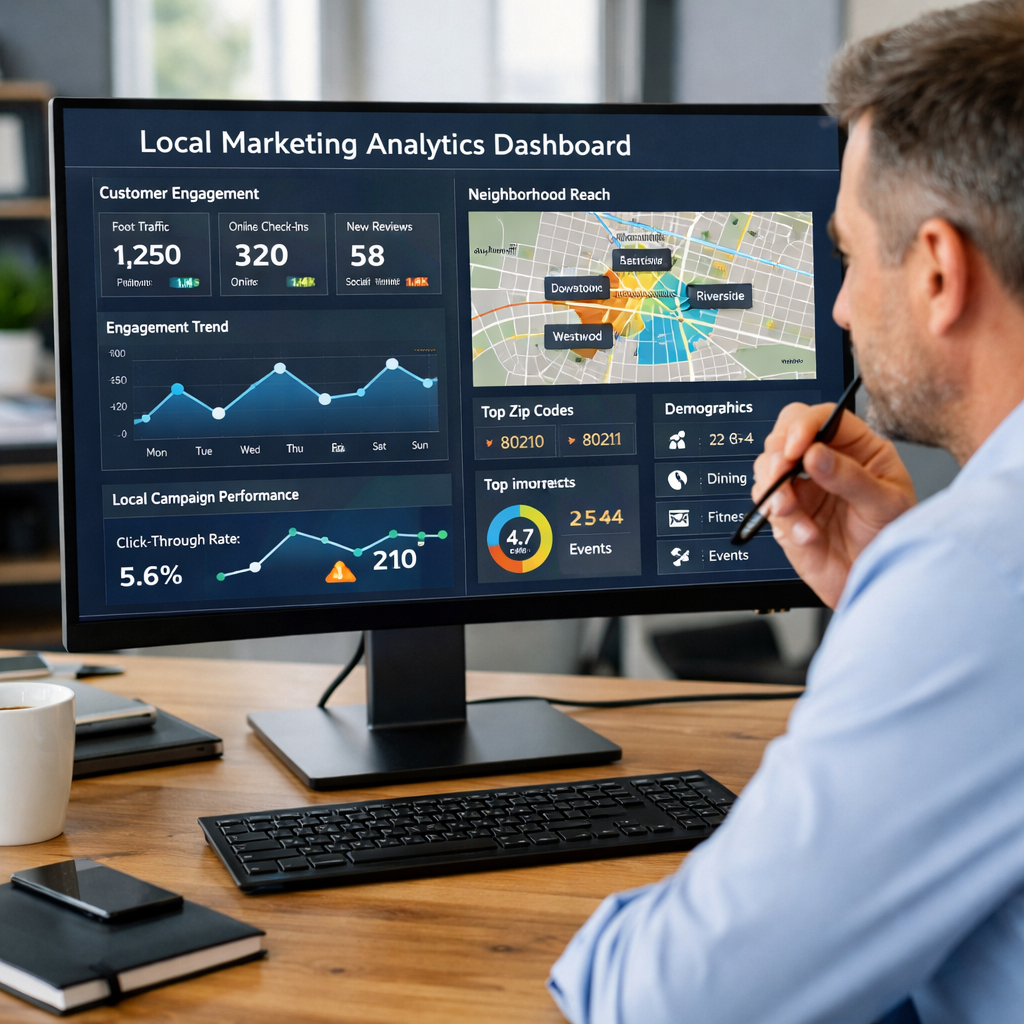
Nextdoor provides business page analytics — impressions, recommendation counts, profile views, and click-through rates. Check these monthly and watch for:
Recommendation velocity: Are you accumulating new recommendations at a steady pace? Flat or declining recommendations is a signal to focus on customer asks.
Post reach and engagement: Which content formats and topics generate the most impressions and replies? Double down on what works.
Lead source tracking: When new leads call or email, ask “How did you hear about us?” If “Nextdoor” or “a neighbor recommended you” shows up regularly, you’re building real momentum.
Revenue per channel: Nextdoor leads often have a higher conversion rate than cold advertising leads because they arrive with neighborhood social proof already attached. Track the actual revenue generated from Nextdoor-originated customers, not just the lead count.
One realistic expectation: Nextdoor is a long game. Your first recommendation won’t cause a flood of calls. But a business with 40 genuine neighbor recommendations and a consistent posting presence becomes the default choice when someone in that area needs your service. That’s the compounding effect you’re building toward.
Common Nextdoor Marketing Mistakes to Avoid
Posting only promotions. Nextdoor users are sensitive to businesses that treat the platform as a broadcast channel for ads. Lead with value; the promotions will land better when they’re not the only thing you post.
Ignoring recommendation requests. If a neighbor asks for a referral in your category and you don’t respond within a few hours, someone else fills that slot. Set up mobile notifications so you catch these in real time.
Being defensive about complaints. Occasionally someone will post a negative experience on Nextdoor. Respond calmly and publicly — acknowledge the issue, offer to make it right, and take the conversation private. How you handle criticism often matters more than the original complaint.
Overstating your service area. Nextdoor is built on local trust. If you claim to serve an area you can’t reliably reach in a reasonable time, the neighbor community will eventually call you out on it. Set accurate geographic expectations.
Inconsistent posting. Posting three times in one week and then disappearing for a month doesn’t build the consistent presence that drives recommendations. Aim for 1–2 posts per week, every week.
Getting Started This Week
Nextdoor marketing doesn’t require a big budget or complex setup. Here’s a simple first-week plan:
Day 1: Claim and fully complete your Nextdoor Business Page. Upload real photos. Write a genuine, non-salesy description.
Day 2: Reach out to 5–10 of your most satisfied local customers and ask them to leave a recommendation. Make it easy by sending them a direct link.
Day 3: Write and post your first piece of genuinely useful neighborhood content. Tips, local context, behind-the-scenes — anything that makes neighbors think “glad I saw this.”
Day 4: Set up mobile notifications for your local area so you see referral requests in real time.
Day 5: Review your service area settings and make sure they reflect where you can actually serve customers well.
Then commit to showing up consistently. One genuine, helpful post per week. Prompt responses to referral requests. New recommendation asks after every satisfied job.
Within 90 days of consistent effort, most local businesses see measurable results — more profile views, more inbound calls that mention Nextdoor, and the beginning of a neighborhood reputation that grows on its own.
Ready to get more customers from your own neighborhood? Monsoft Solutions helps local businesses build marketing systems that work — from Nextdoor and local SEO to CRM automation and follow-up sequences. Let’s talk about what’s possible for your business.