
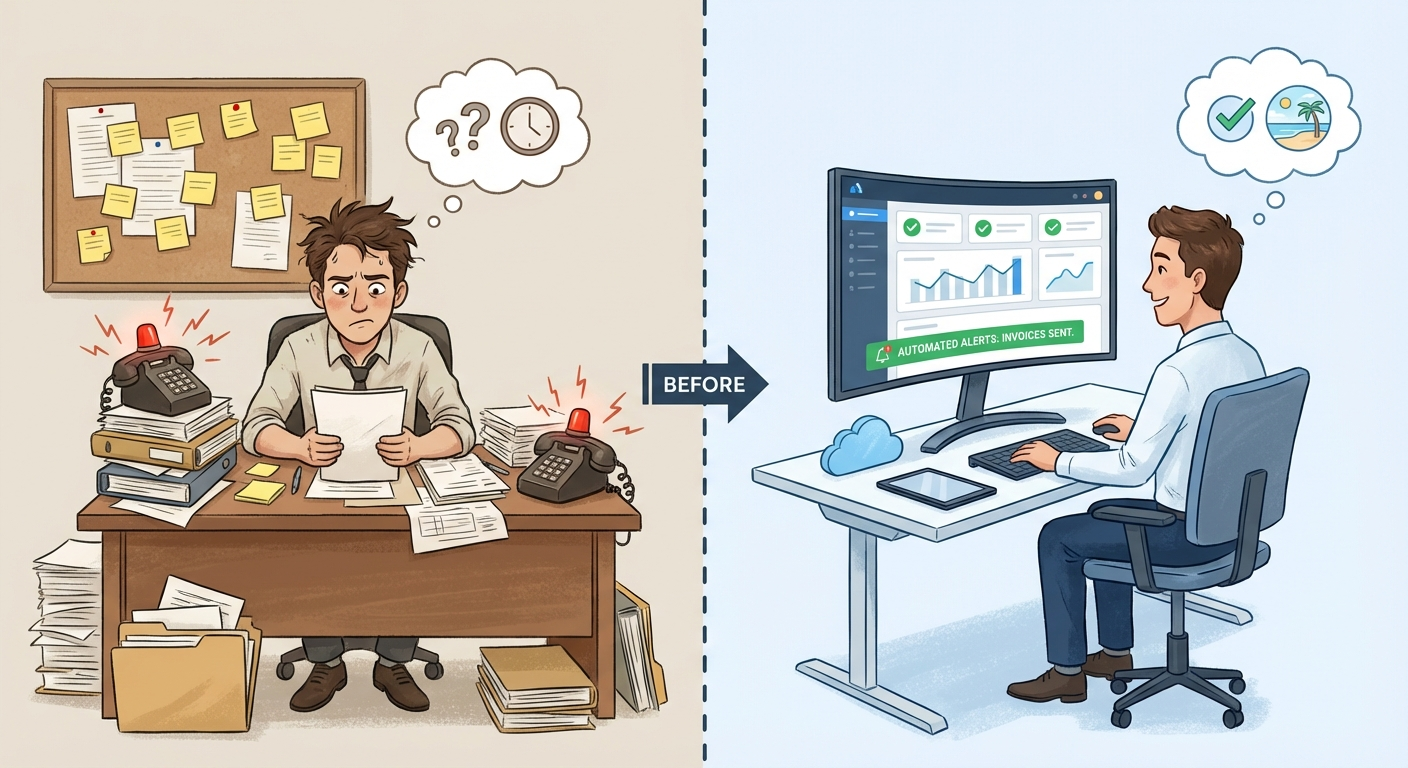
If you’re running a small business, you already know the feeling. You’re the owner, the receptionist, the accountant, the customer service rep, and the marketing department—all before lunch. Your phone rings while you’re on a job. Emails pile up. Invoices get forgotten. And somewhere between the chaos, you’re supposed to actually grow the business.
Here’s the truth: you’re not supposed to do it all manually. The businesses that scale—the ones that don’t burn out their owners—have figured out a fundamental shift. They’ve moved from chaos to control through automation.
This guide walks you through exactly how to do that. Not with expensive enterprise software. Not with a dedicated IT team. With practical, affordable tools that work for businesses of every size.
What Small Business Automation Actually Means
Small business automation is the practice of using technology to handle repetitive tasks without manual intervention. It’s not about replacing people—it’s about freeing them up to do work that actually matters.
Think about what you did yesterday. How much of it was:
- Answering the same questions you’ve answered a hundred times?
- Sending reminders about appointments or payments?
- Copying information from one system to another?
- Chasing down leads who never responded?
Every one of those tasks can run on autopilot. And when they do, you get something priceless: your time back.
The Real Cost of Doing Things Manually
Most small business owners dramatically underestimate how much time they lose to repetitive tasks. Let’s do some quick math:
| Task | Time Per Day | Weekly Hours | Annual Hours |
|---|---|---|---|
| Returning missed calls | 30 min | 2.5 hrs | 130 hrs |
| Manual email follow-ups | 45 min | 3.75 hrs | 195 hrs |
| Appointment scheduling | 30 min | 2.5 hrs | 130 hrs |
| Invoice creation & tracking | 20 min | 1.7 hrs | 88 hrs |
| Data entry between systems | 30 min | 2.5 hrs | 130 hrs |
| Total | 2.5 hrs | 13 hrs | 673 hrs |
That’s over 16 full work weeks per year spent on tasks that machines handle better than humans. If your time is worth $100/hour, that’s $67,300 in lost productivity—every single year.
The Five Pillars of Small Business Automation
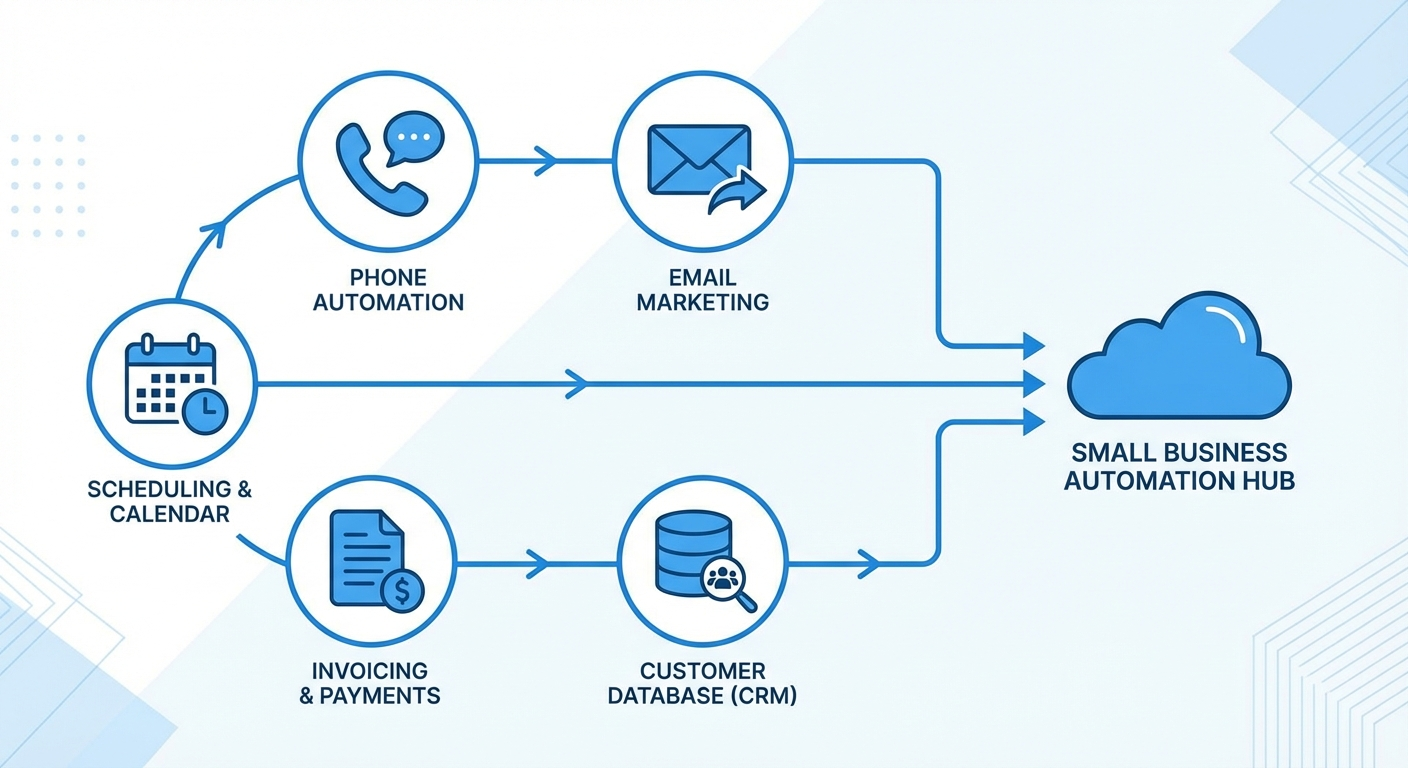
After working with hundreds of local businesses across Southwest Florida, we’ve identified five core systems that every business should automate first. These aren’t nice-to-haves—they’re the foundation of operational control.
1. Phone & Communication Automation
Missed calls are missed revenue. For service businesses in Naples, Fort Myers, and Cape Coral, a single missed call during peak season can mean losing a $500+ job to a competitor who answered on the first ring.
What to automate:
- After-hours call handling with AI assistants
- Voicemail transcription and routing
- Automatic SMS responses to missed calls
- Call forwarding based on time and availability
The business impact:
A plumber we work with was missing 15-20 calls per week while on jobs. After implementing AI phone automation, they captured every call and saw their conversion rate increase by 34%. That translated to roughly $8,000/month in additional revenue—from calls they would have lost entirely.
For a deeper dive, see our complete guide to AI phone answering for small businesses.
2. Email & Follow-up Automation
Here’s a sobering statistic: 80% of sales require five follow-ups, but 44% of salespeople give up after one. For small businesses without dedicated sales teams, those follow-ups simply don’t happen.
Automated email sequences change everything. They ensure every lead gets nurtured, every customer gets checked on, and every opportunity gets the attention it deserves.
What to automate:
- New lead welcome sequences
- Quote follow-up reminders
- Post-service satisfaction checks
- Re-engagement campaigns for cold leads
- Review request sequences
The business impact:
Email automation isn’t just about saving time—it’s about consistency. When every lead gets the same professional follow-up sequence, you stop leaving money on the table.
Learn how to set this up in our guide to email marketing automation for small businesses.
3. Scheduling & Appointment Management
If you’re still playing phone tag to book appointments, you’re creating friction that costs you customers. Modern consumers expect to book online, receive confirmations instantly, and get automatic reminders.
What to automate:
- Online booking with real-time availability
- Automatic confirmation emails and texts
- Reminder sequences (24-hour and same-day)
- Rescheduling and cancellation workflows
- No-show follow-up sequences
The business impact:
Automated scheduling typically reduces no-shows by 40-60%. For a service business with 20 appointments per week and an average ticket of $200, that’s an extra $800-1,200 in monthly revenue from appointments that actually happen.
We cover the details in our automating appointment reminders guide.
4. Lead Capture & CRM Automation
Your customer data is one of your most valuable business assets. But if it’s scattered across sticky notes, email inboxes, and your memory, it’s effectively worthless.
A properly automated CRM (Customer Relationship Management) system becomes your business’s brain—tracking every interaction, flagging opportunities, and ensuring nothing falls through the cracks.
What to automate:
- Web form submissions to CRM
- Lead scoring and prioritization
- Automatic task creation for follow-ups
- Customer lifecycle tracking
- Referral tracking and attribution
The business impact:
Businesses that implement CRM automation see an average 29% increase in sales, 34% improvement in sales productivity, and 42% better forecast accuracy. It’s not magic—it’s simply ensuring that good leads get proper attention.
5. Invoicing & Payment Automation
Cash flow problems kill more small businesses than bad products or services. And often, the issue isn’t lack of revenue—it’s slow collections caused by manual invoicing processes.
What to automate:
- Invoice generation from completed jobs
- Payment reminders at 30/60/90 days
- Automatic late fee application
- Payment confirmation and receipts
- Recurring billing for subscription services
The business impact:
Automated invoicing typically reduces average collection time by 15-20 days. For a business with $50,000 in monthly receivables, that’s $25,000-33,000 in improved cash flow position.
Building Your Automation Stack: A Step-by-Step Approach
Automation isn’t something you implement all at once. The businesses that succeed take a measured approach, starting with quick wins and building toward comprehensive systems.
Phase 1: Quick Wins (Week 1-2)
Start with automations that require minimal setup but deliver immediate impact.
Priority actions:
- Set up automatic email responses for new inquiries
- Implement SMS notifications for missed calls
- Create a simple online booking page
- Set up automatic appointment reminders
Tools to consider:
- Google Business Profile messaging (free)
- Calendly or Acuity for scheduling ($0-20/month)
- SMS automation tools ($10-30/month)
Expected outcome: 3-5 hours saved per week
Phase 2: Core Systems (Week 3-6)
Now build the infrastructure that will support everything else.
Priority actions:
- Choose and implement a CRM system
- Set up lead capture forms on your website
- Create your first email nurture sequence
- Integrate your calendar with your CRM
Tools to consider:
- HubSpot CRM (free tier available)
- Zoho CRM ($14-40/user/month)
- Industry-specific options (Jobber, ServiceTitan, etc.)
Expected outcome: 5-8 additional hours saved per week
Phase 3: Advanced Workflows (Week 7-12)
Connect your systems and create intelligent workflows.
Priority actions:
- Connect all tools via Zapier, Make, or n8n
- Build multi-step automation sequences
- Implement lead scoring
- Create customer journey automations
Tools to consider:
- Zapier, Make, or n8n for integrations
- ActiveCampaign or Mailchimp for email sequences
- AI tools for content and response generation
For a detailed comparison of integration platforms, see our Zapier vs Make vs n8n guide.
Expected outcome: Full automation stack delivering 15+ hours saved per week
Phase 4: Optimization & AI (Ongoing)
Once your systems are running, optimize for maximum efficiency.
Priority actions:
- Implement AI chatbots for common questions
- Add AI phone handling for after-hours
- Use AI for content creation and responses
- Build predictive analytics dashboards
Expected outcome: Near-autonomous operation with human oversight for high-value activities
Choosing the Right Tools for Your Business
The automation tool landscape can be overwhelming. Here’s how to think about it:
For Service Businesses (HVAC, Plumbing, Electrical, Landscaping)
Recommended stack:
- CRM: Jobber, Housecall Pro, or ServiceTitan
- Communications: AI phone system + SMS automation
- Scheduling: Built into CRM
- Payments: Stripe or Square integration
- Marketing: Mailchimp or built-in CRM tools
For Professional Services (Consultants, Lawyers, Accountants)
Recommended stack:
- CRM: HubSpot, Pipedrive, or Clio (legal)
- Communications: AI scheduling assistant
- Scheduling: Calendly Pro
- Payments: Invoice Ninja or FreshBooks
- Marketing: ActiveCampaign or ConvertKit
For Retail & Restaurants
Recommended stack:
- POS: Square, Toast, or Clover
- CRM: Built into POS or Mailchimp
- Communications: SMS marketing platform
- Reservations: OpenTable, Resy, or direct booking
- Reviews: Automated review request system
For Health & Wellness (Salons, Spas, Fitness)
Recommended stack:
- CRM: Mindbody, Vagaro, or GlossGenius
- Communications: Built-in messaging + AI chat
- Scheduling: Built into CRM
- Payments: Built into CRM
- Marketing: Built-in + Instagram automation
Common Automation Mistakes to Avoid
After helping dozens of businesses implement automation, we’ve seen the same mistakes repeatedly. Here’s what to avoid:
Mistake #1: Automating Too Much Too Fast
Automation should feel seamless to customers. When you implement 10 new systems overnight, things break, messages get duplicated, and customers get confused.
The fix: Start with one system, perfect it, then expand.
Mistake #2: Losing the Human Touch
Automation handles the routine—but some interactions demand a human. A complaint needs empathy. A complex question needs expertise. A high-value prospect needs personal attention.
The fix: Build clear handoff triggers into every automation. When a lead replies with a question, escalate to human. When a review is negative, notify the owner immediately.
Mistake #3: Set It and Forget It
Automations need maintenance. Email sequences become outdated. Business hours change. New services launch. If you don’t review your automations quarterly, they drift out of sync with your business.
The fix: Schedule a quarterly automation audit. Test every sequence. Update copy. Remove obsolete workflows.
Mistake #4: Not Measuring Results
If you don’t know how your automations are performing, you can’t improve them. Track key metrics for every system.
The fix: Dashboard your automation metrics. For email: open rates, click rates, conversions. For phone: calls captured, appointments booked. For scheduling: no-show rates, utilization.
Mistake #5: Ignoring Integration
Tools that don’t talk to each other create more work, not less. If your CRM doesn’t sync with your calendar, you’re manually entering data twice.
The fix: Before choosing any tool, verify it integrates with your existing stack. Prioritize native integrations over complex Zapier workarounds when possible.
Measuring Your Automation ROI
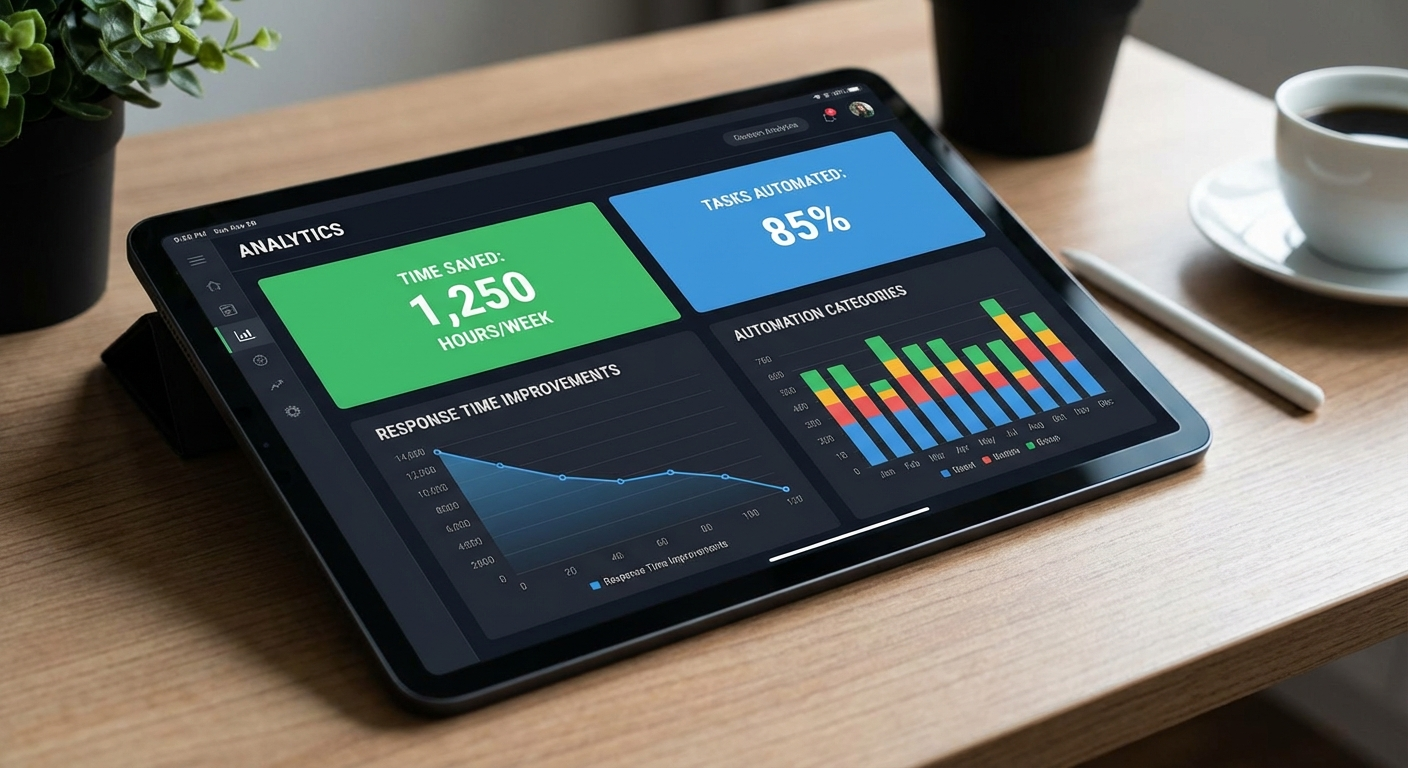
How do you know if automation is actually working? Track these metrics:
Time Metrics
- Hours saved per week: Track before/after for specific tasks
- Response time: How quickly do leads get contacted?
- Task completion time: How long do routine processes take?
Revenue Metrics
- Lead capture rate: What percentage of inquiries become leads?
- Conversion rate: What percentage of leads become customers?
- Average deal size: Are automated follow-ups increasing upsells?
- Customer lifetime value: Are retention automations working?
Efficiency Metrics
- No-show rate: Is it decreasing with reminders?
- Collection time: How quickly are invoices paid?
- Customer satisfaction: Are NPS scores improving?
Realistic Expectations
Based on our work with Southwest Florida businesses, here’s what you can reasonably expect:
| Metric | Typical Improvement |
|---|---|
| Time saved weekly | 10-20 hours |
| Response time | 80% faster |
| Lead capture rate | +25-40% |
| No-show rate | -40-60% |
| Collection time | -15-20 days |
| Customer satisfaction | +15-25% |
Getting Started This Week
You don’t need to overhaul your entire business. Start with these three steps:
Step 1: Audit Your Time (30 minutes)
For one week, track how you spend your time. Use a simple spreadsheet or app. At the end of the week, identify:
- Tasks that repeat daily or weekly
- Tasks that could be handled by a rule or template
- Tasks that don’t require your expertise
Step 2: Pick Your First Automation (1 hour)
Choose the task that:
- Takes the most time
- Is most repetitive
- Has the clearest impact on revenue
For most businesses, this is either missed call handling or appointment reminders.
Step 3: Implement and Measure (1-2 weeks)
Set up your first automation. Track the results. Document what works and what needs adjustment.
Then move to the next one.
When to Get Help
DIY automation works for simple use cases. But there’s a point where professional implementation becomes the smarter investment:
Consider professional help when:
- You need custom integrations between multiple systems
- You’re in a regulated industry (healthcare, finance)
- Your time is worth more than the learning curve
- You’ve tried DIY and it’s not working
- You need training for your team
At Monsoft Solutions, we specialize in automation for local businesses across Southwest Florida. We’ve helped HVAC contractors, medical practices, restaurants, and professional service firms transform their operations.
Ready to move from chaos to control? Contact us for a free automation audit. We’ll identify your biggest opportunities and create a roadmap that fits your budget and timeline.
Frequently Asked Questions
How much does small business automation cost?
Basic automation can start at $0-50/month using free tiers and simple tools. A comprehensive automation stack for a small business typically runs $200-500/month, including CRM, email marketing, phone system, and integrations. The key question isn’t cost—it’s ROI. If automation saves you 15 hours/week and captures leads you’d otherwise lose, it pays for itself many times over.
How long does it take to see results from automation?
Quick wins like appointment reminders and auto-responses can show impact within days. More complex systems like lead nurturing sequences typically need 30-60 days to demonstrate clear patterns. Full operational transformation usually takes 3-6 months of iterative implementation and optimization.
Do I need technical skills to implement automation?
Modern tools are designed for non-technical users. Most CRMs, email platforms, and scheduling tools have drag-and-drop interfaces. However, complex integrations between multiple systems may require technical expertise or professional implementation support.
Will automation make my business feel impersonal?
Only if implemented poorly. Good automation handles routine tasks while preserving—and even enhancing—the personal touch. Automated follow-ups free you to have deeper conversations with high-value customers. The goal is removing friction, not removing humanity.
What’s the biggest mistake businesses make with automation?
Trying to automate everything at once. Start with one system, make it work perfectly, then expand. Rushing leads to broken workflows, confused customers, and frustrated owners who give up on automation entirely.
Small business automation isn’t about becoming a robot. It’s about becoming the business owner you intended to be—one who focuses on growth, relationships, and the work that actually moves the needle.
The tools exist. The path is clear. The only question is whether you’ll keep doing things the hard way, or finally take control.
Ready to get started? Reach out to discuss your automation needs, or explore our related guides on phone automation, email automation, and appointment scheduling.