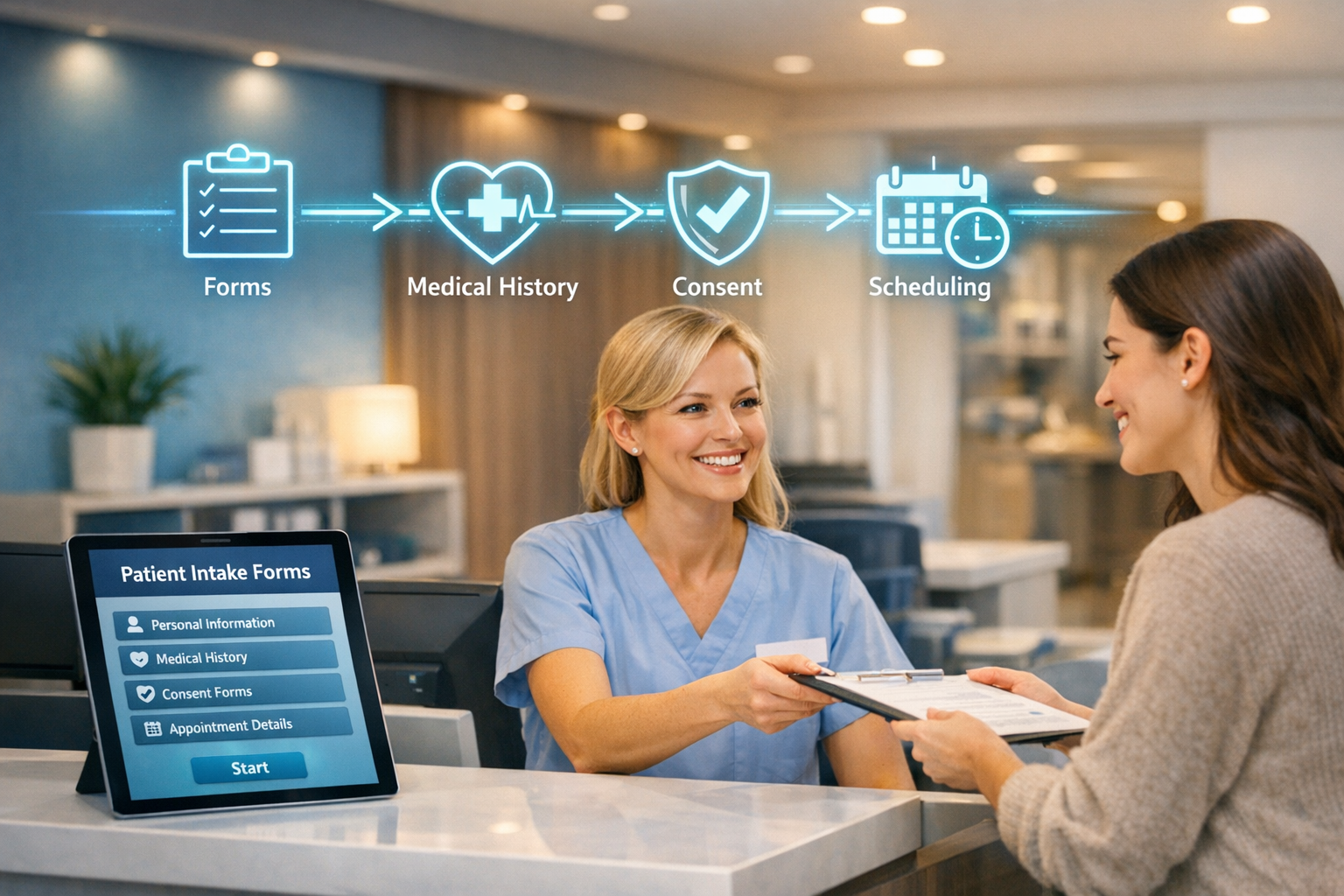
A new patient calls your practice to book a rhinoplasty consultation. Your front desk asks them to arrive 30 minutes early to fill out paperwork. They show up, spend half that time writing the same information they already gave over the phone, and by the time they’re finally in the consultation room, they’re frustrated—not excited.
This isn’t a great first impression. And for a practice where procedures start at $5,000, first impressions directly affect whether that consultation converts to a booking.
Patient onboarding automation replaces the clipboard-and-pen routine with digital systems that collect forms, verify insurance, gather medical histories, and prepare consultation summaries—all before the patient walks through your door. The result: less admin work for your staff, a smoother experience for patients, and more time for what actually matters—the consultation itself.
What Is Automated Patient Onboarding?
Automated patient onboarding is the process of using digital tools to handle pre-consultation paperwork, medical history collection, consent forms, and appointment preparation without manual staff intervention. It typically starts when a patient books an appointment and continues until they’re seated in the consultation room, with every form completed and every detail organized.
For aesthetic practices specifically, this includes procedure-specific intake forms, before-photo uploads, financing pre-qualification, and HIPAA-compliant consent documents—all handled digitally.
Why Manual Onboarding Is Costing Your Practice
The traditional onboarding process at most aesthetic practices looks something like this:
- Patient calls or fills out a web form
- Front desk manually enters information into the system
- Staff mails or emails generic intake forms
- Patient arrives early, fills out paper forms in the waiting room
- Staff manually enters form data into the EHR
- Doctor reviews the file moments before the consultation
Every step in that chain is a potential point of failure—and a drain on your team’s time.
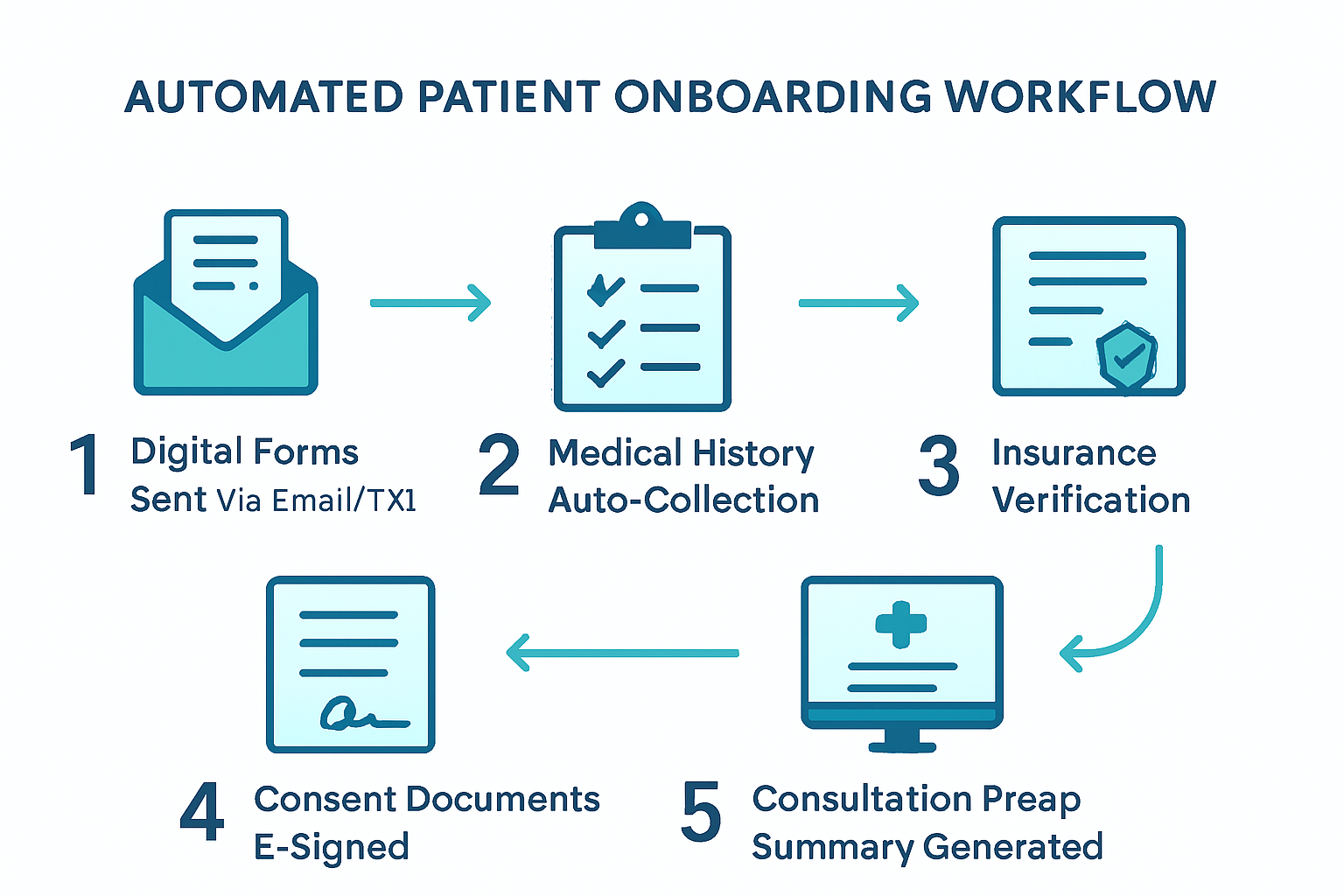
The Real Cost of Paper-Based Intake
| Problem | Impact |
|---|---|
| Manual data entry | 15-20 minutes per patient, high error rate |
| Incomplete forms | Delays consultations, requires follow-up calls |
| Missing medical history | Safety risks, liability concerns |
| No-shows without prep | Wasted consultation slots worth $200-500+ each |
| Staff overtime | Front desk buried in paperwork instead of patient care |
A practice seeing 20 new consultations per week easily loses 5-7 staff hours just on intake paperwork. That’s time your team could spend on patient communication, follow-ups, or the dozens of other tasks that keep a practice running.
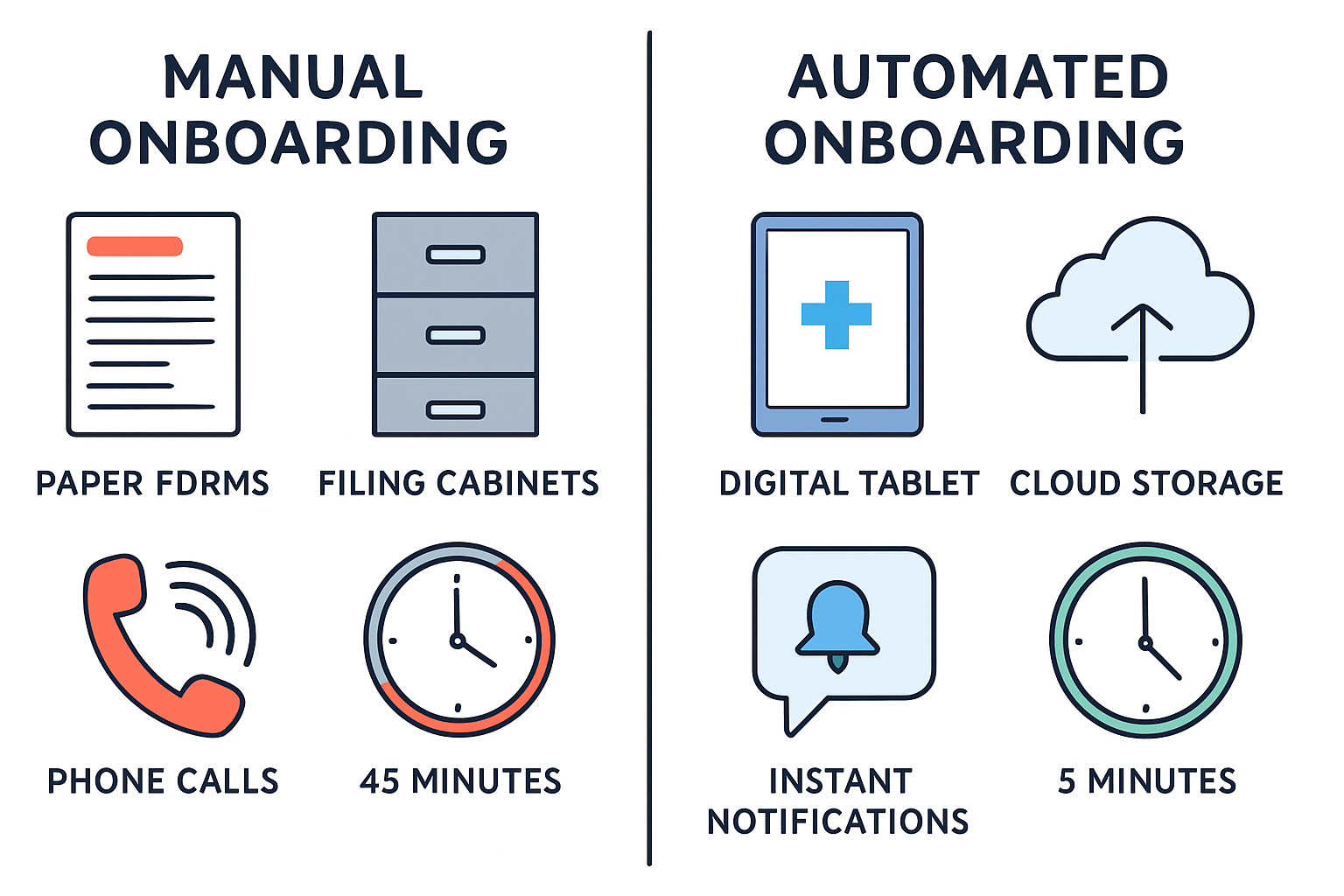
The 5-Step Automated Onboarding Workflow
Here’s how a fully automated system works from the moment a patient books to the moment they sit down for their consultation.
Step 1: Instant Digital Form Delivery
Trigger: Patient books a consultation (online, by phone, or via AI chatbot)
Within minutes of booking, the patient receives a personalized link via text and email to a secure, HIPAA-compliant intake portal. No app download required—it works in any mobile browser.
The forms are procedure-specific. A patient inquiring about a facelift gets different questions than one considering breast augmentation. This contextual approach means patients only answer relevant questions, reducing form fatigue.
What’s included:
- Personal information and demographics
- Procedure-specific health questionnaire
- Current medications and allergies
- Previous surgical history
- Photo upload instructions for the area of concern
Step 2: Medical History Auto-Collection
Instead of a generic paper form asking patients to “list all medications,” automated systems can:
- Pull from patient-provided pharmacy data to generate a complete medication list
- Ask targeted follow-up questions based on initial responses (e.g., if a patient marks “heart condition,” the system asks for specifics)
- Flag potential contraindications for the physician before the consultation
- Store everything digitally in a searchable, organized format
This isn’t about replacing clinical judgment—it’s about giving physicians better information, faster. When the surgeon walks into the consultation, they already know this patient takes blood thinners, had a previous reaction to anesthesia, and has realistic expectations based on their questionnaire responses.
Step 3: Insurance and Financing Pre-Qualification
For procedures with potential insurance coverage (reconstructive work, post-bariatric body contouring) or financing options, automation handles the groundwork:
- Insurance verification runs automatically using the patient’s submitted information
- Financing pre-qualification links guide patients through CareCredit, Alphaeon, or PatientFi applications before their visit
- Cost estimates are generated based on the procedure and patient’s coverage
When patients arrive already understanding their financial options, consultations focus on clinical decisions rather than sticker shock. This directly improves consultation-to-booking conversion rates.
Step 4: Consent and Compliance Documents
E-signature platforms integrated into the onboarding flow handle:
- General consent forms for consultation and photography
- HIPAA privacy notices with documented acknowledgment
- Procedure-specific informed consent documents
- Financial agreements and cancellation policies
Every signature is timestamped, securely stored, and linked to the patient’s record. No more chasing down missing signatures on consultation day.
Step 5: Consultation Prep Summary
This is where automation delivers its biggest value to physicians. Before the consultation, the system generates a one-page summary that includes:
- Patient demographics and contact information
- Procedure(s) of interest with specific concerns noted
- Relevant medical history highlights and flagged items
- Photos uploaded by the patient
- Insurance/financing status
- Any notes or questions the patient submitted
The surgeon reviews this summary in 2-3 minutes instead of flipping through a paper chart. The consultation starts with context, not cold introductions.
HIPAA Compliance: Non-Negotiable Requirements
Automating patient onboarding means handling Protected Health Information (PHI) digitally. Every system you use must meet strict HIPAA requirements. This isn’t optional—violations carry fines of up to $1.5 million per incident category.
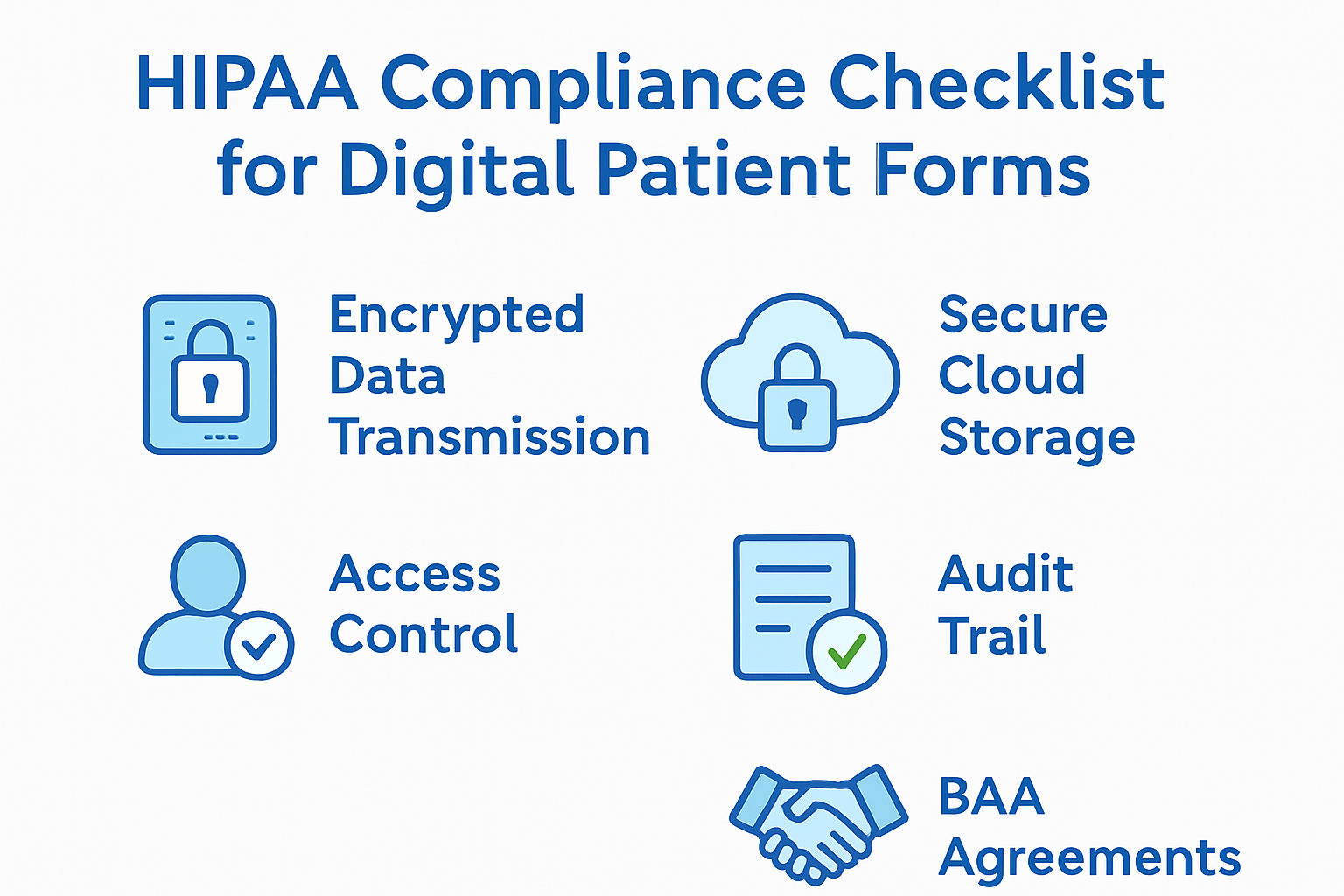
What Your Onboarding System Must Have
| Requirement | What It Means |
|---|---|
| Encryption in transit | All data transmitted over HTTPS/TLS 1.2+ |
| Encryption at rest | Patient data encrypted in storage (AES-256) |
| Access controls | Role-based access—staff see only what they need |
| Audit trails | Every access, edit, and download is logged |
| Business Associate Agreement | Signed BAA with every vendor that touches PHI |
| Automatic session timeout | Patient portals lock after inactivity |
| Secure messaging | Patient communication through encrypted channels |
Common HIPAA Mistakes in Onboarding
Mistake 1: Using generic form builders. Google Forms, Typeform, and JotForm’s free tier are not HIPAA-compliant. Use platforms specifically designed for healthcare intake (IntakeQ, Phreesia, Klara, or HIPAA-compliant tiers of form builders).
Mistake 2: Emailing forms as attachments. Sending a Word document or PDF via regular email exposes PHI. Use secure portal links instead.
Mistake 3: Storing data without a BAA. Every cloud service, form platform, and communication tool that touches patient data needs a signed Business Associate Agreement. No exceptions.
Mistake 4: Skipping staff training. The best systems fail without trained staff. Everyone who accesses patient data needs annual HIPAA training with documented completion.
For a deeper look at compliance in your digital marketing, see our guide on managing patient reviews with HIPAA considerations in mind.
Tools That Work for Aesthetic Practices
Several platforms are built specifically for medical practice intake automation. Here’s what to evaluate:
Dedicated Healthcare Intake Platforms
- IntakeQ — Purpose-built for healthcare. Custom forms, e-signatures, insurance verification, patient portal. HIPAA-compliant with signed BAA. Starts around $100/month.
- Phreesia — Enterprise-grade intake management used by larger practices. Includes insurance verification and payment collection.
- Klara — Patient communication platform with intake forms, secure messaging, and appointment reminders. Strong HIPAA compliance.
Practice Management Suites with Intake
- PatientNow — Built for aesthetic practices specifically. Includes intake forms, before/after photo management, and treatment planning.
- Nextech — Comprehensive aesthetic practice management with integrated patient portal and digital intake.
- Symplast — Mobile-first platform designed for plastic surgery practices with built-in digital forms.
What to Look For
When evaluating any platform, confirm:
- ✅ Signed BAA available
- ✅ Procedure-specific form templates (or custom form builder)
- ✅ E-signature capability
- ✅ Integration with your EHR/practice management system
- ✅ Mobile-friendly patient portal
- ✅ Automated reminders for incomplete forms
- ✅ Photo upload capability
- ✅ Reporting on completion rates
Measuring the Impact
After implementing automated onboarding, track these metrics to quantify the return:
| Metric | Before Automation (Typical) | After Automation (Target) |
|---|---|---|
| Form completion rate | 60-70% before arrival | 90%+ before arrival |
| Staff time per patient intake | 15-20 minutes | 2-3 minutes |
| Average check-in time | 20-30 minutes | Under 5 minutes |
| Data entry errors | 5-10% error rate | Near zero |
| No-show rate | 15-25% | 8-12% (with prep investment) |
| Consultation conversion rate | Baseline | +15-25% improvement |
The conversion rate improvement deserves emphasis. When patients arrive prepared—having already reviewed procedure information, uploaded photos, and considered financing—they’re more engaged and further along in their decision process. The consultation becomes a discussion, not an orientation.
Getting Started This Week
You don’t need to overhaul your entire practice overnight. Start with the highest-impact changes:
Week 1: Digitize Your Intake Forms
- Choose a HIPAA-compliant form platform (IntakeQ is a strong starting point)
- Convert your top 3 procedure intake forms to digital format
- Set up automatic delivery when appointments are booked
- Test the patient experience yourself—fill out every form on your phone
Week 2: Add E-Signatures and Reminders
- Move consent and HIPAA forms to e-signature
- Configure automated reminders: 48 hours, 24 hours, and 2 hours before appointment
- Set up alerts for staff when forms are incomplete at the 24-hour mark
Week 3: Build the Consultation Prep Summary
- Create a summary template your physicians actually want
- Configure automatic generation from completed forms
- Get physician feedback and iterate
Beyond Week 3: Integrate and Optimize
- Connect intake data to your EHR/practice management system
- Add insurance verification automation
- Implement automated follow-up sequences for patients who start but don’t complete forms
- Track completion rates and optimize form length
Frequently Asked Questions
How long does it take to set up automated patient onboarding?
Most practices can digitize their core intake forms within 1-2 weeks. The initial setup involves converting existing paper forms to a HIPAA-compliant digital platform, configuring automated delivery triggers, and testing the patient experience. Full integration with EHR systems and advanced features like insurance verification typically takes 4-6 weeks.
Will older patients struggle with digital intake forms?
The data says otherwise. Over 85% of adults aged 50-64 own smartphones, and mobile-friendly intake portals require no app downloads or technical knowledge. Practices that switch to digital forms report that the vast majority of patients across all age groups complete forms successfully when given clear instructions and adequate time before their appointment.
Is automated onboarding worth it for smaller practices?
Absolutely. Smaller practices often benefit more because staff wear multiple hats. Saving 5-7 hours per week on intake paperwork frees your front desk to handle scheduling, patient communication, and follow-ups—tasks that directly impact revenue. Most HIPAA-compliant intake platforms start at $100-200/month, which pays for itself after reducing just one no-show.
Ready to eliminate intake paperwork and give patients a modern onboarding experience? Contact our team to discuss how we can implement HIPAA-compliant onboarding automation tailored to your aesthetic practice. Or explore our automation services to see how we help practices save 10+ hours per week.
Related reading: How to Build Before-and-After Galleries That Win New Patients and Patient Review Management: A Complete Guide for Aesthetic Practices