
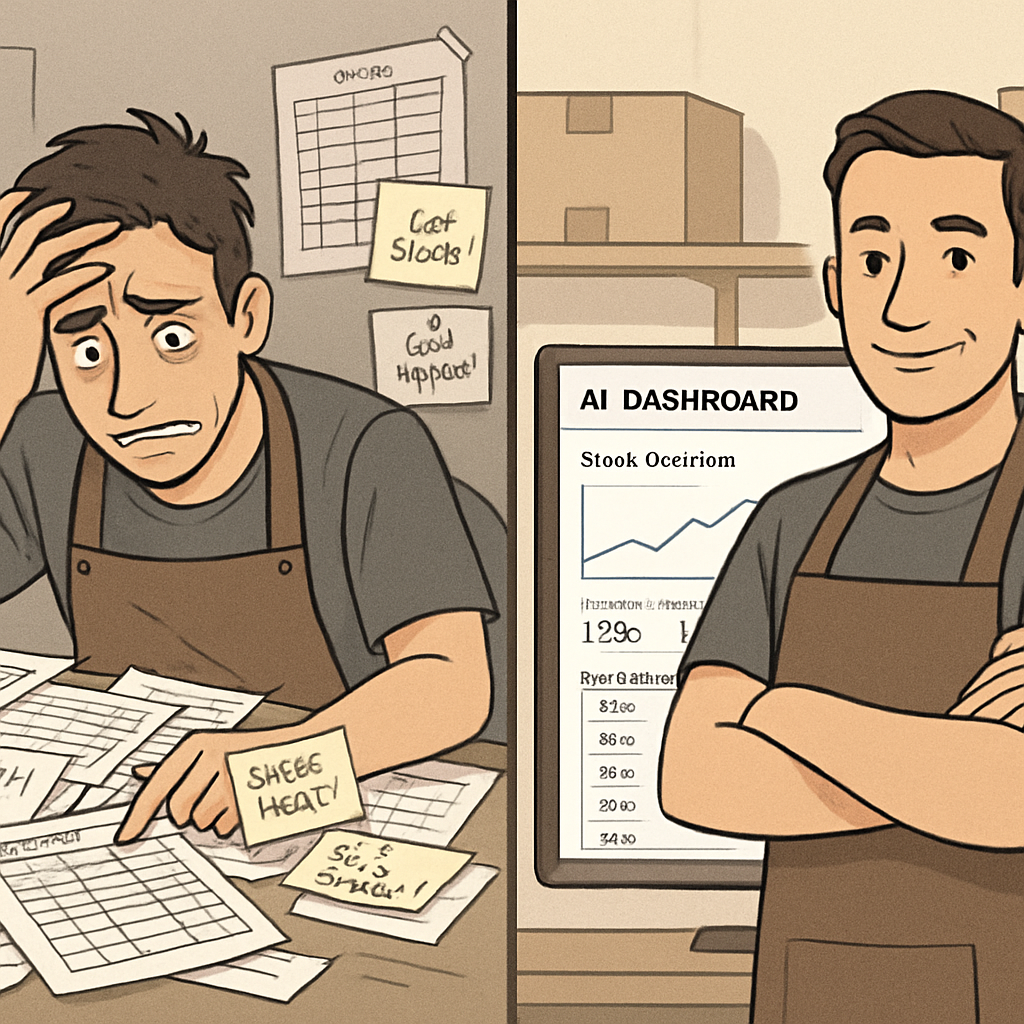
Inventory is one of those things that feels manageable until it suddenly isn’t. One week you’re overstocked on a product that isn’t moving and paying to store it. The next week you’re out of your bestseller and turning away customers. The manual spreadsheet you’ve been maintaining can’t keep up with the pace of your business — and the result is a constant low-grade operational stress that eats into your margins and your sanity.
AI inventory management changes the equation. Instead of reactive guessing, you get proactive prediction. Instead of end-of-month counts that are already out of date, you get real-time visibility. Instead of manual reorder decisions, you get automated triggers based on actual demand patterns.
In 2026, these tools have become accessible and affordable for small businesses — not just enterprise retailers with dedicated operations teams. Here’s how to put them to work.
What AI Inventory Management Actually Does
Traditional inventory management asks: what do I have? AI inventory management asks: what will I need, when, and how much? The difference sounds subtle, but the operational implications are enormous.
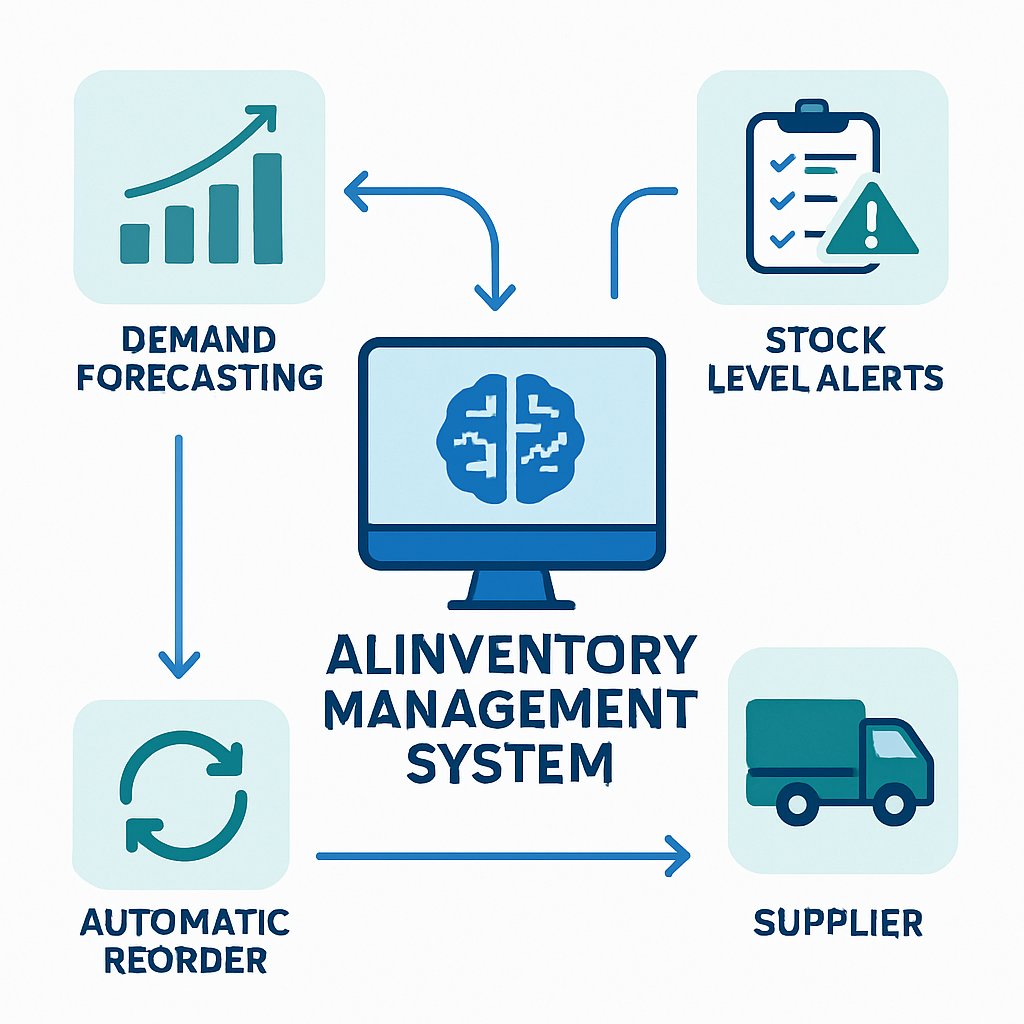
Demand forecasting: AI models analyze historical sales data, seasonality, local events, marketing campaigns, and even external signals like weather or holidays to predict what you’ll sell — by product, by time period, and by channel. The result is purchasing decisions based on data, not intuition.
Automated reordering: When stock levels hit a threshold, the system can automatically trigger a purchase order to your supplier — or flag it for one-click approval. No more manual monitoring, no more stockouts because someone forgot to check the storeroom.
Anomaly detection: AI spots patterns a human would miss. A sudden spike in demand for a product. A supplier whose delivery times have been slowly creeping up. A category that consistently overstocks. These signals show up in the data before they become expensive problems.
Multi-location and multi-channel sync: For businesses selling in-store, online, and through marketplaces simultaneously, AI inventory tools sync stock levels in real time across all channels — preventing oversells and enabling smarter fulfillment decisions.
Together, these capabilities shift inventory from a reactive administrative function into a proactive competitive advantage.
The Real Cost of Poor Inventory Management
Before exploring solutions, it’s worth understanding what inventory problems are actually costing you — because “we run out sometimes” dramatically understates the financial impact.
Stockouts kill revenue and loyalty. When a customer wants something you don’t have, you don’t just lose that sale. Studies consistently show that 30–40% of customers who experience a stockout go to a competitor — and many don’t come back. In service businesses, this translates to botched appointments and refunds. In product businesses, it means direct revenue loss and damaged relationships.
Overstock destroys cash flow. Capital tied up in slow-moving inventory isn’t available for payroll, marketing, or growth. Add storage costs, handling costs, and the eventual markdown or write-off when the product doesn’t sell, and overstocking is often more expensive than the sticker price suggests.
Manual counting is expensive. Cycle counts and physical inventory audits consume significant staff time — time that could go toward serving customers or building the business. Errors in manual counts compound downstream, creating purchasing decisions based on incorrect data.
Waste compounds in perishable businesses. For restaurants, cafes, florists, aesthetics practices with product inventories, and any business handling perishable or time-sensitive stock, poor forecasting directly drives waste — and in food service and healthcare, that waste has regulatory dimensions too.
AI inventory management directly addresses all four of these cost centers. That’s why the ROI tends to be tangible and measurable within weeks of implementation.
Tools That Work for Small Businesses
Cin7 ($349–$999/month)
Cin7 is a full-featured inventory and order management platform with built-in AI forecasting. It handles multi-location stock, purchase orders, B2B and B2C selling channels, and integrates with Xero, QuickBooks, Shopify, Amazon, and WooCommerce. The AI forecasting module predicts demand by product and category, and the automated reorder system can generate purchase orders without manual input.
Best for: Product-based businesses with multiple locations or channels and complex supply chains.
Brightpearl ($375/month+)
Brightpearl focuses on retail and wholesale businesses with high order volumes. Its AI-powered demand planner analyzes sales velocity, seasonal trends, and supplier lead times to generate purchasing recommendations. Strong automation for replenishment workflows and deep integrations with e-commerce platforms.
Best for: Retailers and wholesalers running on Shopify, BigCommerce, or Magento with significant order volumes.
Linnworks ($449/month+)
Linnworks specializes in multi-channel inventory synchronization — keeping stock levels accurate across Shopify, Amazon, eBay, Etsy, and other channels simultaneously. Its forecasting tools flag slow movers and high-demand items, and the platform automates reorder workflows based on configurable rules.
Best for: Businesses selling across multiple e-commerce marketplaces who need a single source of inventory truth.
Lightspeed Retail ($89–$199/month)
Lightspeed combines point-of-sale with inventory management in a single platform. Its analytics and reporting tools identify bestsellers, slow movers, and reorder needs. For brick-and-mortar retailers — specialty retail, home goods, apparel — Lightspeed offers a more integrated solution than standalone inventory tools.
Best for: Brick-and-mortar retailers who want POS and inventory in one place.
Square for Retail + AI Insights (from $0/month with processing fees)
For very small product businesses, Square’s inventory tools — especially with the Retail Plus plan — offer automated low-stock alerts, purchase order generation, and basic demand insights. Not as powerful as dedicated inventory platforms, but accessible and well-integrated for businesses already using Square POS.
Best for: Small product businesses looking for affordable inventory basics without a standalone platform.
Zoho Inventory ($39–$199/month)
Zoho Inventory provides AI-assisted reorder point suggestions, demand forecasting, and multi-warehouse management at a price point accessible to growing businesses. Deep integration with the Zoho ecosystem (CRM, Books, Desk) makes it attractive for businesses already using Zoho tools.
Best for: Businesses in the Zoho ecosystem, or those looking for an affordable step up from spreadsheets.
Building Your AI Inventory System: A Practical Framework
Choosing a tool is one step. Implementing it effectively is another. Here’s a practical framework for getting AI inventory management working in your business.
Step 1: Centralize Your Data
AI forecasting is only as good as the data it learns from. Before implementation, consolidate your historical sales data — ideally 12–24 months — in a single source. This means:
- Connecting your POS system, e-commerce platform, and any other sales channels
- Importing historical order data if migrating from a legacy system
- Cleaning up product catalog inconsistencies (duplicate SKUs, inconsistent naming)
The more complete and accurate your historical data, the better your forecasts will be from day one. Most platforms include data import tools and setup support to help with this step.
Step 2: Define Your Reorder Parameters
Every product in your catalog needs two numbers: minimum stock level (the point at which you need to reorder) and reorder quantity (how much to order when you hit that level).
In a manual system, these numbers are often guesses. AI tools set them based on:
- Average daily/weekly sales velocity
- Supplier lead time (how long between ordering and receiving)
- Desired safety stock (buffer to cover demand spikes or delays)
- Storage capacity constraints
Most platforms walk you through this setup for each product category, and refine recommendations as they accumulate more data.
Step 3: Set Up Automated Reorder Workflows
Once reorder parameters are defined, configure the automation:
- Full automation: System generates and sends purchase orders automatically when stock hits the minimum. Best for high-velocity, low-risk products with reliable suppliers.
- One-click approval: System generates a draft purchase order and sends you a notification. You review and approve with one click. Best for higher-value purchases or newer supplier relationships.
- Alert-only: System notifies you when stock is low and provides a purchase recommendation. You handle the order manually. Best for products with complex purchasing decisions or highly variable pricing.
Start with one-click approval for most products while you build confidence in the system’s recommendations. Move to full automation for products where you consistently approve without changes.
Step 4: Connect Your Inventory to Your Broader Business Systems
Inventory management doesn’t operate in isolation. The most value comes from connecting it to your other systems:
Your accounting platform (QuickBooks, Xero, FreshBooks): Inventory purchases flow directly into your books, purchase orders reconcile against invoices automatically, and COGS calculations stay current without manual entry.
Your CRM and order management: When a customer order is placed, inventory adjusts in real time. When a large order comes in from a VIP customer, the system can flag potential fulfillment issues proactively.
Your e-commerce channels: Stock levels sync across Shopify, Amazon, or other marketplaces in real time — preventing oversells that damage your seller ratings and customer relationships.
If you’re already using CRM automation or small business automation platforms like Zapier or Make, inventory triggers can power downstream workflows: low-stock alerts that create tasks in your project management tool, receipt of goods that trigger supplier invoice approvals, or new product arrivals that trigger marketing automation sequences.
Step 5: Build a Review Cadence
Automation doesn’t mean set-and-forget. The best AI inventory systems improve with feedback — and your business context changes in ways the system can’t always anticipate.
A weekly 30-minute review should cover:
- Forecasting accuracy: where was the system right or wrong last week?
- Reorder activity: any auto-orders you’d have changed if you’d reviewed them first?
- Anomaly flags: any unusual demand patterns that need investigation?
- Slow movers: products approaching the point where you’ll need a promotion or markdown to move them?
Over time, this review gets faster as the system’s accuracy improves and you develop confidence in its recommendations.
Special Considerations for Different Business Types
Retail and E-Commerce
Retail is where AI inventory management is most mature. Key considerations:
- Seasonality: Your system needs at least one full year of data to accurately model seasonal demand. Configure seasonal adjustments manually in your first year.
- Product lifecycle: New products have no history. Start with conservative stock levels and reorder points for new SKUs until you’ve accumulated 90 days of data.
- Promotional spikes: When you run a promotion or sale, override automated reorders to pre-position additional stock. Most platforms allow campaign-based demand adjustments.
Restaurants and Food Service
Food service inventory is uniquely challenging because of perishability, variable prep times, and recipe-based consumption rather than direct product sales.
Tools like MarketMan, BlueCart, or Restaurant365 are purpose-built for food service inventory, with features like waste tracking, recipe costing, and ordering by usage rather than item. These differ from general inventory platforms but apply similar AI principles to demand forecasting.
The key metric in food service isn’t just stockout prevention — it’s waste reduction. AI that can accurately predict weekly demand for perishable ingredients can meaningfully reduce food cost percentages, which directly improves margins.
Aesthetics Practices and Med Spas
Product inventory management is a growing challenge for aesthetics practices that retail skincare, supplements, and treatment products alongside their service offerings.
The challenge here is that product sales are often tied to service appointments — a patient buying post-treatment skincare after a facial, for example. Systems that can connect appointment data to product consumption patterns build much stronger forecasting models than standalone tools.
For HIPAA-compliant environments, ensure any inventory tools with patient data access are covered under your Business Associate Agreements. Product retail inventory, divorced from patient records, typically doesn’t carry HIPAA implications — but verify with your compliance advisor.
Service Businesses with Supply Inventories
Plumbers, HVAC technicians, cleaning services, and other field service businesses often maintain vehicle or warehouse inventories of parts and supplies. AI tools can analyze job completion data to predict supply consumption by service type, location, and technician — reducing the time lost when a tech needs to return to the warehouse for a part.
Field service management platforms like ServiceTitan, Jobber, and Housecall Pro have begun incorporating AI inventory features specifically for this use case.
The ROI Math: Making the Case
Here’s a simplified ROI calculation you can apply to your business:
Stockout reduction value:
- How many times per month do you experience a meaningful stockout?
- What’s the average revenue impact per stockout (lost sales + customer churn risk)?
- If AI cuts your stockout frequency by 60–70%, what does that recover?
Overstock reduction value:
- What percentage of your inventory investment sits in slow-moving stock at any time?
- What’s the carrying cost (storage, tied-up capital, eventual markdowns)?
- If AI reduces your average overstock position by 20–30%, what does that free up?
Labor savings:
- How many staff hours per week go to manual inventory tasks (counting, ordering, spreadsheet updates)?
- At your loaded labor cost, what is that worth annually?
- How much of that is automatable?
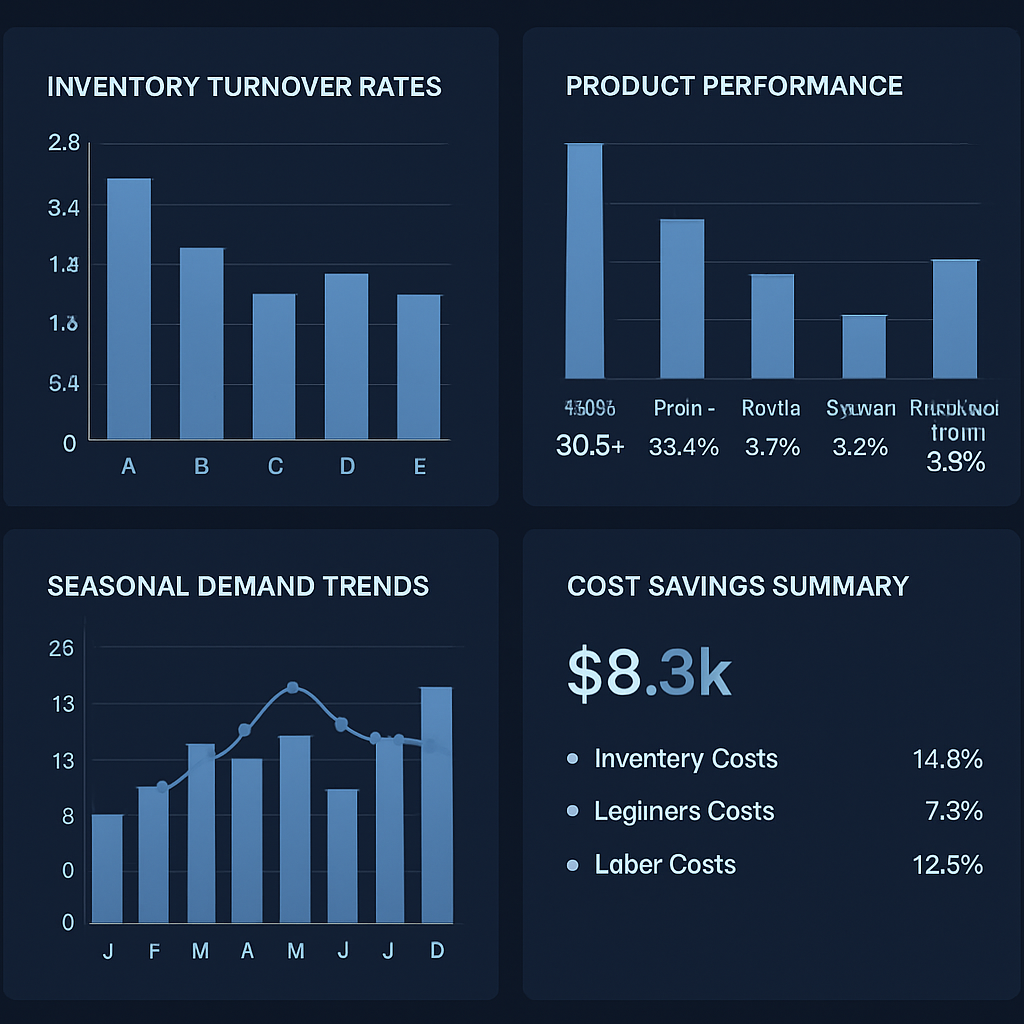
For a product business processing $500K in annual inventory, recovering even 3% in overstock reduction and 2% in stockout-related lost sales represents $25,000 in annual value — often more than the full-year cost of a good inventory platform.
Common Implementation Mistakes to Avoid
Skipping data cleanup before import. Migrating a messy product catalog into an AI tool just creates messy AI. Take the time to clean and consolidate SKUs before import — it pays dividends immediately.
Over-automating too early. Full purchase order automation is powerful, but starting there before you trust the system’s recommendations is risky. Begin with notifications and one-click approvals. Earn the system’s trust before giving it full autonomy.
Ignoring the human context layer. AI doesn’t know that your best supplier just changed ownership, or that you’re planning a pop-up event next month, or that a product is being discontinued. Maintain a channel for surfacing this context — most platforms have notes or override fields for exactly this reason.
Treating all SKUs the same. High-velocity, low-margin products need different reorder logic than low-velocity, high-margin ones. Configure reorder parameters by product category and risk profile, not with a single universal setting.
Neglecting supplier data. AI inventory is only as good as its supplier lead time data. Keep your supplier records current — especially if lead times have shifted due to supply chain changes.
Connecting Inventory to Your Growth Engine
Well-managed inventory isn’t just an operational win — it’s a growth enabler.
When you’re not constantly reacting to inventory crises, you have mental bandwidth to be proactive. You can run promotions on slow movers before they become a problem. You can pre-position stock for seasonal demand you now know is coming. You can identify your highest-margin, fastest-moving products and prioritize them in marketing and shelf placement.
Predictive analytics tools can take your inventory data further — modeling demand based on your customer base’s behavior, connecting purchasing patterns to your CRM, and surfacing the kinds of strategic insights that were previously only available to large enterprises.
Automated follow-up sequences can close the loop between inventory events and customer communications — back-in-stock alerts for waitlisted customers, product launch announcements to your most likely buyers, or reorder reminders for consumables.
Email marketing automation can turn your inventory data into revenue: segment customers by what they’ve purchased, identify who’s due for a replenishment, and automate campaigns that drive repeat orders before stockouts become an issue.
The pattern is consistent across every automation investment: when you replace reactive management with proactive systems, you free up capacity for strategy. AI inventory management is one of the most operationally concrete examples of this shift.
Frequently Asked Questions
Do I need expensive hardware to use AI inventory management? Most modern AI inventory platforms are cloud-based and work with standard barcode scanners or even your smartphone camera. Enterprise-level RFID or IoT sensor integrations are available but rarely necessary for small businesses starting out.
How long before AI forecasts become accurate? Most platforms need 60–90 days of transaction data before forecasting meaningfully improves over manual estimates. By 6 months, you’ll typically see significantly more accurate demand predictions — especially for seasonal patterns.
Can AI handle very small inventories (under 50 SKUs)? Yes, and often it’s even easier to implement because there’s less complexity in the initial setup. Even a 30-SKU product catalog benefits from automated reorder alerts and basic demand forecasting.
What about businesses with highly irregular demand? AI forecasting handles irregular demand better than humans do, because it analyzes patterns across more data points than a person can hold in mind. That said, for truly unpredictable demand (custom orders, highly bespoke products), the system will be less useful for forecasting and more useful for real-time tracking and reorder automation.
Is AI inventory management secure? All major platforms offer encryption in transit and at rest, role-based access controls, and regular security audits. For businesses handling sensitive data alongside inventory (healthcare, finance), verify each platform’s compliance certifications.
Inventory problems are quietly expensive — in lost sales, wasted capital, and operational stress. AI inventory management doesn’t just make the problem smaller; it makes a fundamentally different approach possible. When you have real-time visibility and accurate demand forecasting, inventory becomes a strategic tool instead of a firefighting exercise.
If you’re ready to stop guessing and start knowing — and to build the kind of automated operations infrastructure that scales with your business — reach out to Monsoft Solutions. We help small businesses implement AI and automation systems that deliver measurable results, fast.