
Your website attracts 500 visitors a month. Your competitors get about the same. But they’re booking 40 consultations while you’re struggling to hit 15. The difference isn’t traffic—it’s what happens between “interested” and “booked.”
Consultation booking optimization is the process of reducing friction in your booking flow to convert more website visitors into scheduled appointments. For aesthetic practices where a single rhinoplasty or mommy makeover generates $8,000-$25,000, even a 10% improvement in booking rates can translate to hundreds of thousands in annual revenue.
The problem isn’t that patients don’t want consultations. It’s that your booking process is making them work too hard to get one.
Why Patients Abandon the Booking Process
Understanding why patients drop off before completing a booking is the first step to fixing it. In our work with aesthetic practices across the country, we consistently see the same friction points derailing consultations.
Too Many Steps
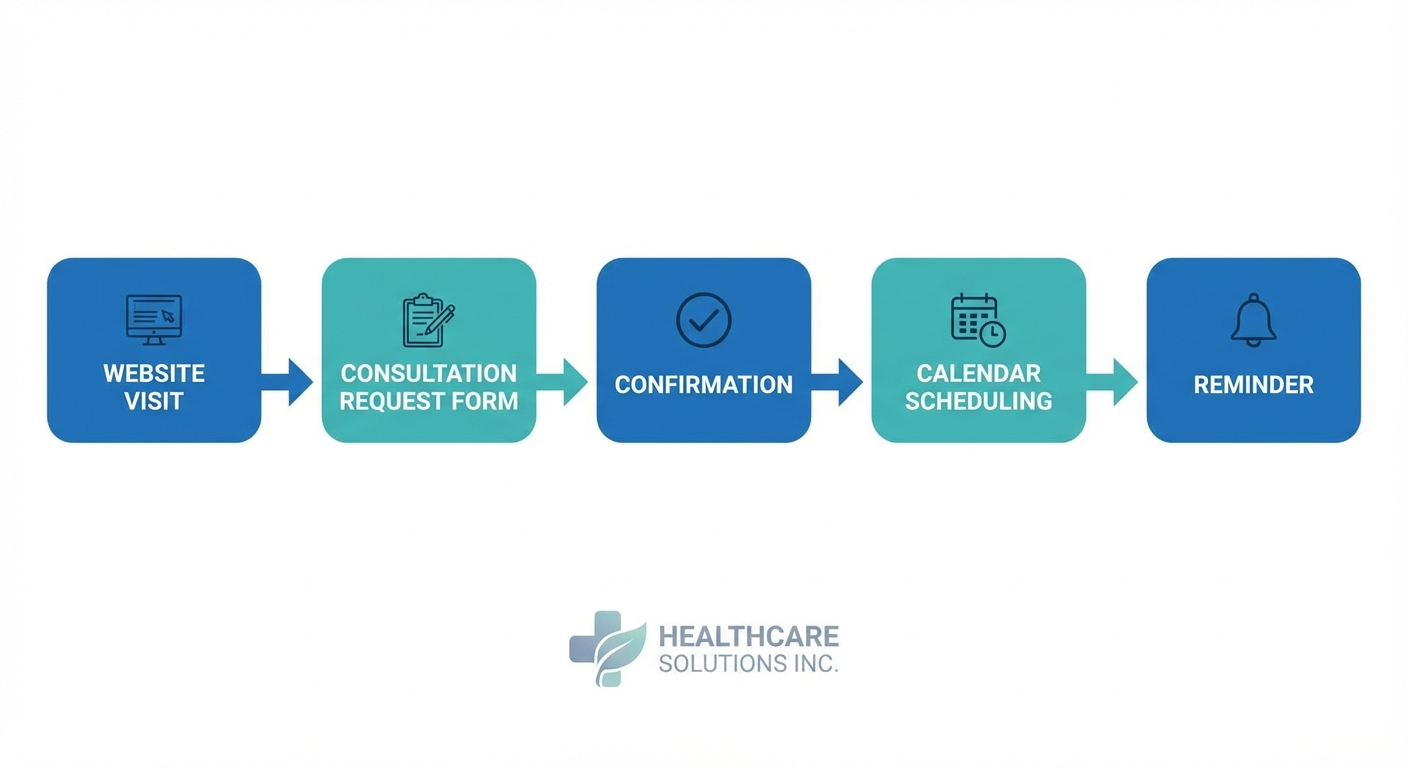
The average aesthetic practice requires 5-7 clicks to complete a booking. Every additional step loses roughly 10% of potential patients. If your booking process includes:
- Finding the booking page
- Selecting a procedure category
- Choosing a specific procedure
- Entering personal information
- Selecting a date
- Selecting a time
- Confirming the booking
…you’re losing patients at each transition. The goal is 3 clicks or fewer from landing page to confirmed appointment.
No After-Hours Booking
73% of cosmetic procedure research happens outside business hours. If your booking process requires calling during office hours or waiting for a callback, you’re losing patients to competitors who let them book immediately. Implementing after-hours lead capture systems is essential for capturing these high-intent visitors.
Form Fatigue
Asking for too much information upfront is a conversion killer. When patients see a 15-field form before they can book, many decide the consultation isn’t worth the effort—even if they’re genuinely interested in the procedure.
The High-Converting Booking Page Formula
Based on data from practices that consistently convert 15-20% of website visitors into consultations (compared to the industry average of 3-5%), here’s what works.
Above-the-Fold Essentials
The first screen patients see should include:
- Clear headline stating what they’re booking (e.g., “Book Your Rhinoplasty Consultation”)
- Primary call-to-action that stands out visually
- Social proof (review count, star rating, or patient count)
- Time expectation (“Takes 2 minutes” or “Instant confirmation”)
Avoid cluttering this space with procedure details—that’s what your service pages are for. The booking page has one job: get the appointment scheduled.
Smart Form Design
Ask only what’s essential to book the appointment. For an initial consultation, you typically need:
- Name
- Phone number
- Procedure of interest (dropdown, not text field)
- Preferred date/time range
That’s it. Medical history, insurance details, and detailed concerns can be collected through automated patient onboarding after the booking is confirmed.
Mobile-First Layout
67% of aesthetic practice website traffic comes from mobile devices. Your booking form must be:
- Thumb-friendly (large tap targets, minimum 44×44 pixels)
- Single-column layout (no side-by-side fields)
- Keyboard-optimized (phone keyboard for phone field, email keyboard for email)
- Fast-loading (under 3 seconds on 4G)
Test your booking page on your phone. If you find yourself pinching, zooming, or struggling to tap the right field, your patients are experiencing the same friction.
Reducing No-Shows with Confirmation Automation
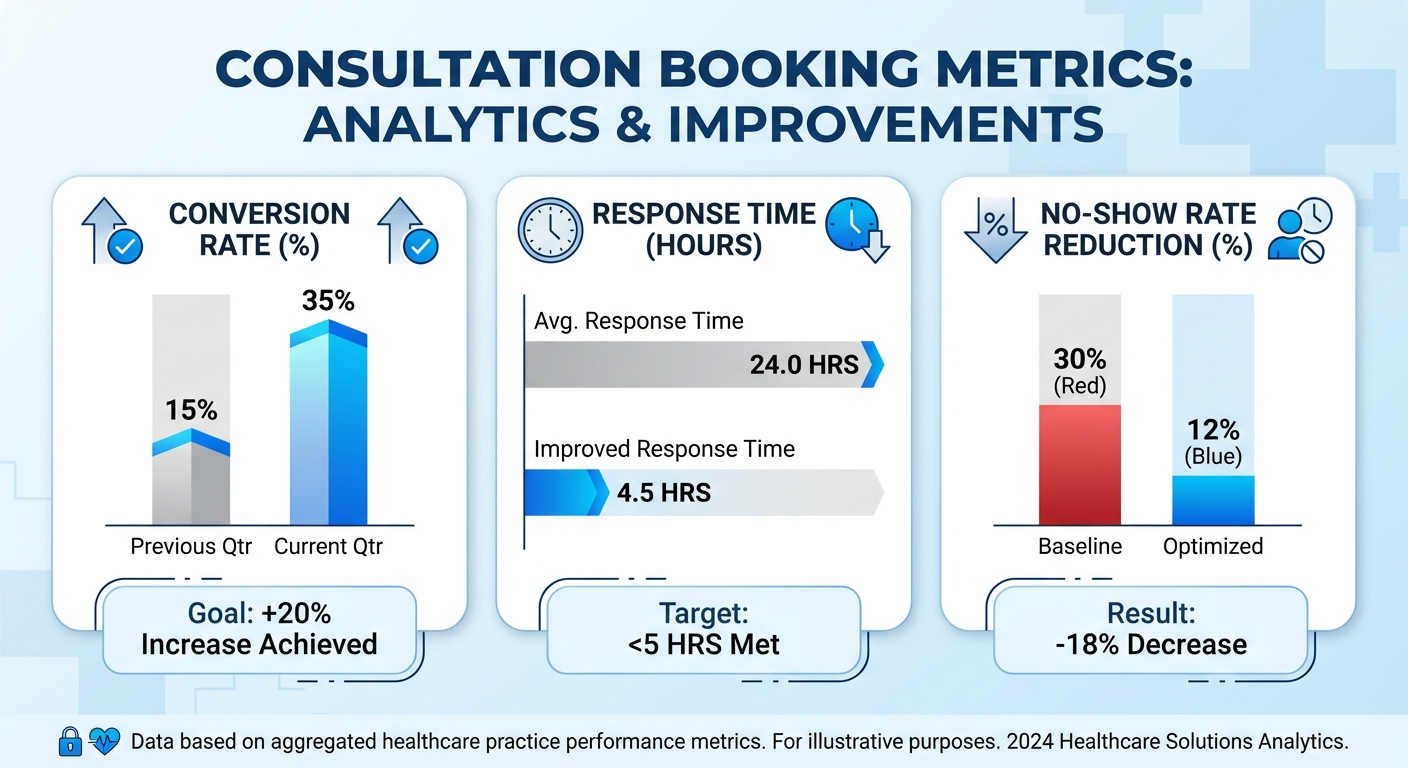
Booking the consultation is only half the battle. The average aesthetic practice sees a 20-30% no-show rate, meaning one in four consultations never happens. Automated follow-up sequences can cut this rate dramatically.
The Confirmation Sequence That Works
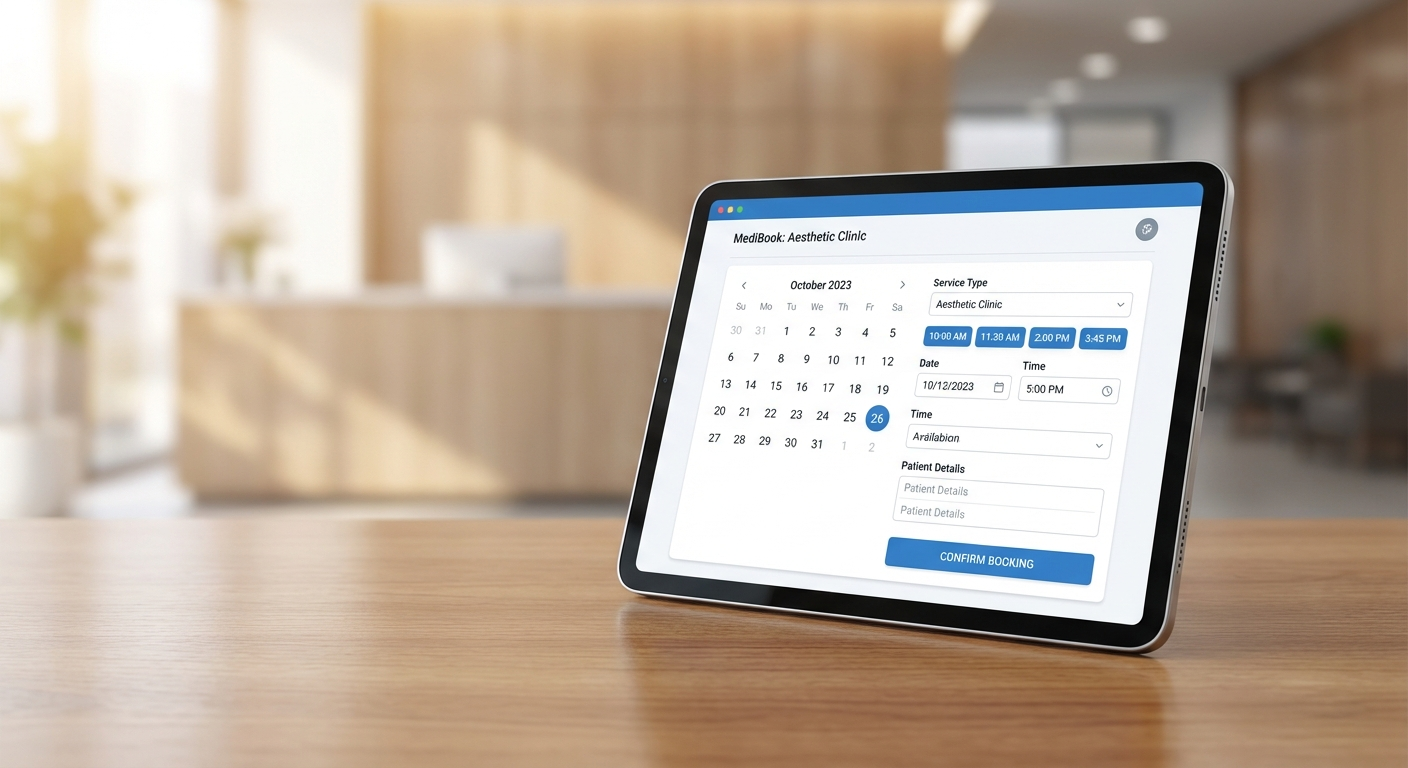
- Immediate confirmation — Email + SMS sent within 60 seconds of booking
- Calendar invitation — Attached to confirmation email with location details
- 48-hour reminder — SMS with easy reschedule link (not cancel link)
- Day-before reminder — Email with parking instructions, what to bring
- 2-hour reminder — SMS with one-tap confirmation request
Practices implementing this sequence consistently report no-show rates below 10%.
Make Rescheduling Easier Than Canceling
When patients need to change their appointment, make rescheduling the obvious option. Instead of “Cancel or Reschedule,” try “Need a different time? Pick a new slot” with cancellation as a secondary option. This simple reframe can reduce cancellations by 30%.
Calendar Integration Best Practices
Your booking system should integrate seamlessly with your practice management software. Manual appointment entry creates delays, errors, and the risk of double-booking.
Real-Time Availability
Patients should see actual available slots, not a form that goes into a queue. When availability updates in real-time:
- Patients get instant confirmation (no waiting for callbacks)
- Staff don’t waste time on back-and-forth scheduling
- Double-bookings become impossible
Buffer Time Between Consultations
Build 10-15 minute buffers into your calendar template. Running behind frustrates patients and creates a stressed first impression. The consultation itself should feel unhurried—patients are making decisions about their bodies, not ordering coffee.
Surgeon-Specific Booking
If patients have researched a specific surgeon, let them book directly with that provider. Routing all bookings through a general queue and then assigning providers later creates disconnect between the patient’s expectations and experience.
Measuring Booking Performance
You can’t optimize what you don’t measure. Track these metrics monthly:
Conversion Rate
Formula: (Completed Bookings ÷ Booking Page Views) × 100
- Poor: Under 5%
- Average: 5-10%
- Good: 10-15%
- Excellent: 15%+
Time to Book
How long does it take from page load to confirmed appointment? Under 3 minutes is the goal.
Drop-Off Points
Use form analytics to identify where patients abandon. If 50% drop off on the date selection step, you might have an availability display problem. If they leave on the phone number field, they might not trust your spam practices.
No-Show Rate
Track this weekly and correlate with reminder sequence performance. If no-shows spike, check whether your confirmation messages are actually sending.
Quick Wins You Can Implement This Week
Not every optimization requires a technology overhaul. Start with these high-impact changes:
1. Audit Your Current Process
Go through your own booking flow as a patient would. Time it. Note every friction point. This 10-minute exercise often reveals obvious fixes.
2. Reduce Form Fields
If you’re asking for more than 5-6 pieces of information, cut fields that aren’t essential for booking. Collect the rest after confirmation.
3. Add a Phone Number
Some patients prefer to call. Make sure your phone number is visible on the booking page with clear hours. For after-hours inquiries, AI chatbots with HIPAA compliance can capture leads without staff involvement.
4. Enable SMS Confirmations
If you’re only sending email confirmations, you’re missing patients who don’t check email regularly. SMS confirmation has a 98% open rate compared to 20% for email.
5. Add Urgency (Honestly)
If consultation slots are genuinely limited, say so. “Next available: February 15th” or “3 consultation slots remaining this week” creates urgency without being manipulative.
Common Mistakes to Avoid
Hiding the Booking Option
Your “Book a Consultation” button should be visible on every page, not buried in a navigation menu. Sticky headers and floating buttons work well.
Requiring Account Creation
Never ask patients to create an account before booking. This adds friction and triggers privacy concerns. Capture their information during booking; create the account behind the scenes if your system requires it.
Slow Page Load
Every second of load time costs conversions. Compress images, minimize scripts, and test your page speed regularly. If your booking page takes more than 3 seconds to load, patients are bouncing.
No Confirmation Page
After booking, patients should see a clear confirmation with appointment details, next steps, and an option to add to their calendar. Don’t just redirect to your homepage.
When to Invest in Booking Technology
If you’re handling fewer than 20 consultations per month, a well-designed form and good follow-up processes may be sufficient. But as volume grows, investing in dedicated scheduling software pays for itself through:
- Reduced administrative time
- Lower no-show rates
- Better patient experience
- Detailed analytics for optimization
The right system will integrate with your practice management software, support SMS and email automation, and provide the analytics you need to keep improving.
Ready to transform your booking process? Our aesthetics marketing services include consultation optimization as a core offering. Contact us for a free booking audit that identifies exactly where your practice is losing potential patients—and how to fix it.
Frequently Asked Questions
How long should the consultation booking process take?
The ideal booking flow takes under 2 minutes from landing on the page to confirmed appointment. Most patients will complete a well-designed form in 60-90 seconds. Anything requiring more than 5 fields or 3 clicks creates unnecessary friction.
What’s a good consultation booking conversion rate?
Most aesthetic practices convert 3-5% of booking page visitors. Well-optimized practices see 10-15% conversion rates. Top performers with frictionless processes, strong social proof, and immediate availability reach 15-20%.
Should I require a deposit for consultations?
Deposits reduce no-shows but also reduce bookings. Test both approaches with your audience. If your no-show rate is under 15%, deposits may cost you more in lost consultations than they save. If it’s over 30%, a small refundable deposit may be worthwhile.