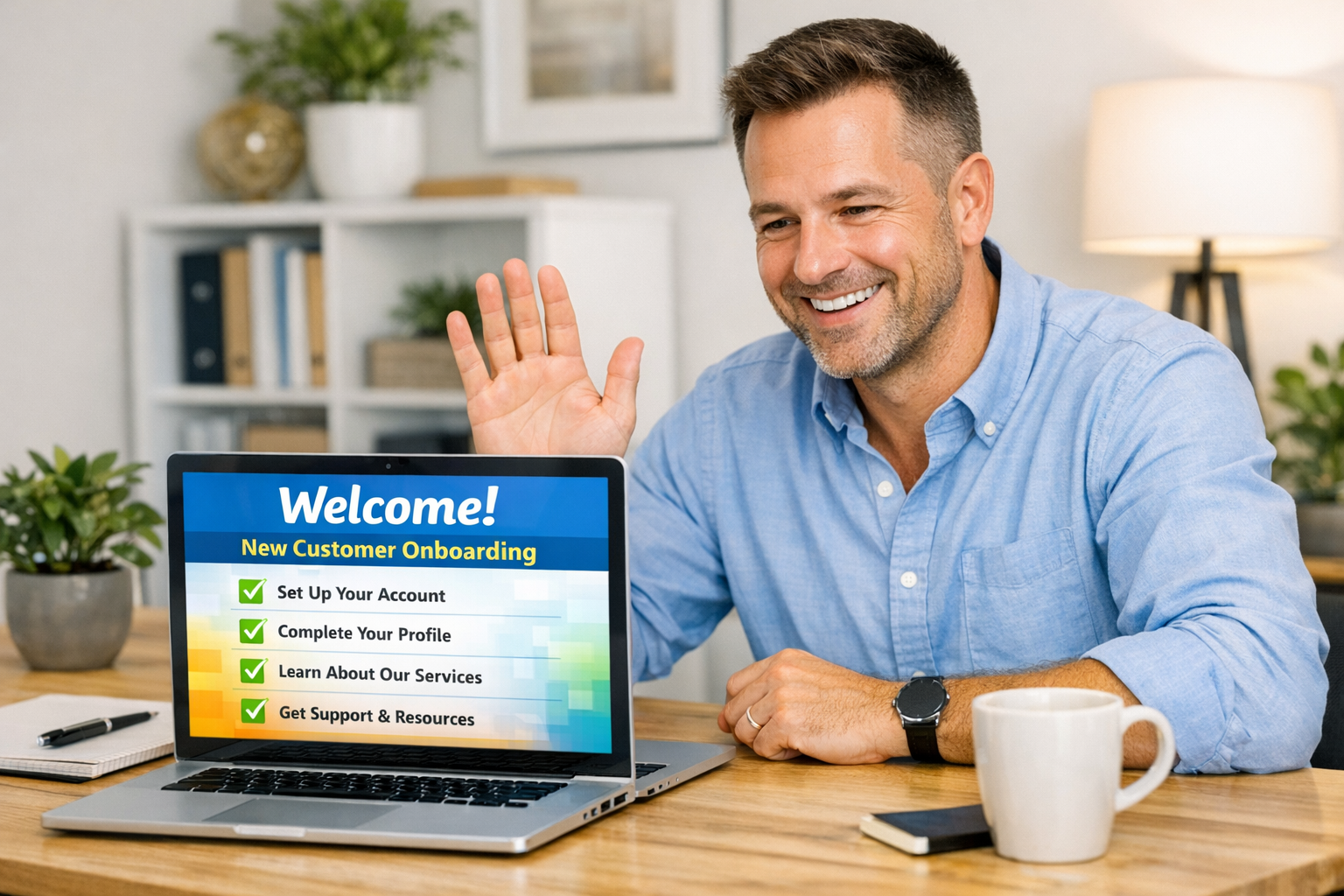
Most small businesses spend enormous energy winning new customers — then cross their fingers and hope those customers stick around. The problem isn’t the product or the service. It’s what happens (or doesn’t happen) in those critical first days after someone signs up, books an appointment, or makes their first purchase.
The customer onboarding window is where loyalty is built or lost. And for the vast majority of small businesses, it’s almost entirely manual — a follow-up call here, a welcome email there, hoping nothing slips through the cracks. When you’re running a business and wearing every hat, “manual” usually means “inconsistent.”
The fix is automation. A well-designed customer onboarding automation system ensures every new customer gets the same excellent experience — without you or your team having to remember, coordinate, or follow up manually. This guide walks through exactly how to build one.
Why Customer Onboarding Matters More Than You Think
There’s a reason enterprise companies invest heavily in onboarding: it directly predicts retention. Research from Wyzowl consistently shows that customers who have a positive onboarding experience are significantly more likely to stay, spend more, and refer others.
For local and service businesses, the onboarding window is typically the first 7–30 days after someone becomes a customer. What happens in that window sets the entire tone of the relationship.
Customers who feel guided succeed. Whether you’re a gym, a law firm, a HVAC company, or a med spa, customers who know what to expect, how to get help, and what to do next are dramatically more likely to use your service fully — and come back.
Fast follow-up is a competitive advantage. Most of your competitors follow up slowly, inconsistently, or not at all. A business that responds within minutes, delivers helpful information proactively, and checks in at the right moments stands out. Automation makes that possible without requiring anyone to watch a phone all day.
Onboarding drives referrals. Customers who have a great first experience are far more likely to recommend you. The first impression isn’t just about retention — it’s about word-of-mouth growth.
What Automated Customer Onboarding Actually Looks Like
“Automation” doesn’t mean cold and impersonal. Done right, it feels like a business that genuinely has its act together — prompt, helpful, and consistent. Here’s what a typical automated onboarding sequence includes:
1. Immediate Welcome
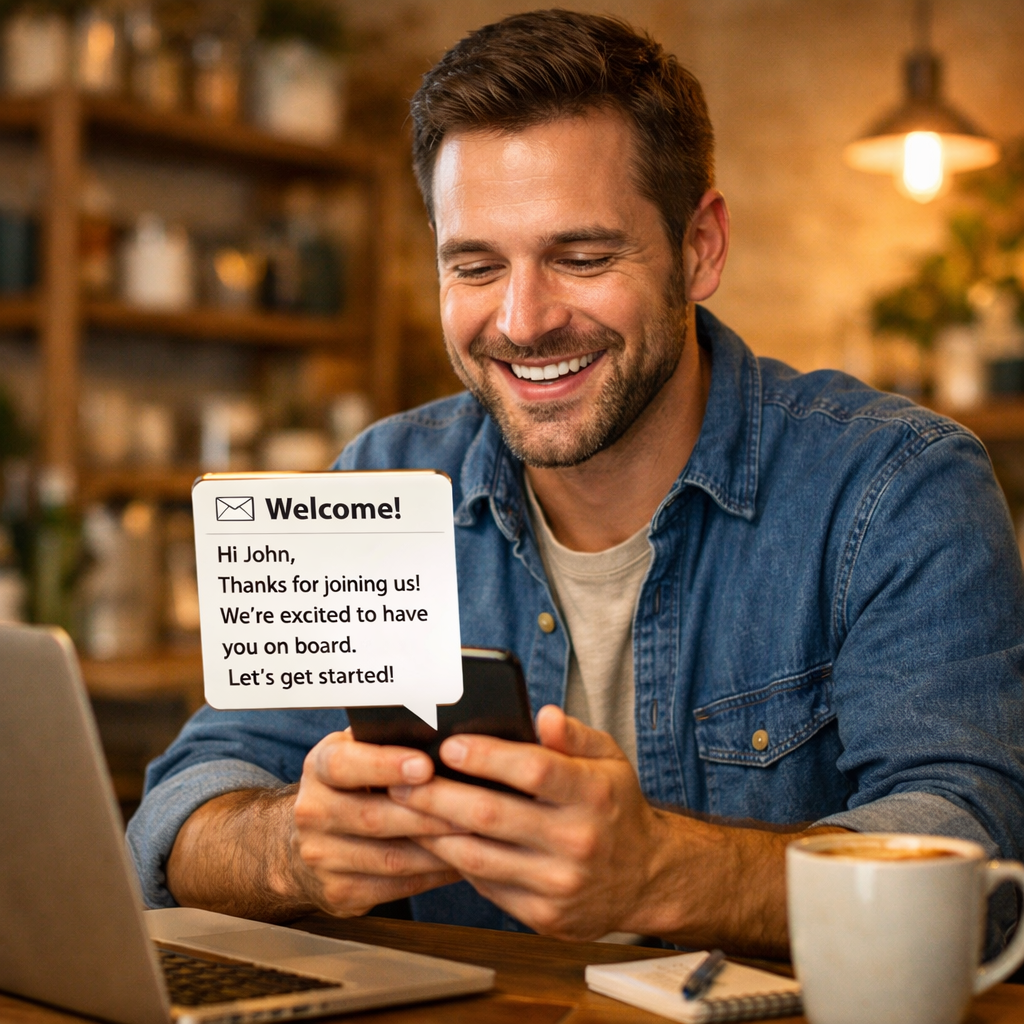
The moment someone becomes a customer — books a service, signs a contract, makes a purchase — they should receive a warm, personalized welcome message. This goes out automatically, triggered by the action in your CRM or booking system.
The welcome message should:
- Acknowledge their specific action (“Thanks for booking your consultation with us on Thursday”)
- Set expectations for what comes next (“You’ll receive a prep guide within the hour”)
- Make them feel confident they made the right choice
This doesn’t need to be elaborate. A 3–5 sentence email that feels warm and personal outperforms a long corporate welcome letter every time.
2. Onboarding Information Sequence
Over the first few days, a series of automated emails or SMS messages walks new customers through everything they need to know. Think of this as your business answering the most common questions before they’re even asked.
For a home services business: what to expect during the first visit, how to prepare, who will be arriving, how to schedule follow-ups.
For a professional services firm: what documents to gather, how communication will work, what the first engagement phase looks like.
For a med spa or aesthetic practice: pre-procedure instructions, what to bring, parking information, how to reach the office with questions.
These messages reduce anxiety, prevent no-shows, and cut down on inbound calls from customers asking basic questions — freeing your team for higher-value interactions.
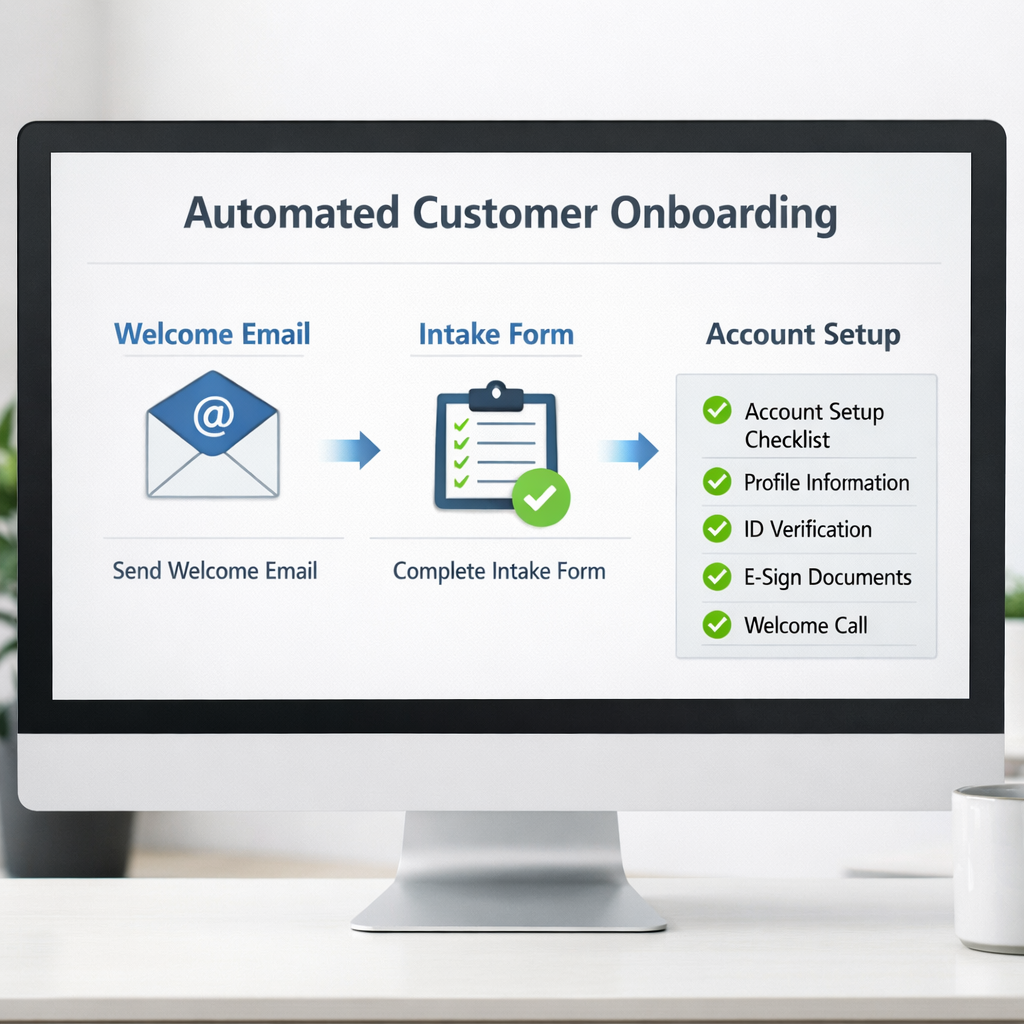
3. Intake and Information Collection
Most businesses need information from new customers. Instead of a manual back-and-forth, automate the collection.
Send a short intake form link in the welcome sequence. Tools like Typeform, JotForm, or your CRM’s built-in forms can capture what you need — intake health information, project details, preferences, billing info — and automatically route the responses to the right place.
Keep the form short and specific. Asking for exactly what you need and no more gets significantly higher completion rates than sending a 25-question survey.
For medical and aesthetic practices, make sure any intake forms are collected via HIPAA-compliant tools. See our HIPAA-compliant marketing guide for the full breakdown on what this requires.
4. Account and Access Setup
If your service involves any kind of customer portal, account access, or digital platform, onboarding automation should handle the setup confirmation and access instructions automatically.
New gym member? Send their app download link and access credentials automatically. New accounting client? Trigger the client portal invitation. New landscaping contract? Send the customer portal link where they can track service schedules and invoices.
Customers who successfully log in, access their portal, or download your app within the first week are significantly more likely to stay long-term. Every friction point you remove during this phase improves retention.
5. First Check-In
Somewhere between Day 3 and Day 7, send an automated check-in message. The goal isn’t to sell anything — it’s to ask if they have questions and confirm everything is going smoothly.
Something simple: “Hi [Name], you completed your first [service/session/appointment] with us last week — how did it go? Any questions we can answer?” sent via email or SMS.
This message does several things simultaneously:
- It shows you care about their experience, not just the transaction
- It catches problems early, before they lead to cancellations or complaints
- It creates an opening for customers to ask questions they were too hesitant to bring up initially
Pair this with your automated follow-up sequences to create a complete post-purchase communication cadence that keeps customers engaged well beyond the initial onboarding window.
6. Review Request at the Right Moment
Once a customer has had a successful initial experience, automate a review request. Timing matters: asking too soon (before they’ve actually used the service meaningfully) gets low response rates. Asking after their second or third positive interaction lands much better.
For most businesses, this is somewhere between Day 7 and Day 14. Make it easy — one click to your Google review page or Nextdoor recommendation page — and make the ask feel personal rather than transactional.
Tools to Build Your Onboarding Automation Stack
You don’t need enterprise software to build an effective onboarding system. Here’s what works for small businesses at different budget levels:
Entry Level (Free to $50/month)
Mailchimp or ConvertKit handle email automation well for straightforward sequences. Set up a “New Customer” tag or list trigger, and build out the sequence from there. Both have visual workflow builders that don’t require any coding.
Google Forms + Zapier can handle intake form collection and routing on a shoestring budget. Form submission triggers a Zap that logs the information in your spreadsheet, sends you a notification, and fires back a confirmation email to the customer.
SMS via SimpleTexting or Textedly adds text message touchpoints to your onboarding without requiring a full CRM. Particularly useful for appointment reminders and day-before confirmations.
Mid-Range ($50–$200/month)
HubSpot CRM (free tier + paid Marketing) or Keap give you a unified CRM and marketing automation platform. Trigger sequences based on CRM record creation, deal stage changes, or pipeline movement. Highly recommended for service businesses with any sales cycle complexity.
GoHighLevel has become popular with local service businesses specifically because it combines CRM, email, SMS, and funnel tools in one platform. The onboarding automation capability is strong, and many local marketing agencies build their client systems on it.
More Advanced Options
Zapier or Make (formerly Integromat) connect your booking system, CRM, email platform, and SMS provider into a unified workflow — even if those tools don’t natively integrate. See our Zapier vs. Make vs. n8n comparison for a full breakdown of which automation platform fits your needs.
For teams that need something powerful and flexible, the right automation architecture can handle everything from the initial welcome trigger through post-service review requests automatically.
Personalizing Automation Without Losing the Human Touch
The concern most business owners have about onboarding automation is that it feels robotic. And they’re right — poorly written automated messages do feel robotic. The solution isn’t to avoid automation; it’s to write better messages.
Use the customer’s name, consistently. Every automated message should pull the customer’s first name from your CRM. “Hi Sarah” converts and engages dramatically better than “Hello Valued Customer.”
Reference their specific action. “You just booked a Botox consultation for Thursday the 26th” is far more engaging than a generic welcome. Your automation can pull booking details, service names, staff member names, and more — use those variables.
Write in your actual voice. Your welcome email shouldn’t sound like it was written by a committee. Write the way your best team member talks to customers — warm, clear, and genuinely helpful. People can tell when something is authentic, even in an automated email.
Know when to escalate to a human. Automation handles the routine. For customers who respond with a complaint, a question that needs judgment, or a situation that’s clearly outside the normal flow, your system should alert your team for a personal follow-up. Your CRM automation setup should include these escalation triggers.
Don’t over-automate. A 12-email onboarding sequence for a simple HVAC tune-up is too much. A 3-message sequence for a $10,000 landscaping contract might be too little. Calibrate the depth of onboarding to the complexity and value of the relationship.
Measuring Whether Your Onboarding System Is Working
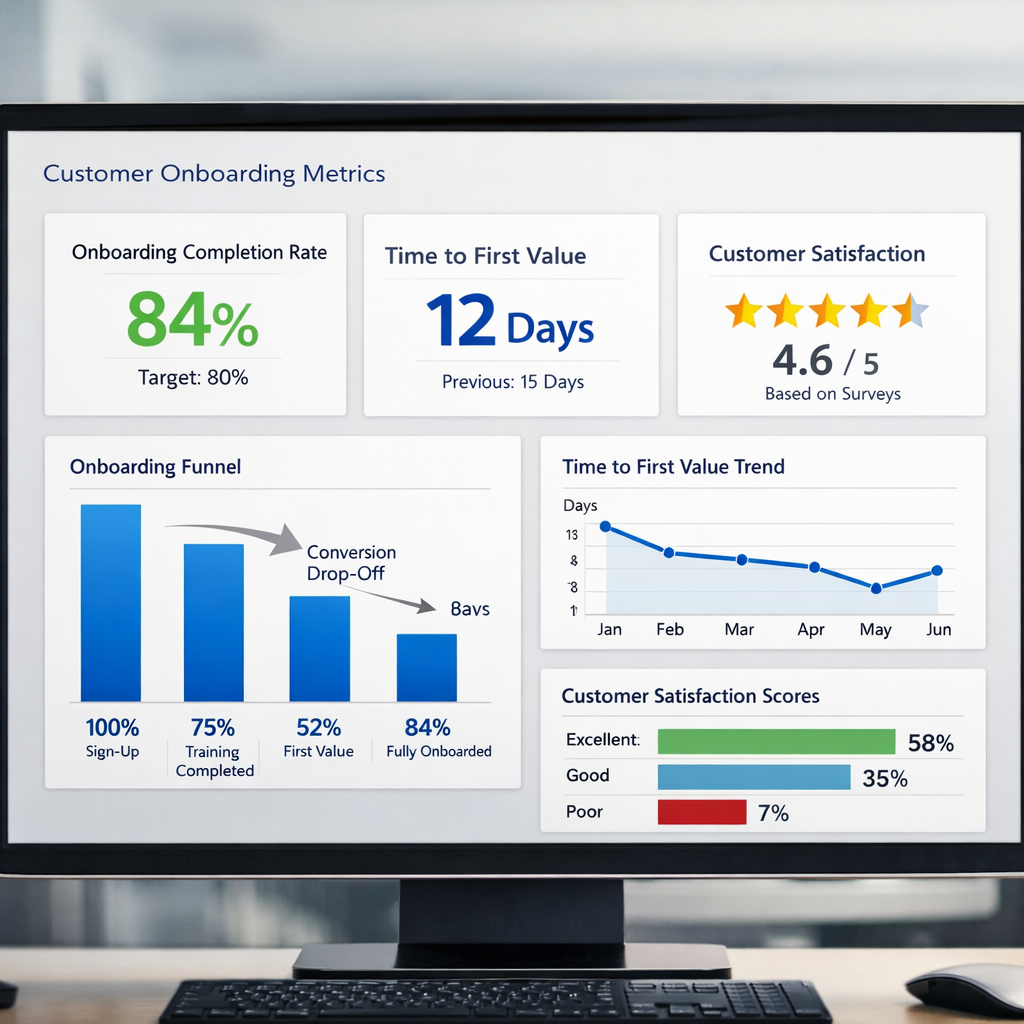
Once your onboarding automation is live, track these metrics to know if it’s working:
Onboarding completion rate: What percentage of new customers complete the intake form, access their portal, or complete all the initial steps you’re tracking? If this is low, your process has too much friction.
First-30-day churn rate: What percentage of new customers cancel, don’t return, or disengage in the first 30 days? Compare this before and after implementing onboarding automation. A well-designed sequence typically reduces early churn significantly.
Time to first value: How quickly do customers get their first meaningful outcome? For a gym, this is completing their first workout. For an accountant, it’s having their records organized. For a landscaper, it’s the first completed service visit. The faster customers reach first value, the higher their retention probability.
Inbound question volume: Are your team members fielding fewer “basic” questions after you implement a good onboarding sequence? This is a strong signal that your educational content is landing.
Review volume: After adding an automated review request at the right point in onboarding, is your review generation increasing? Your CRM and analytics setup should make it easy to track this.
Common Onboarding Automation Mistakes to Avoid
Triggering the sequence on the wrong event. If your “welcome” email fires before the customer has actually confirmed or paid, you’ll confuse people and damage credibility. Make sure your trigger is the right event in your workflow — confirmed booking, completed payment, or signed agreement.
Sending too much too fast. Flooding a new customer’s inbox with 5 emails in their first 24 hours is overwhelming. Space your sequence out so each message has room to breathe and be read.
Not testing the sequence before going live. Run yourself and a team member through the complete onboarding flow before any real customers experience it. Check every email, every link, every form. Broken links in a welcome email create terrible first impressions.
Forgetting to update sequences when your business changes. If your services, pricing, staff, or processes change, your onboarding content needs to change too. Schedule a quarterly review of your onboarding sequences the same way you’d review your website content.
Treating onboarding as a one-time task. Your best customers will give you feedback about what’s confusing, what’s missing, or what would have helped. Build a simple feedback loop — a 2-question survey at Day 30 — and use those responses to continuously improve your onboarding process.
A Simple Onboarding Automation You Can Build This Week
You don’t need to build a complex 10-step system on day one. Here’s a straightforward 3-email onboarding sequence any small business can implement this week:
Email 1 — Immediate welcome (triggered instantly): Subject: “Welcome, [First Name] — here’s what happens next”
- Warm welcome, confirm what they just did
- What to expect in the next 48 hours
- Direct phone number or chat link if they have immediate questions
Email 2 — Intake and preparation (24 hours later): Subject: “Quick question before your [service/appointment] on [date]”
- Short intake form link (keep it under 5 questions)
- Any preparation instructions they need
- Reminder of logistics (address, parking, what to bring)
Email 3 — Check-in (Day 5–7): Subject: “How’s everything going?”
- Simple question about their experience so far
- Offer to answer questions
- Introduce a related resource, helpful guide, or your blog (link to relevant content)
- Optional: soft review request if they’ve already had their first service
That’s it. Three automated emails, triggered at the right moments, making every new customer feel like they’re in good hands from day one.
Getting Professional Help With Automation
Building effective customer onboarding automation requires choosing the right tools, writing the right messages, and connecting everything properly. For businesses without a dedicated operations team, that’s a real time investment.
Monsoft Solutions helps small businesses and service companies build complete marketing and automation systems — from CRM setup and onboarding sequences to lead capture and follow-up automation. If you’re ready to stop doing this manually and start delivering a consistent, professional experience to every new customer, reach out and let’s talk about what’s possible for your business.
Frequently Asked Questions
What’s the difference between customer onboarding and follow-up automation?
Onboarding automation focuses specifically on new customers — guiding them through their first experience with your business. Follow-up automation is broader, covering ongoing communication after purchases, appointments, or interactions. Onboarding typically runs for the first 7–30 days, while follow-up sequences can continue for months or years.
Do I need a CRM to automate customer onboarding?
Not necessarily. You can build basic onboarding sequences using email marketing tools like Mailchimp or ConvertKit. However, a CRM gives you more flexibility — you can trigger sequences based on specific customer actions, track where customers are in the process, and escalate to human follow-up when needed. For most service businesses, a CRM becomes essential as volume grows.
How long should a customer onboarding sequence be?
It depends on the complexity of your service. For simple, one-time services (a single haircut, a quick repair job), 2–3 messages are usually sufficient. For ongoing services or high-ticket engagements (a multi-month contract, a comprehensive wellness program), a 6–10 message sequence over 30 days may be appropriate. The key is matching depth to the value and complexity of the relationship.
Can onboarding automation help reduce customer complaints?
Yes — significantly. Most early complaints come from mismatched expectations: customers assumed something different about how your service works, what it includes, or what happens next. A well-designed onboarding sequence answers those questions proactively, setting accurate expectations before they become frustrations.