
Every lead that emails your business is making a decision.
Not just about you — about whether they’ll wait for you to respond. Research consistently shows that the odds of converting a lead drop dramatically after the first hour. After 24 hours, most people have already moved on to a competitor who answered faster.
The problem isn’t that you don’t care. It’s that you’re busy — running jobs, meeting with clients, managing your team. You can’t monitor your inbox every minute of the day. And hiring someone just to answer emails isn’t a realistic option for most small businesses.
AI-powered email responses solve this problem. They let you respond instantly, intelligently, and consistently — 24 hours a day, seven days a week — without you touching the keyboard. And done right, they don’t feel robotic. They feel like exactly what a customer needed to hear.
This guide walks you through how it works, what tools make it happen, and how to set it up without losing what makes your business feel personal.
Why Email Response Speed Is a Lead Conversion Issue
Speed isn’t just about being polite. It’s one of the highest-leverage variables in whether a lead becomes a customer.
A study by InsideSales (now XANT) found that responding to a lead within the first five minutes increases conversion rates by 9x compared to a 10-minute response. Wait an hour and you’re 60 times less likely to qualify that lead. These numbers sound extreme until you realize what’s actually happening: the person who emailed you also emailed two or three of your competitors.
Whoever responds first shapes the conversation. They set the expectations. They build the initial rapport. By the time you get back to a lead six hours later, they may have already booked a call with someone else — and they weren’t your competitor’s best prospect either, so the whole industry loses.
For local service businesses and aesthetic practices, this dynamic is even sharper. Someone asking about a roof repair or a Botox consultation isn’t in research mode for weeks. They want a response today. If you can give them one in minutes, you’ve already won half the battle before anyone mentions pricing.
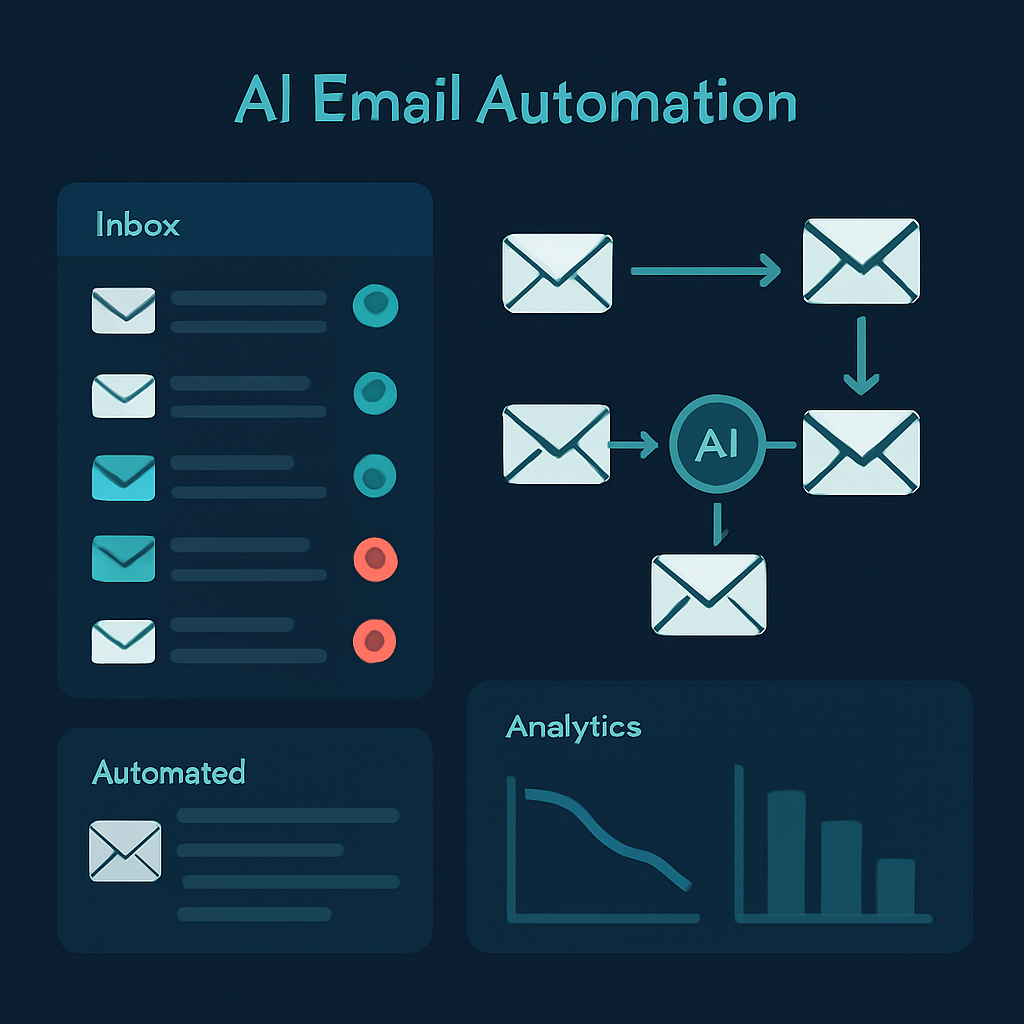
What AI Email Response Automation Actually Does
There’s a spectrum here, from basic to sophisticated. Most small businesses don’t need the most complex version — but it helps to understand what’s possible.
Tier 1: Instant Acknowledgment Emails
The simplest form of AI email automation is an immediate acknowledgment — a reply that goes out the moment someone submits a contact form or emails your inbox. This tells the customer:
- Their message was received
- What to expect next (and when)
- Who they’ll be hearing from
This alone prevents most of the anxiety that makes leads move on. They know you’re not ignoring them. A good acknowledgment email sets the tone for the relationship and buys you a few hours to respond properly.
What AI adds: Instead of a generic “Thanks for reaching out, we’ll be in touch,” an AI can personalize the reply based on the content of the inquiry. If someone mentions they need a commercial roof inspection, the acknowledgment references that specifically. If they mention they’re in Naples and need someone this week, the reply addresses the urgency.
Tier 2: Smart FAQ Responses
Many inquiries are variations on the same questions. Pricing. Availability. How the process works. What’s included. How long it takes.
An AI trained on your business can handle these automatically. The customer asks, the AI answers — completely and accurately — without you ever seeing the email. You only get involved when a conversation needs a real human decision.
What AI adds: The ability to detect what kind of question was asked, pull the right information, and respond naturally. A well-built system handles 60-80% of inbound email volume without human input.
Tier 3: Context-Aware Lead Qualification
More advanced AI systems don’t just respond — they gather information. Before routing an inquiry to you or your team, they ask follow-up questions to understand the scope of the project, the timeline, the budget range, and the location.
By the time you see the email thread, you already know whether this is a qualified lead worth your time or a tire-kicker who isn’t ready to move forward. Your response is faster, better-targeted, and more likely to result in a booked appointment.
What AI adds: Multi-turn conversation capability. The system can ask, interpret responses, and ask follow-up questions — just like a trained sales coordinator would.
The Tools That Make This Work
You don’t need enterprise software or a development team to set up AI email automation. Here’s what actually works for small businesses in 2026:
For Contact Form Automation
If most of your inbound email comes through website contact forms, the easiest path is connecting your form to a workflow tool:
Zapier / Make (formerly Integromat) / n8n — These platforms let you trigger email responses automatically when a new form submission comes in. With an AI step (using GPT-4o or Claude), you can generate a personalized response based on the submitted content before sending it via Gmail, Outlook, or your ESP.
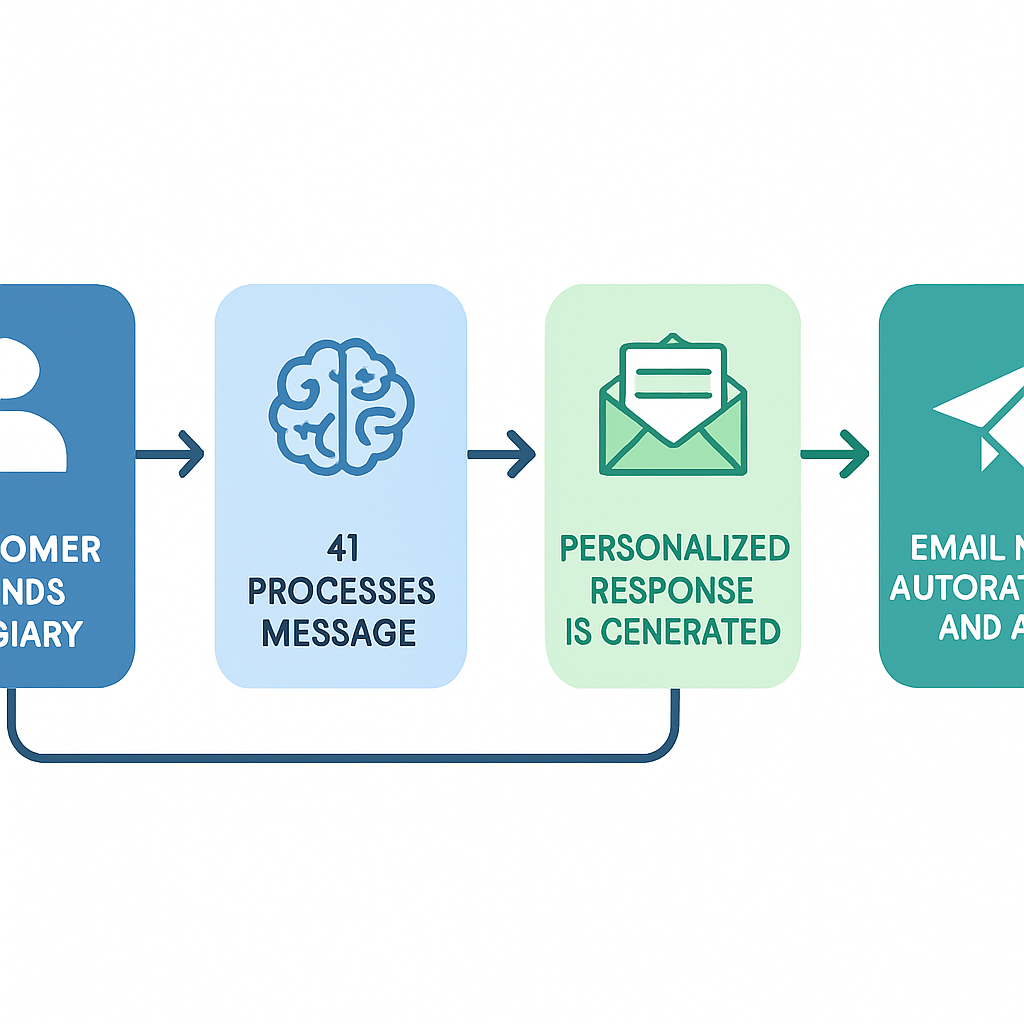
The setup: Form submission → AI generates personalized reply → email sent automatically. Total build time: under two hours if you know the tools. See our Zapier vs Make vs n8n comparison for a breakdown of which fits your needs.
HubSpot / Zoho CRM — Most modern CRMs include AI-assisted email drafting and automatic response sequences. If you’re already using a CRM for lead management, this is the most integrated option.
For Inbox-Based Automation
If leads email you directly rather than through a form, tools like Front, Help Scout, and Intercom all offer AI-assisted inbox management. They can categorize incoming emails, draft responses for your review, or send auto-replies based on detected intent.
Gmail + Zapier/Make can also work for direct inbox automation, though it requires a bit more setup than form-based approaches.
For AI-Powered FAQ Handling
If you want AI to handle full responses autonomously — not just drafts — you’ll need a system that can interpret questions and generate appropriate answers:
- Custom GPT-4o integration via your CRM or help desk
- Tidio, Freshdesk, or Zendesk with AI features enabled
- Custom workflows built in n8n connecting your inbox to an AI API
The level of complexity depends on how many unique question types you receive and how much customization you want.
How to Write Your AI’s Email Responses Without Sounding Like a Robot
The biggest fear people have about automated email: that customers will feel like they’re talking to a machine. This fear is justified if you do it wrong. But with the right setup, AI responses are indistinguishable — and sometimes better — than a rushed human reply.
The Key Is the Prompt
Everything an AI email system outputs depends on how it’s instructed. Think of the prompt as the personality brief you’d give to a new staff member.
A good prompt includes:
Your business voice. Are you professional and formal? Warm and conversational? Do you use technical language or keep it simple? The AI needs to know.
Your offerings and pricing. What services do you offer? What’s included? Are there typical price ranges? What questions do you get most often?
Your policies. Response time expectations, service area, booking process, cancellation policy.
What you want them to do. Book a call? Fill out a form? Reply with more details? Every AI response should have one clear next step.
What to avoid. Specific claims you can’t substantiate, overpromising on timelines, anything that might create legal exposure.
Here’s a simplified example prompt structure:
You are the virtual receptionist for [Business Name], a [service type] company serving [location]. Respond to this customer inquiry in a warm, professional tone. Acknowledge their specific request, provide brief relevant information about our services, and invite them to book a free consultation at [link]. Never quote specific prices — direct pricing questions to a consultation call. Keep the response under 200 words.
With a prompt like this, the AI produces responses that sound like a person who knows the business and cares about the customer.
Personalization That Actually Lands
Generic responses feel hollow. Personalized ones feel attentive. The difference is often just a few words.
Most AI systems can pull details from the original email and include them in the response. Instead of “Thanks for contacting us about your project,” the AI says “Thanks for reaching out about the kitchen renovation you’re planning for this spring.” The customer feels heard — because the response actually referenced what they said.
This works best when:
- You’re responding to form submissions with structured fields
- The AI is explicitly instructed to reference specific details from the inquiry
- The tone matches what the customer sent (urgent → respond with urgency; casual → match the energy)
What to Automate (and What to Keep Human)
Not every email should be fully automated. Knowing the difference is what separates good AI email systems from ones that damage customer relationships.
Automate:
- Initial acknowledgment for any new inquiry
- Answers to common FAQ questions (pricing ranges, service areas, availability, process)
- Appointment reminders and confirmation emails
- Follow-up sequences for leads who haven’t responded
- Post-service follow-up and review request emails
Keep human:
- Complaints and anything emotionally charged
- Anything requiring real-time judgment about complex project scope
- Negotiations and price exceptions
- Situations where something went wrong
- High-value accounts where the personal touch drives retention
A good rule: if the response could be wrong and the downside is real, a human should send it. If the response is helpful, low-risk, and one of five variations you’d write anyway, let the AI send it.
Measuring Whether It’s Working
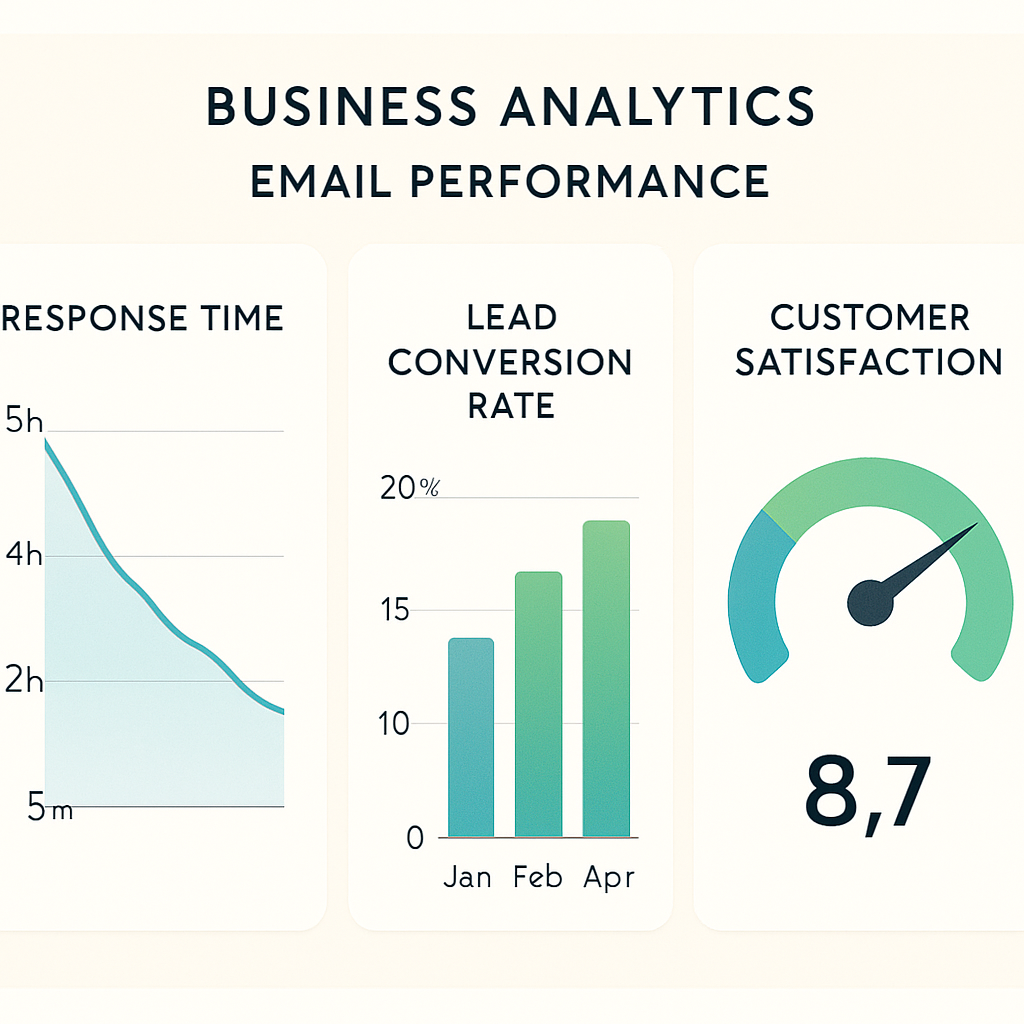
Once you’ve set up AI email automation, track these metrics weekly for the first month:
Average first response time — This should drop dramatically. If you were averaging 6 hours before, 5-minute automated responses should cut that to near zero.
Lead-to-contact rate — What percentage of people who email you eventually get on a call or book an appointment? This should improve as faster responses keep more leads in your funnel.
AI response accuracy — Review a sample of AI-generated emails weekly. Are they answering the right questions? Are there any errors or awkward phrasing to correct?
Human escalation rate — What percentage of AI responses get flagged or escalated to a human? Too high means your prompts need refinement. Around 20-30% escalation is normal and healthy.
Track these in a simple spreadsheet or your CRM. Within 30 days you’ll have enough data to see what’s working and what needs tuning.
Getting Started: Your First AI Email Response in 48 Hours
You don’t need to build the perfect system out of the gate. Start simple and add complexity as you go.
Step 1: Set up an acknowledgment email (Day 1)
Whatever form or inbox you’re using, configure an immediate auto-reply. Make it specific to your business, include a realistic timeframe for your personal response, and tell them what to expect. This takes 30 minutes and immediately changes the customer experience.
Step 2: Build a FAQ list (Day 1-2)
Write down the 10 questions you get most often by email. For each one, write the answer you’d give if you had time to do it well. This becomes the training material for your AI system.
Step 3: Choose a tool and connect it (Day 2)
Pick the simplest tool that fits your current setup. If you’re using Zapier already, add an AI step. If you’re in HubSpot, turn on AI drafts. If you’re starting from scratch, a CRM with built-in automation is the most efficient path.
Step 4: Test it yourself
Send a test inquiry through your own contact form. Read the AI response as if you were the customer. Edit the prompt until the response sounds like you — at your best.
Step 5: Monitor and iterate
Check your AI email responses daily for the first week. You’ll spot patterns quickly. Adjust the prompt, add FAQ answers, and refine the routing rules. After 2-3 weeks, you’ll have a system you can trust to run in the background.
The Bigger Picture: AI Email as Part of Your Automation Stack
AI email responses don’t work in isolation — they work best as the front end of a connected automation system. An inquiry comes in, gets an immediate AI response, gets logged in your CRM, triggers a follow-up sequence, and lands in your calendar as a hot lead with context already attached.
This is the foundation of small business automation that actually moves the needle — not isolated tools, but systems that pass information forward at every stage of the customer journey.
Email automation connects directly to:
- CRM automation — leads get logged and scored based on inquiry type
- Follow-up sequences — prospects who don’t respond get automatically re-engaged at 2, 5, and 10-day intervals
- Appointment reminders — once a booking happens, the system handles confirmation and reminder emails automatically
When these pieces work together, you spend less time managing communication and more time doing the work that actually generates revenue.
Frequently Asked Questions
Will customers know my emails are AI-generated?
Not if your prompts are well-written. Most customers can’t tell the difference between a thoughtful AI-generated reply and a human one — especially for common questions. The key is specificity: AI responses that reference the customer’s actual inquiry feel personal, not automated.
What if the AI gives wrong information?
This is a real risk, which is why your prompt and FAQ training data need to be accurate and regularly updated. Start with low-stakes email types (acknowledgments, scheduling) and expand to more complex responses only after you’ve reviewed the AI’s output over time. Build in a review step for anything where accuracy is critical.
How much does this cost to set up?
Entry-level solutions using Zapier + OpenAI cost $20-50/month in API and tool fees. More integrated CRM-based solutions run $50-200/month depending on the platform. Custom-built solutions using n8n can reduce ongoing costs but require upfront build time. Most businesses see ROI within 30 days just from improved lead conversion.
Do I need technical skills to set this up?
Not necessarily. Most modern tools are no-code or low-code. Zapier and Make have drag-and-drop interfaces. HubSpot’s AI features are built in. If you get stuck, our team can set up the whole system for you — contact us to talk through your options.
What about HIPAA compliance for medical practices?
If you’re using email for patient communication, your AI email system must use HIPAA-compliant tools and business associate agreements (BAAs) must be in place with any vendors handling protected health information. See our guide on AI chatbots for HIPAA compliance for a full breakdown of compliant communication tools.
The bottom line: Slow email responses are one of the most fixable revenue leaks in a small business. The leads are already showing up — AI email automation makes sure they don’t leave without a response.
If you’re ready to set this up for your business, our team at Monsoft Solutions can help you build an email automation system that fits your workflow, your brand, and your customer expectations. Reach out and you’ll hear back — we promise — in about 30 seconds.