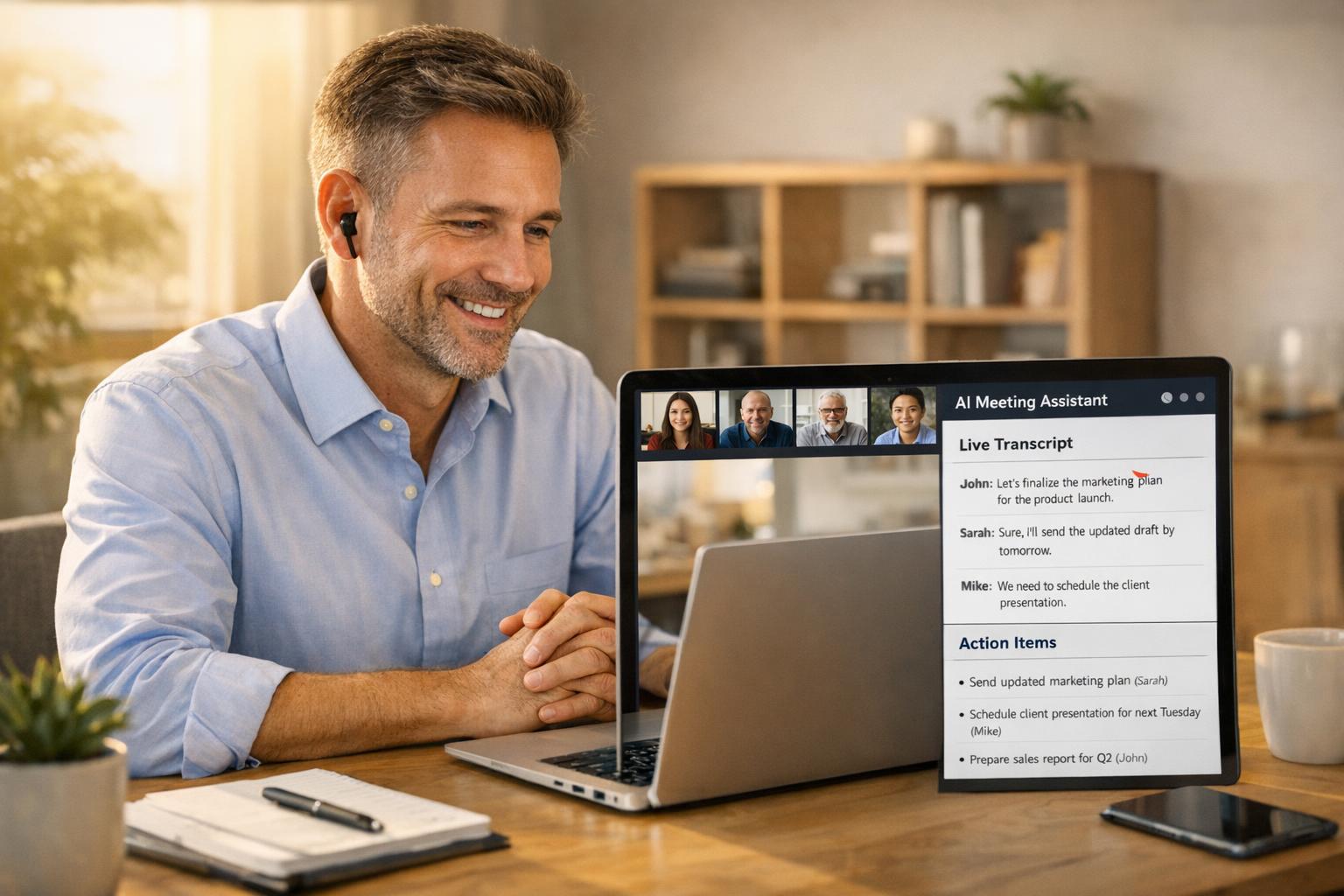
Every small business owner has left a meeting with a head full of commitments and a notepad full of scribbles—only to realize three days later that two critical action items slipped through the cracks.
That’s not a discipline problem. It’s a capacity problem. When you’re the owner, the salesperson, the project manager, and the follow-up person all at once, you simply can’t do all of it manually. AI meeting assistants exist to close that gap.
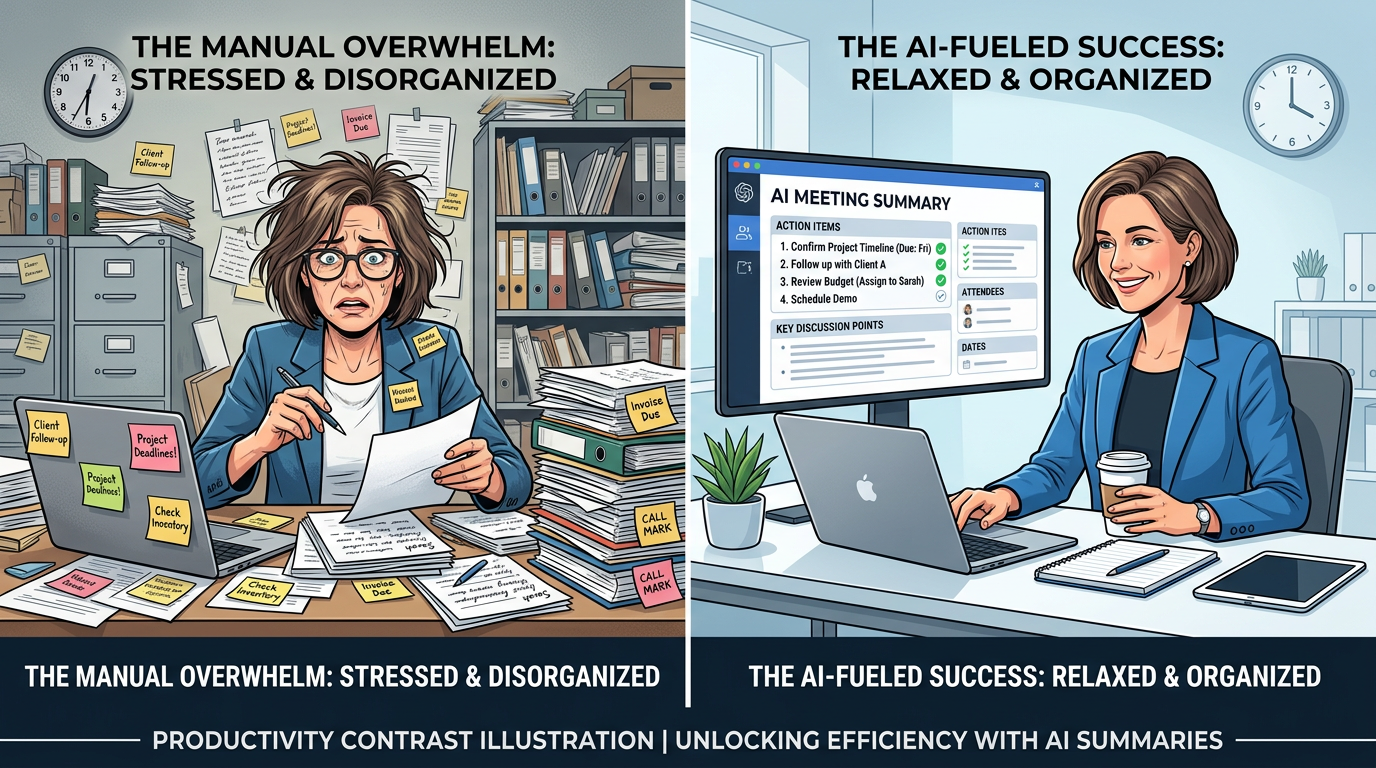
In 2026, these tools have matured from novelty to necessity. They join your calls, transcribe everything in real time, extract action items, and sync notes directly to your CRM—all while you focus on the conversation that actually matters. Here’s what you need to know to get started.
What Is an AI Meeting Assistant?
An AI meeting assistant is a software bot that joins your video or phone calls, records the audio, transcribes the conversation, and uses AI to pull out the most important information: action items, decisions, questions, and key discussion points.
The better ones go further. They learn your business vocabulary, identify who said what, and automatically push summaries to the tools you already use—Slack, HubSpot, Google Calendar, your CRM. Within minutes of ending a call, you have a clean, searchable record of everything that happened.
For small businesses, this means fewer dropped balls, better follow-through, and significantly less time spent on meeting admin.
The Real Cost of Manual Note-Taking
Before we get into tools and setup, let’s put a number on the problem.
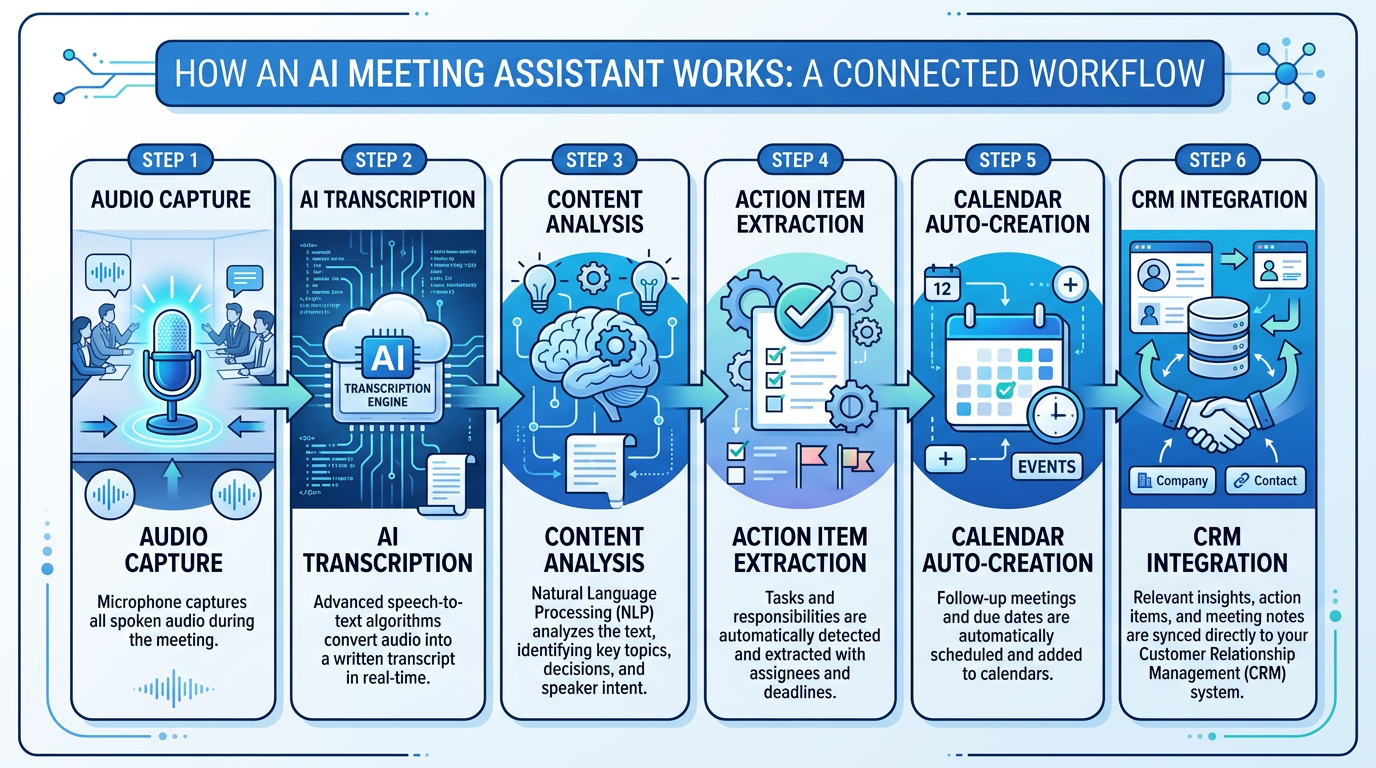
A typical small business owner or manager sits through 6–10 meetings per week. If each one takes 15–20 minutes of post-meeting write-up—organizing notes, emailing summaries, updating the CRM, setting reminders—that’s 2–3 hours per week per person on pure admin.
Multiply that across a 5-person team and you’re looking at 10–15 hours per week of time that could be billable, sales-focused, or simply given back to your team. That’s a part-time salary’s worth of productivity sitting in meeting notes.
There’s also the accuracy problem. Manual notes are filtered through whoever was writing them. Important context gets dropped. Tone gets lost. And if the note-taker was also trying to run the meeting? Good luck.
AI assistants don’t filter. They capture everything, so nothing depends on a single person’s attention and handwriting speed.
5 Ways Small Businesses Are Using AI Meeting Assistants
1. Sales Call Follow-Ups That Actually Happen
One of the most common revenue leaks in small business is the delayed—or never-sent—follow-up after a sales call. A prospect expresses interest, you promise to send a proposal, and then life gets in the way.
With an AI assistant on the call, the moment you say “I’ll send that over by Thursday,” it flags it as an action item. The assistant sends you a summary with the commitment highlighted. Some integrations will even create the task automatically in your CRM or project management tool.
For service businesses and practices where every consultation counts, this closes the gap between interest and commitment.
2. Client Status Meetings With Zero Re-Typing
If you run regular check-ins with clients—weekly calls, project reviews, progress updates—you know how much time goes into writing up the meeting summary afterward.
AI assistants handle the write-up automatically. You end the call, and within a few minutes, both you and the client can receive a clean summary of what was discussed, what was decided, and what happens next. Clients love it. It feels professional and it builds trust.
3. Team Standup Capture for Remote and Hybrid Teams
Not everyone on your team can be present for every meeting. AI assistants solve the “catch me up” problem without requiring someone to write a recap.
The recording and transcript are searchable, so a team member who missed the standup can search for their name or their project and immediately see what was discussed. No more “Can you send me the notes?” Slack messages.
4. Contractor and Vendor Briefings
Working with contractors, subcontractors, or vendors often means lots of verbal briefings that need to become written specs or scope documents. Instead of re-explaining everything in email form afterward, your AI assistant captures the briefing, and you can share the transcript or generate a summary to send along.
This is especially useful for trades businesses, home services companies, and any business that regularly brings in outside help.
5. Training and Onboarding Recording
When you onboard a new hire, you’re often explaining the same things you’ve explained a dozen times before. Record those onboarding calls with an AI assistant and you’ve got an instantly searchable training library.
Future hires can review past onboarding sessions. Policies that get explained verbally are now documented. You stop re-inventing the wheel every time someone joins the team.
The Best AI Meeting Assistants for Small Business in 2026
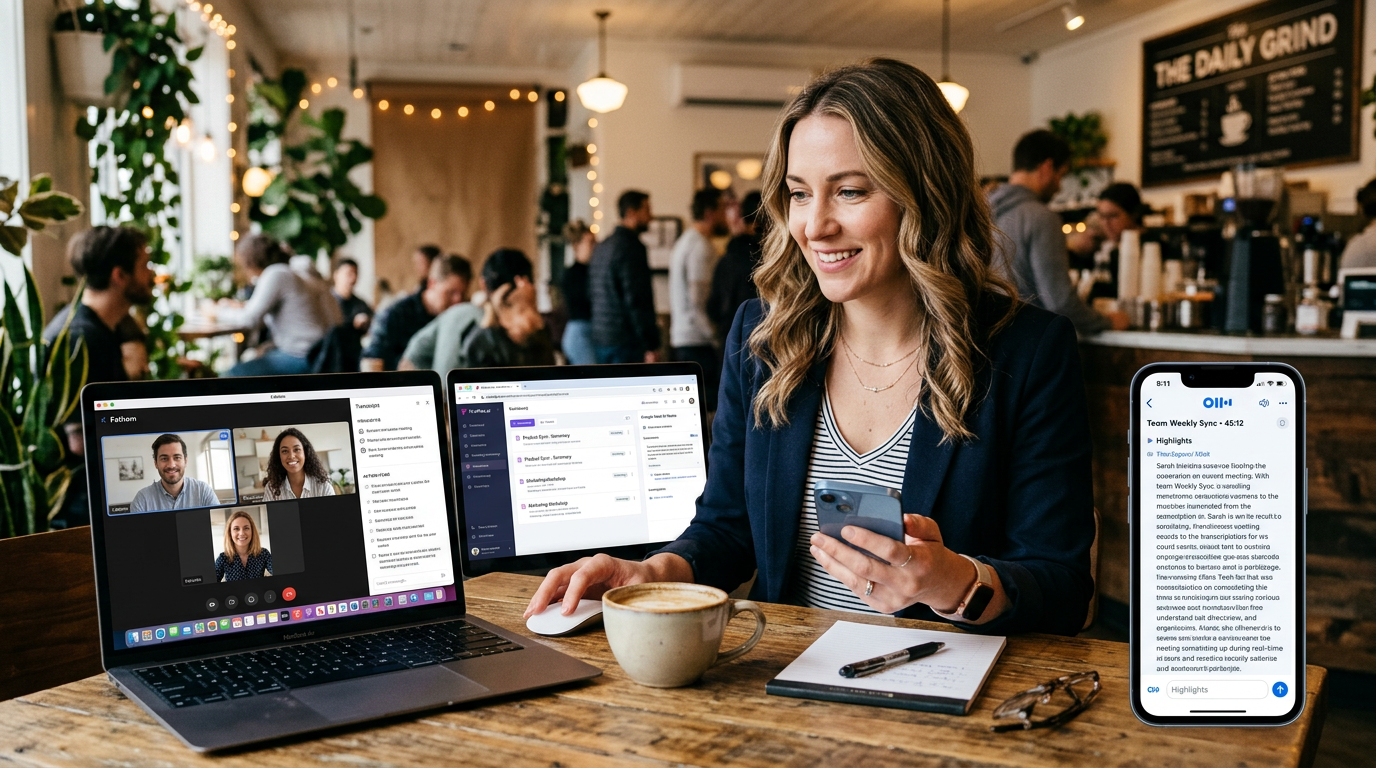
Otter.ai
Otter remains one of the most accessible options for small business. Its real-time transcription is accurate and it integrates well with Zoom, Google Meet, and Microsoft Teams. The free tier is generous, and paid plans start at around $10/month per user.
Otter’s AI summary feature pulls out key points and action items automatically. It also has a “channel” system that lets you share transcripts with your team without giving everyone full access to recordings.
Best for: Businesses getting started with AI meeting tools, solo operators, and small teams.
Fireflies.ai
Fireflies is more automation-forward than Otter. It automatically joins your calendar-scheduled calls without you having to invite it each time, which removes friction significantly. Its CRM integrations are deeper—it can push notes directly to HubSpot, Salesforce, and Pipedrive.
The AI-generated conversation analytics—talk-to-listen ratios, sentiment scoring, topic tracking—are genuinely useful for anyone in sales or client management.
Best for: Sales-focused teams, businesses with CRM workflows, and anyone who wants set-it-and-forget-it automation.
Fathom
Fathom is free for individuals (with limits) and focuses on simplicity. It gives you timestamped highlights you can clip and share, which is great for sending quick snippets to clients or team members without sharing the entire meeting.
The interface is clean and the setup is minimal. For a solo business owner who just wants reliable capture without complexity, Fathom is hard to beat.
Best for: Solo operators and small teams who want a free, low-maintenance option.
Google Meet AI Notes (Workspace)
If you’re already on Google Workspace, AI Notes is now built into Google Meet. It creates a Google Doc summary automatically and links it to the calendar event. No extra subscription, no extra login, no extra app.
The quality is solid and the workflow is seamless for businesses already in the Google ecosystem.
Best for: Businesses already on Google Workspace who want zero-friction adoption.
Microsoft Copilot in Teams
For businesses on Microsoft 365, Copilot in Teams is the equivalent. It transcribes, summarizes, and can answer questions about the meeting afterward (“What did Sarah say about the Q2 timeline?”). If your team lives in Teams already, this is the path of least resistance.
Best for: Businesses already on Microsoft 365.
How to Get Started This Week
Getting up and running with an AI meeting assistant takes less than an hour. Here’s a simple launch plan:
-
Pick one tool — Don’t overthink it. If you’re on Google Workspace, start with AI Notes. If you need CRM integration, try Fireflies. If you want the easiest setup, try Fathom free.
-
Connect your calendar — Most tools need calendar access to join your scheduled calls automatically. This is usually a one-click OAuth connection.
-
Run it on your next three meetings — Don’t change anything yet. Just let it run and see what it captures. Review the summaries afterward.
-
Set up one integration — After a week, add the integration that would save you the most time. For most small businesses, that’s either CRM sync or Slack notifications.
-
Build the habit of reviewing summaries — The tool only delivers value if someone acts on the output. Block 10 minutes after each significant meeting to review the summary and confirm action items are assigned.
That’s it. No elaborate rollout needed. The tools are designed to layer in without disrupting how you already work.
A Note on Privacy and Consent
Before you start recording meetings with clients, vendors, or prospects, tell them.
In most U.S. states, at least one party to the call needs to consent to recording—and that party can be you. But best practice—and just good business—is to be transparent. A simple “I use an AI note-taker on my calls to make sure nothing falls through the cracks—is that okay?” takes five seconds and builds trust instead of eroding it.
If you’re in healthcare, check whether recordings intersect with HIPAA obligations. Patient consultations and clinical discussions have stricter rules. If you’re an aesthetics practice or healthcare provider, read our guide on HIPAA-compliant AI automation for medical practices before adding any AI tools to patient-facing calls.
For most service businesses, trades companies, and professional services firms, the consent conversation is simple and clients rarely object—especially when you frame it as a benefit to them (“so I have everything accurate for your proposal”).
What to Expect in Terms of ROI
The time savings are real and they compound. A business owner saving 3 hours per week on meeting admin gets back 150+ hours per year—about a full month of working time.
But the less obvious return is in execution quality. When action items are captured automatically and assigned clearly, things actually get done. Projects move faster. Client relationships improve because follow-through becomes reliable. Sales close faster because follow-up happens on time.
Some teams also find that meeting hygiene improves when everyone knows the meeting is being captured. Agendas get tighter. Decisions get made more explicitly. Vague commitments disappear because nobody wants “I’ll look into it” immortalized in the transcript.
If you’re not automating other parts of your business yet, meeting assistants are a good first step—the learning curve is minimal and the payoff is immediate. For a broader view of what automation can do for your operations, our small business automation guide covers the full landscape.
Frequently Asked Questions
Are AI meeting assistants accurate enough to be reliable?
Modern AI transcription is accurate in the 95–98% range for clear audio in standard English. Accuracy drops with strong accents, heavy background noise, or highly technical jargon. Most tools let you correct transcripts manually. For most business conversations, accuracy is more than sufficient for extracting action items and summaries.
Do I need to tell clients I’m using an AI note-taker?
Yes—both for legal reasons in many jurisdictions and for trust-building purposes. Most clients respond positively when you explain it keeps them from having to re-explain things and ensures accurate follow-through. Always disclose before recording begins.
Can these tools work on phone calls, not just video meetings?
Some can. Fireflies and Otter both have mobile apps that can record and transcribe in-person or phone conversations. Functionality is more limited than for video calls, but basic transcription and note capture work well.
Will these tools integrate with my CRM?
The major tools (Fireflies, Otter Business, Fathom) integrate with the most popular CRMs including HubSpot, Salesforce, and Pipedrive. If you’re using a less common CRM, check the integration list before committing. Many also support Zapier, which means you can connect to almost any platform with a bit of setup. Check our Zapier vs Make vs n8n comparison for help choosing the right automation layer.
How much do these tools cost?
Fathom is free for individual use. Otter.ai starts at $10/month per user. Fireflies starts at $10/month per user. Google Meet AI Notes is included with Google Workspace Business Starter ($6/user/month). Microsoft Copilot for Teams requires a Microsoft 365 Copilot add-on ($30/user/month). For most small businesses, the free or entry-level paid options are more than sufficient.
If you’re spending more than 30 minutes a week on meeting notes and follow-up admin, an AI meeting assistant will pay for itself in the first two weeks. Start with one tool, run it on your next few calls, and see what you’ve been missing.
Ready to automate more of the repetitive work that’s eating your week? Talk to the Monsoft team about what’s possible for your business.