
Hiring is hard enough. After weeks of posting, interviewing, and negotiating, you’ve finally found the right person. Then they show up on day one — and the real chaos begins.
Paper forms in a filing cabinet. Training materials scattered across email threads. Manager walkabouts that interrupt productivity. A week of “let me find out who handles that.” By the end of their first month, your new hire is either frustrated and disengaged — or quietly already interviewing elsewhere.
Poor onboarding costs money. According to research from SHRM, replacing an employee costs anywhere from 50% to 200% of their annual salary. And a significant driver of early turnover is a bad onboarding experience. New employees who go through structured onboarding are 69% more likely to stay with a company for three years.
For small businesses running lean teams, that math is brutal. You can’t afford to lose someone you just spent months recruiting and training.
The fix isn’t hiring a dedicated HR director. It’s building an automated onboarding system that delivers a consistent, thorough experience every single time — whether you have the bandwidth that week or not.
What Employee Onboarding Automation Actually Means
Let’s be clear about what we’re talking about. Employee onboarding automation means using software to handle the repetitive, logistical parts of bringing someone new onto your team — paperwork, account setup, training delivery, scheduling, and check-ins — so your managers and HR team can focus on the human parts that actually build culture and connection.
This isn’t about replacing the manager’s first-day lunch with the new hire or the team introduction meeting. It’s about removing the friction that makes those first weeks feel disorganized.
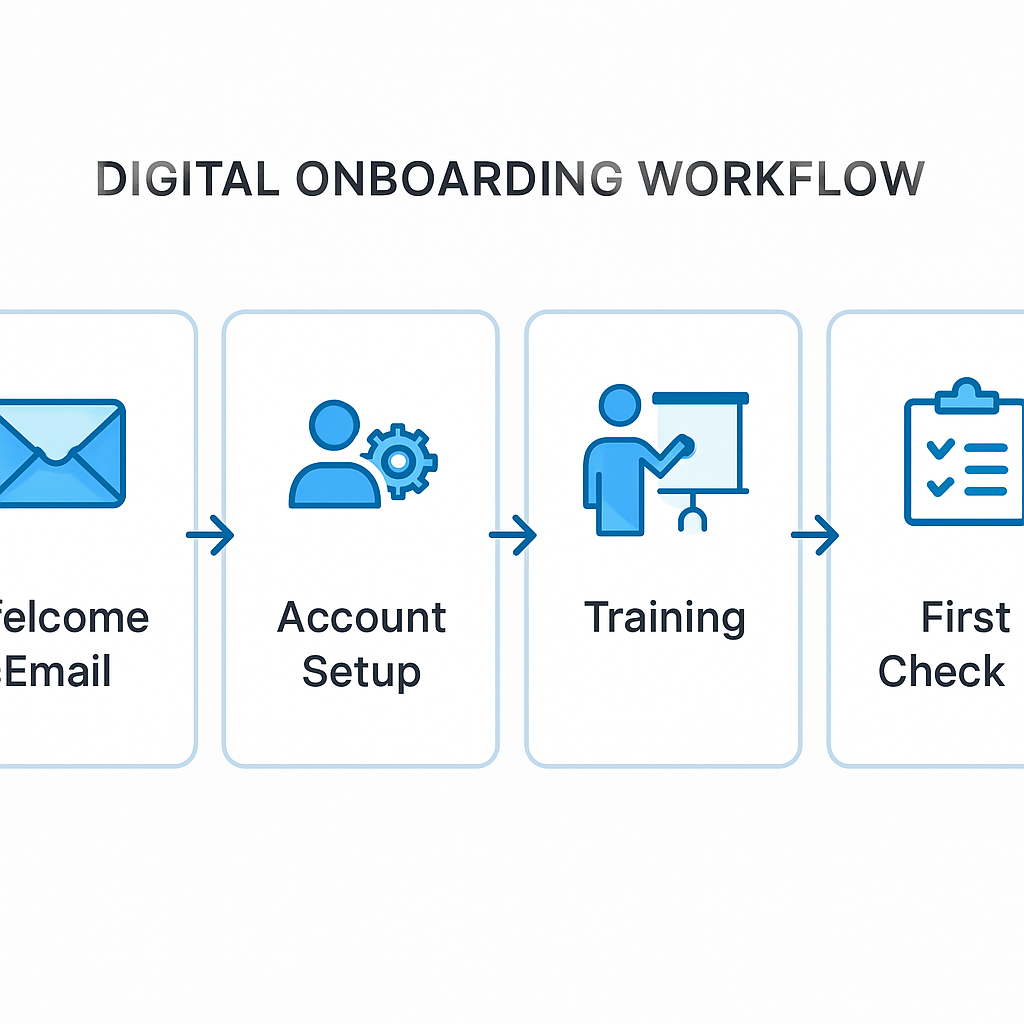
A well-automated onboarding system handles:
- Pre-boarding — Everything before day one (offer letters, paperwork, equipment requests)
- Day one logistics — Accounts, access, system credentials, workspace setup
- Training sequences — Role-specific training delivered at the right pace
- Compliance — I-9 verification, tax forms, policy acknowledgments
- Milestone check-ins — Automated reminders at 30, 60, and 90 days
- Manager prompts — Alerting managers when their action is needed
The goal is a system where nothing falls through the cracks — and your new hire never feels like they’re waiting around wondering what they’re supposed to do next.
The Biggest Mistakes Small Businesses Make with Onboarding
Before building your automated system, it’s worth understanding where most small businesses go wrong:
1. Starting Onboarding on Day One
Day one is too late to start onboarding. By the time someone walks through the door, they should already have their paperwork submitted, their accounts requested, their first-week schedule in their inbox, and a clear understanding of where to show up and when.
Pre-boarding — the period between offer acceptance and the first day — is where automated systems shine. Trigger a pre-boarding sequence the moment an offer is accepted and let automation handle the paperwork, policy reviews, and logistics before day one even arrives.
2. Treating Every Role the Same
A customer service rep and a sales associate need completely different onboarding paths. When you use a one-size-fits-all checklist, someone always ends up sitting through training that has nothing to do with their job.
Automation platforms let you create role-based onboarding paths — different sequences, different training modules, different stakeholder introductions, triggered automatically based on the role they’re being hired into.
3. Front-Loading Everything
Dumping two weeks of training materials into someone’s inbox on day one isn’t onboarding — it’s information overload. Effective onboarding drips content over time: role basics in week one, deeper process training in week two, performance expectations by week four.
Automated drip sequences solve this completely. Set the schedule once; the system delivers content at exactly the right intervals without anyone having to remember.
4. Never Following Up
A 30-day check-in is one of the most valuable investments you can make with a new hire. Yet for most small businesses, it only happens if someone remembers to do it. When your team is stretched, it doesn’t happen.
Automation makes this invisible: set up automated check-in reminders to both the manager and the new hire at 30, 60, and 90 days. No one has to remember because the system does it.
5. Paper-Based Compliance
I-9 forms, W-4s, direct deposit authorizations, handbook acknowledgments — this documentation is legally required and consistently mishandled at small businesses. Paper forms get lost, faxed to the wrong number, or stored in an unmarked folder no one can find.
Digital, automated compliance workflows ensure every required document is collected, signed, timestamped, and stored in the right place before someone’s first paycheck runs.
Building Your Automated Onboarding System
Here’s how to build this from scratch, even if you’re starting with nothing but a spreadsheet and some good intentions.
Step 1: Map Your Current Process
Before automating anything, write down every step that currently happens (or should happen) when you hire someone. Don’t filter it yet — just capture it all:
- Who sends the offer letter?
- When does IT get notified about equipment?
- Who sets up system access?
- What training materials exist, and where are they?
- Who does the benefits enrollment walkthrough?
- What does the 30-day check-in look like?
Most businesses doing this exercise discover two things: there are way more steps than they realized, and at least half of them happen inconsistently or not at all.
Step 2: Sort by Role
Take that master list and sort it into buckets:
- Universal steps — happen for everyone (paperwork, compliance, payroll setup)
- Role-specific steps — happen only for certain positions (training, system access, client introductions)
- Location-specific steps — if you have multiple locations, what differs by site?
- Manager actions — what specifically does the manager need to do vs. what can be automated?
Step 3: Choose Your Platform
You don’t need enterprise HR software to automate employee onboarding. Depending on your budget and existing tools, here are the most practical options for small businesses:
Dedicated onboarding platforms:
- Rippling — Excellent for businesses that want onboarding, payroll, and IT account provisioning all in one place. Automatically creates email accounts and grants software access on day one.
- Gusto — Strong choice for small businesses that need payroll + onboarding automation. Clean interface, built-in e-sign, automated tax forms.
- BambooHR — More HR-focused (without built-in payroll), great onboarding workflows, strong reporting.
Workflow automation tools:
- If you’re already using Zapier, Make, or n8n, you can build custom onboarding workflows that connect your existing tools — your ATS, your email system, your project management platform, your cloud storage.
The key criteria: Does it support automated sequences? Can you create role-based paths? Does it handle e-signatures? Can it integrate with your payroll system?
Step 4: Build the Pre-Boarding Sequence
This is your highest-leverage automation. Set it to trigger when an offer letter is signed.
Pre-boarding sequence template:
- Day 0 (offer signed): Welcome email from the founder or hiring manager. Personal, warm, enthusiastic. Include first-day logistics (time, location, who to ask for, parking). Link to any pre-read materials.
- Day 1 after signing: Send new hire paperwork package for digital completion (I-9, W-4, direct deposit, emergency contacts). Set a 5-day reminder if incomplete.
- 3 days before start date: “We’re excited for Monday!” email with schedule, dress code if relevant, team bio page. Send equipment/access request to IT or operations.
- 1 day before start date: Reminder with logistics. Brief intro to what the first day looks like.
All of this happens without a single human action — once set up.

Step 5: Build the First-Week Sequence
Day one: Access credentials and system logins delivered automatically. Welcome message in company Slack or Teams channel. Link to org chart and company handbook.
Day two: Role-specific training module one. Video or document, no longer than 30 minutes. Quiz or acknowledgment to confirm completion.
Day three: Introduction email to key internal stakeholders the new hire will work with. Template to make it easy for them to reach out.
Day four: Role-specific training module two. Department overview document.
Day five: First-week check-in form to the employee. “How are you feeling? What questions do you have? Is there anything we can do better?” + alert to manager to schedule a 1:1 for end of week.
Step 6: Build the 30/60/90 Day Track
This is where most small businesses abandon their onboarding process — but it’s also where the real impact is:
30 days:
- Automated check-in form to new hire: Role clarity? Team integration? Questions?
- Manager reminder: Schedule 30-day review conversation
- HR reminder: Benefits enrollment deadline if applicable
60 days:
- Performance goal check-in
- Training completion audit
- Feedback on onboarding experience (this data helps you improve the system)
90 days:
- Full 90-day review trigger
- Transition from “new employee” to “regular employee” in HR system
- Celebration/acknowledgment message
Step 7: Automate Compliance Tracking
Whatever platform you use, set up automated reminders for compliance documents:
- I-9 must be verified by day three — automate a reminder to whoever handles verification
- W-4 and direct deposit must be complete before first payroll — flag if incomplete 5 business days before payroll closes
- Handbook acknowledgment — send automated follow-up if not signed within 7 days
Store everything digitally with timestamps. If you’re ever audited, you’ll want to be able to pull any document within minutes.
Connecting Onboarding to Your Other Systems
The real power of onboarding automation comes when it talks to your other tools:
HRIS/Payroll: New employee record creation should automatically notify payroll, not require someone to manually enter data twice.
IT/Software provisioning: When a new hire is created in your HR system, Rippling (or a Zapier workflow) can automatically create their Google Workspace or Microsoft 365 account, provision their software licenses, and add them to the right Slack channels — before day one.
CRM: If the new hire will work with customers, automatically add them to your CRM as a team member and assign them to any onboarding training sequences in your email platform.
Project management: Automatically create a 30-day onboarding project in Asana, Monday.com, or ClickUp with all tasks pre-populated and assigned to the right people.
None of this requires custom development. Zapier and Make can connect most small business tools with no coding required.
What to Automate vs. What to Keep Human
Automation isn’t about removing humanity from onboarding. It’s about freeing up your people to focus on the parts that can’t be automated:
Automate:
- Document collection and e-signatures
- Training delivery and progress tracking
- Account and access provisioning
- Reminder sequences
- Compliance tracking
- Schedule coordination
Keep human:
- The founder or CEO welcome (even a quick video message feels personal)
- Team introductions and culture conversations
- Manager 1:1s and role clarity discussions
- Informal team lunches or coffee chats
- The 30-day performance conversation
When your system handles the logistics, your managers get to actually focus on the human connection that determines whether this person stays and thrives — or leaves within 90 days.

Measuring Your Onboarding System
Once your automated onboarding is live, track these metrics to know whether it’s working:
- Time to productivity — How many days until a new hire is independently handling their core responsibilities? Track this before and after automation.
- 90-day retention rate — What percentage of new hires are still with you at day 90? Benchmark this before you automate so you can measure improvement.
- Onboarding satisfaction score — Your 60-day feedback form should include a simple rating. Track it quarterly.
- Paperwork completion rate — What percentage of new hires complete all required documents before day one? This should be near 100% with automation.
- Manager time spent on onboarding logistics — Ask managers to estimate time spent on admin (scheduling, document chasing, reminders) before and after. The reduction should be significant.
Real-World Results for Small Businesses
The businesses that invest in automated onboarding consistently report the same outcomes:
A home services company in Southwest Florida reduced new hire paperwork time from 4 hours (spread across two weeks) to 45 minutes of self-service before the first day. Their 90-day retention rate improved by 30% within six months.
A marketing agency implemented automated role-based training sequences and found that new account managers were handling client calls independently by week three instead of week six — a direct impact on billable hours.
A regional med spa with three locations built a pre-boarding sequence that delivers location-specific training materials, HIPAA compliance training, and service protocols before the hire walks through the door. Managers reported spending 60% less time on onboarding logistics during the first month.
These aren’t enterprise companies with dedicated HR departments. They’re small businesses that decided to treat onboarding as a system worth building.
Getting Started This Week
You don’t need to automate everything at once. Here’s a minimal first version that takes a few hours to set up and immediately improves your process:
- Pick one tool: If you’re already using Gusto or Rippling for payroll, start there. If not, sign up for a Gusto trial.
- Build one pre-boarding email: A warm welcome from you with first-day logistics. Set it to trigger when an offer letter is signed.
- Create one digital document package: Paperwork and policy acknowledgments via e-sign. Send automatically as part of pre-boarding.
- Add two reminder triggers: A manager reminder at 30 days to schedule a check-in, and a new hire check-in form at 60 days.
That’s it for week one. You’ve already eliminated the most common failure points without overhauling anything.
From there, you layer in training sequences, role-based paths, compliance tracking, and system integrations over the following weeks.
The most expensive employee is the one who quits before they reach their potential. Automated onboarding isn’t about efficiency for its own sake — it’s about giving every person who joins your team the best possible chance to succeed.
If you’re ready to build a system that handles the logistics so your team can focus on the people, Monsoft Solutions can help you design and implement your onboarding automation — from the workflow map to the final 90-day check-in.