
If you’re running a small business, you already know the feeling: there’s never enough time. Between answering emails, scheduling appointments, managing invoices, and actually doing the work that pays the bills, the days blur together.
Here’s the good news: AI automation isn’t just for big corporations anymore. The same technology that powers enterprise operations is now accessible—and affordable—for businesses of all sizes.
The Real Cost of Manual Work
Before diving into solutions, let’s talk about what repetitive tasks are actually costing you.
Consider a typical small business owner’s week:
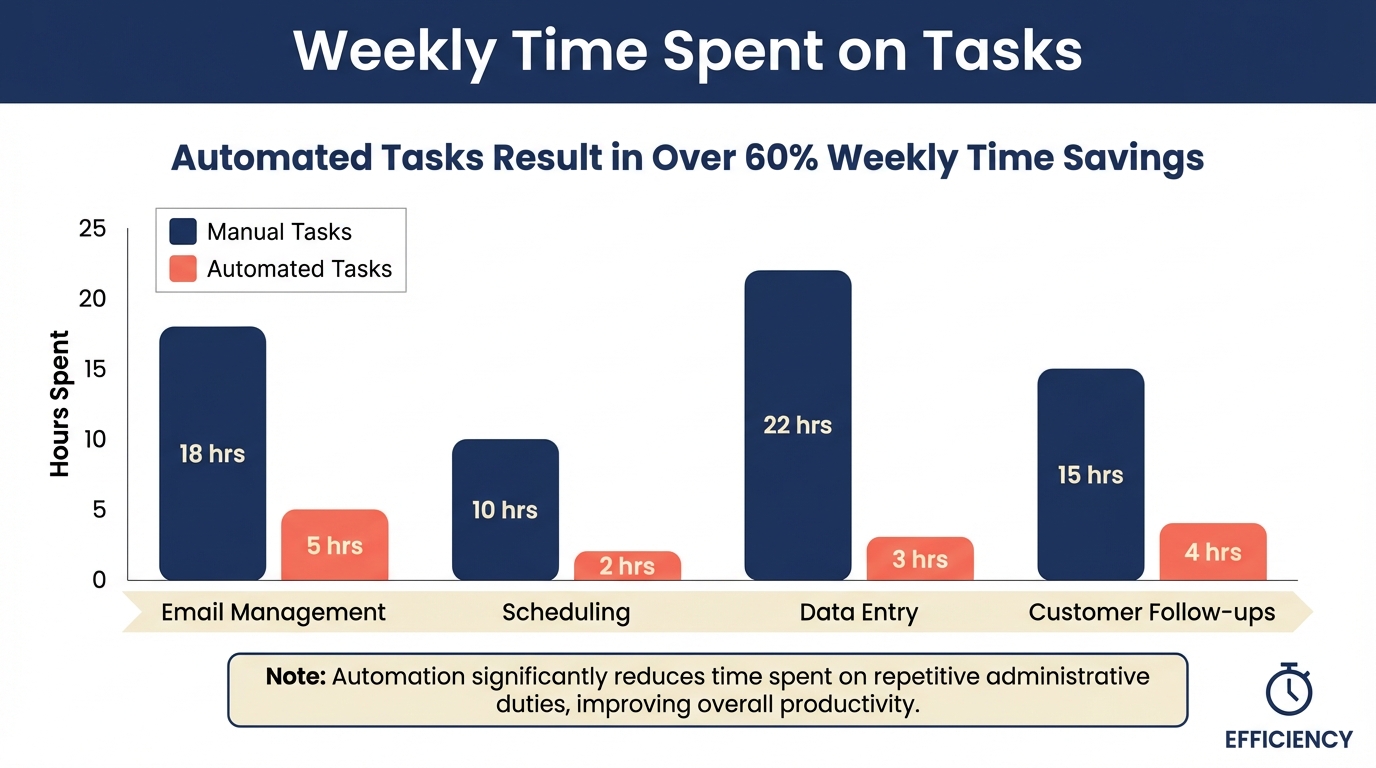
- Email management: 5-8 hours responding to inquiries, following up on quotes, and sorting through newsletters
- Scheduling: 3-4 hours coordinating meetings, appointments, and calls
- Data entry: 4-6 hours updating spreadsheets, CRMs, and invoices
- Customer follow-ups: 2-3 hours checking in with leads and existing clients
That’s 14-21 hours per week spent on tasks that don’t directly generate revenue. Over a year, that’s more than 700 hours—or roughly 18 full work weeks.
Where AI Automation Makes the Biggest Impact
Not all automation is created equal. The key is identifying high-volume, repetitive tasks that follow predictable patterns. Here’s where we’ve seen the biggest wins:
1. Customer Communication
Modern AI can handle far more than canned responses. Today’s systems can:
- Qualify leads by asking the right questions before they ever reach you
- Answer FAQs with context-aware responses that feel natural
- Schedule appointments directly into your calendar without back-and-forth
- Send personalized follow-ups based on where customers are in their journey
One of our clients—a medical aesthetics practice—reduced their response time from 4 hours to under 5 minutes while maintaining a personal touch. Their booking rate increased by 34%.
2. Document Processing
If you’re still manually entering data from forms, invoices, or applications, you’re leaving hours on the table every week. AI-powered document processing can:
- Extract information from PDFs, images, and scanned documents
- Validate data against your existing records
- Route documents to the right team member automatically
- Flag exceptions that need human review
3. Marketing and Content
Creating consistent content across channels is exhausting. AI can help by:
- Generating first drafts for blog posts, social media, and emails
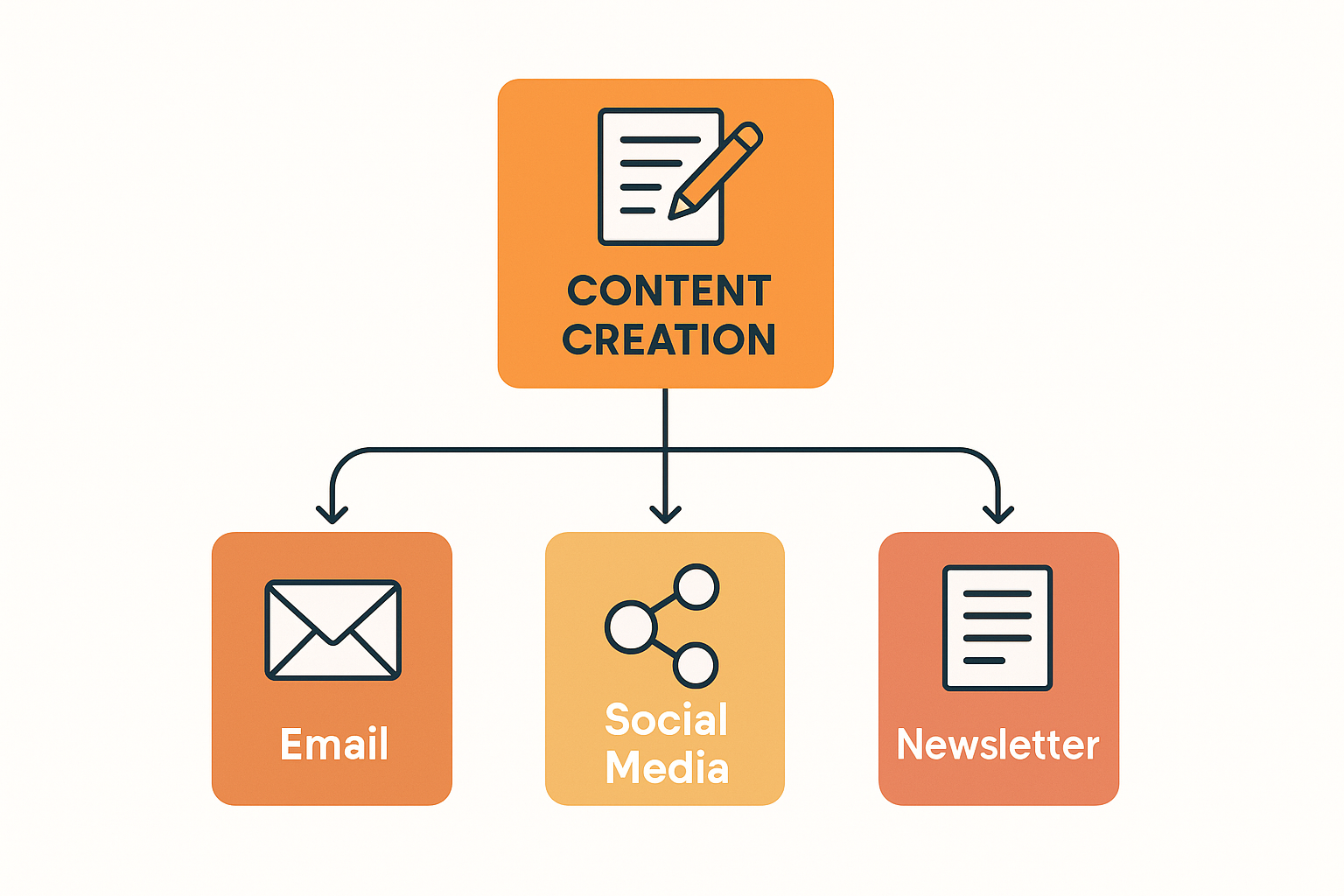
- Repurposing content across different formats (blog → social → newsletter)
- Optimizing posting schedules based on engagement data
- A/B testing subject lines and copy at scale
Starting Small: Your First Automation
The biggest mistake businesses make is trying to automate everything at once. Start with one pain point—ideally something that:
- Happens frequently (daily or weekly)
- Follows a consistent pattern
- Doesn’t require complex judgment calls
- Has a clear trigger and outcome
Example: Automatically send a thank-you email when someone fills out your contact form, then create a task in your project management tool to follow up in 48 hours.
This simple automation takes 10 minutes to set up and saves about 15 minutes per inquiry. If you get 20 inquiries per week, that’s 5 hours saved per month from just one automation.
The Build vs. Buy Decision
You have three main options for implementing AI automation:
Off-the-shelf tools (Zapier, Make, etc.)
Best for: Simple, linear automations Pros: Low cost, quick setup, no coding required Cons: Limited customization, can get expensive at scale
Platform-specific AI features
Best for: Businesses already using a major platform (Salesforce, HubSpot, etc.) Pros: Deep integration, built-in support Cons: Vendor lock-in, may not fit your exact needs
Custom solutions
Best for: Complex workflows, competitive advantages, scale Pros: Tailored to your business, owned by you, unlimited flexibility Cons: Higher upfront investment, requires expertise to build
For most small businesses, the sweet spot is starting with off-the-shelf tools, then graduating to custom solutions as you identify automations that give you a competitive edge.
Measuring ROI
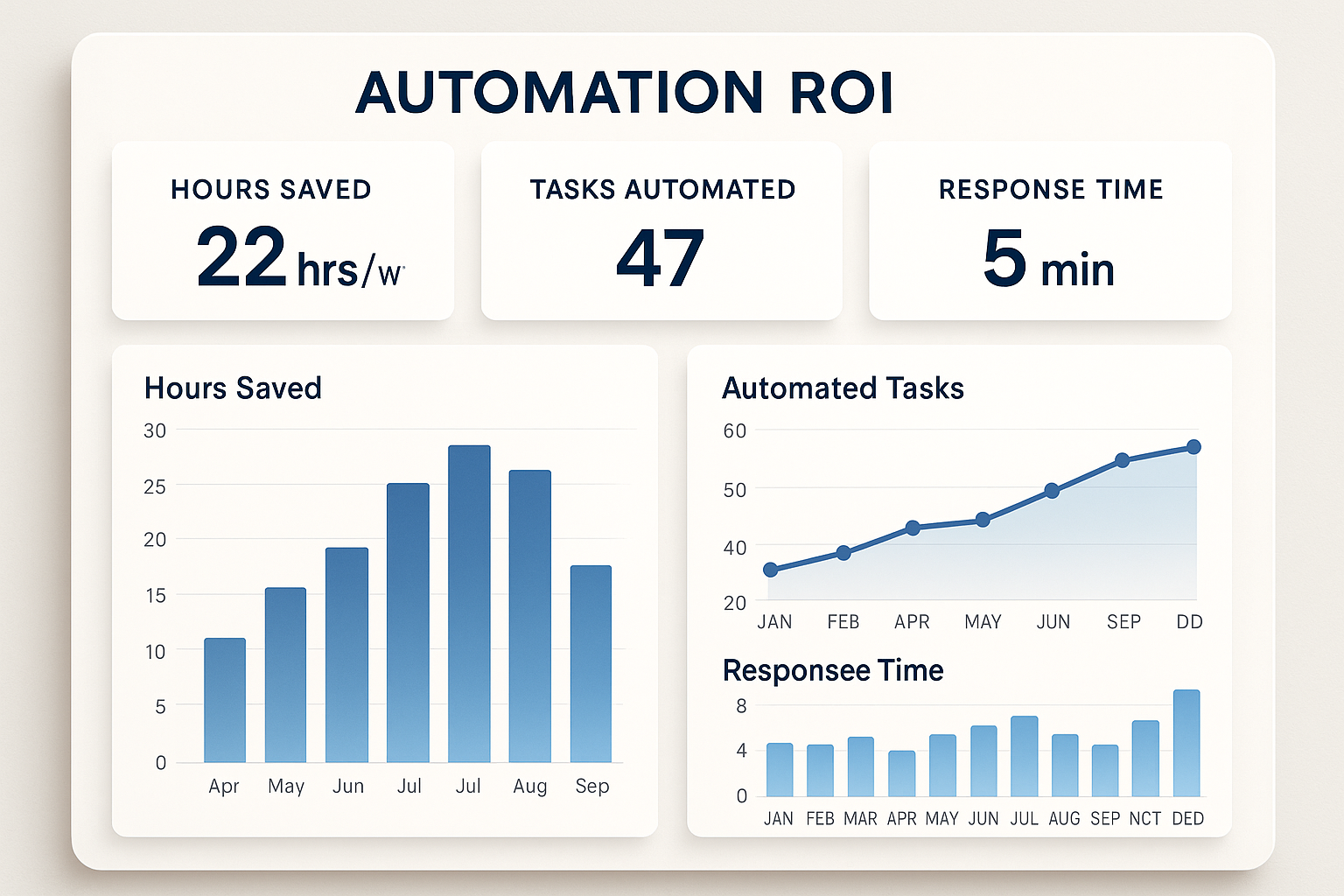
Automation without measurement is just guessing. Track these metrics to prove (and improve) your investment:
- Time saved: Hours reclaimed per week/month
- Error reduction: Fewer mistakes in data entry, scheduling, etc.
- Response time: How quickly customers hear back
- Conversion rate: Are faster responses leading to more sales?
- Employee satisfaction: Is your team happier with less grunt work?
Getting Started This Week
Here’s a practical action plan:
- Monday: List every repetitive task you do in a typical week
- Tuesday: Identify the top 3 that take the most time
- Wednesday: Research existing tools that could handle those tasks
- Thursday: Set up a free trial for the most promising option
- Friday: Create your first automation and test it
The goal isn’t perfection—it’s progress. Even a 10% efficiency gain compounds over time.
When to Bring in Help
DIY automation works for straightforward tasks. But if you’re dealing with:
- Complex multi-step workflows
- Integration between systems that don’t natively connect
- Processes that require AI judgment (sentiment analysis, lead scoring, etc.)
- Regulatory or compliance requirements
…it may be worth talking to specialists who can build something robust from day one.
AI automation isn’t about replacing humans—it’s about freeing them to do what they’re best at. The businesses that thrive in the next decade will be the ones that figure this out first.
Ready to explore what’s possible? Let’s talk about your specific challenges.